From the receipt to the owner payout.
ImmoFlow connects the workflows that many management companies spread across several programs. All pictures on this page are real screenshots with demo data. Click one to see the full view.
Read, assign and suggest for receipts and letters.
Invoices, letters and emails land in one inbox. The AI reads an invoice and suggests the coding, assigns a letter to a unit or proposes a task from a deadline in the text. You read the reasoning, correct where needed and then accept.
- Suggestion with reasoning and confidence level instead of automatic posting
- Service charge receipts are assigned to the completeness check
- Upload emails as .eml or .msg, send them to your own intake address or fetch them from an IMAP mailbox; every attachment becomes its own document
- Urgent reports such as water, fire or heating failure come first; every decision stays traceable in the log
- Authority and insurance letters are recognised: sender, reference and the owner concerned taken from the letter, a deadline as a task proposal, and once you confirm, the scan is filed with the property, the lease or the owner
One letter to all tenants of a property.
A serial letter or email goes to all tenants or owners of one or more properties, narrowed down if you wish. Placeholders are filled per recipient, each receives the text in their language, and you see every version before sending. Letters are filed with the contact and the lease.
- The office's own text templates per language, with versions
- Find duplicate contacts and merge them with all their links; postcode, place and street from official federal directories, address history per contact
- Calendar with month, week, day and list; deadlines and dates from leases, tickets and dunning appear on their own
- Excel export of properties, units, contacts, tickets, tasks, rent roll and service charge distribution
- Long jobs such as imports, PDF bundles and serial letters run in the background with a progress display
- Emails to tenants, owners and tradespeople go out in your firm's name; replies come to your address, or if you wish to a separate address per mandate. A sender address on your own domain is planned
The whole building at a glance.
The occupancy plan shows every unit per floor with rooms, area, tenant, rent and status. From the property you go straight to tickets, handovers, documents and accounting.
- Status let, vacant, reserved, under renovation
- Lease contract as a PDF from versioned templates with the legal basis of each clause; once signed it appears in the tenant portal
- Rent changes and terminations prepared to the canton's requirements, with the competent conciliation authority and proof of delivery
- Handovers with protocol
From the listing to the draft lease.
A listing is built from the unit's data, with an AI text draft, photos and floor plans. ImmoFlow exports it as an IDX file for Homegate, ImmoScout24 and newhome, which you upload in the portal. Prospects book viewings and apply through a public link.
- Per-portal check that the listing is complete, and an exposé as PDF
- Viewing slots with places, a reminder the day before and a follow-up email after a no-show
- Compare applications; the accepted application becomes a contact and a draft lease
Six typical tasks, from the month to the year-end closing.
Supplier invoices, incoming payments and service charges belong together, because everything is posted in the same journal.
1 · Incoming invoices
Open, paid and cancelled invoices with category, property and due date. Payment goes through payment runs.
2 · Payment matching
Import bank statements from e-banking. If the QR reference matches, the tenant invoice is settled, otherwise the payment is recorded for assignment. Every accounting book has an explicitly confirmed account for rent receipts.
3 · Service charge period
Costs are derived from the period's postings. The preview shows payments on account and actual costs per tenant before you close the period.
4 · Check receipts for completeness
For every confirmed recurring bill, ImmoFlow shows for which period a receipt is missing or unclear.
5 · VAT
For commercial properties: option to tax per unit, input tax on supplier invoices, correction for mixed use and the return per quarter or half-year with the figures of the FTA form.
6 · Year-end closing for the fiduciary
Year-end dossier with one PDF of balance sheet, income statement, account sheets and journal, plus all receipts in a ZIP file. Journal, trial balance and open items also as Excel or CSV.
Billing solar power from your own roof.
A self-consumption community (ZEV) sells solar power to tenants, the owner and the common supply. ImmoFlow bills it per period, issues the invoices and caps the price under Art. 16 EnV.
- ZEV and virtual ZEV with the grid operator's smart meters
- Participants taken over from the leases, consumption from meter readings or interval data (CSV)
- Price as a flat 80 % of the standard electricity product or at actual costs, with the legal ceiling in the preview
Why profit and payout are not the same.
The annual statement shows the accounting result and, next to it, the funds available after obligations and reserves. Below that: what the owner is entitled to, what has already been paid out and what is still open.
- Open supplier invoices and retained payments on account shown individually
- Income and expenses broken down to the account
- Published as PDF, plus quarterly and annual reports as a PDF package, on a schedule if you wish
Key figures and reports in one place.
Owners see their statements, reports and documents in the portal, along with photos and floor plans of their properties. Emergency jobs appear for information, and they decide on a quote above the spending limit in the portal. They download key figures and reports themselves.
- Gross and net yield, vacancy, arrears, market value
- Tax statement with value-preserving maintenance and value-enhancing investments
- Rent roll, income statement and balance sheet as PDF, with the tax statement also as Excel for the tax advisor
- Ongoing maintenance topics the office shares with them
Budget and contributions, allocated transparently.
The budget shows each item with the previous year, allocation key and account. Contributions per unit can be broken down to the individual item.
- Allocation keys by value quota or a custom group, such as the lift for the upper floors
- Contributions in freely chosen instalments, for example quarterly, with a QR payment slip
- Check of recurring costs in the community's books
- Takeover checklist and export for handing over the mandate
- Opening position on takeover, entered by hand or from an Excel template, with source references and reconciliation against the bank and the prior-year accounts
- Renewal fund kept, annual accounts with a tax certificate for every condominium owner
From the agenda to the minutes.
Agenda items are prepared from the annual accounts, budget and maintenance cases, with motion text, majority type and attachments. Votes are recorded per item with yes, no, abstention and the decisive votes.
- Majority type and legal basis per agenda item
- Quorum from attendance and representation
- Minutes with versions, resolutions with implementation status
- Live voting on each owner's own phone, counted by heads and value quotas, with a control desk for the chair
Contributions, meetings and circular resolutions.
Condominium owners see open amounts per unit, the next contribution with its calculation and payment slip, upcoming meetings and ongoing circular resolutions.
- Register attendance or grant a proxy
- Invitation and attachments as PDF
- Registrations by post, email or phone and circular replies by post or email are recorded as well
Report, case and job in one flow.
Every ticket shows where the case stands and whose turn it is. If damage in a condominium is recorded as a special right, it is referred to the owner instead of being commissioned by the community.
- History, attachments, tradespeople and jobs per ticket
- Similar tickets and suggested next steps
- Contractor portal for trade businesses
What the tenant pays at move-out.
For every defect in the move-out protocol, ImmoFlow works out the tenant's share from the component's lifespan and shows the calculation. Normal wear is never charged, and a deviation needs a reason.
- Lifespans based on the joint lifespan table (paritätische Lebensdauertabelle), adjustable in the settings
- From the cost split, a draft invoice to the tenant or a proposal for a deposit deduction
- Protocol room by room with photos, signed by both parties; a correction only through a new version
Tenants and trades work along directly.
Tenants report defects, see their invoices with the QR-bill, their documents and pictures of their flat. When the office requests documents, they upload them in the portal. Contractors confirm jobs, submit quotes and close jobs.
- Notification by email and in the portal when something happens on their own report, each channel can be switched off
- Contractors upload their invoice after completion; it reaches the office for posting
- A contractor sees a ticket's photos only when the office shows them one by one
- In every portal a help that answers questions with AI from the ImmoFlow help
- Tenants see the service charge statement with its receipts and can register an intention to give notice in the portal; only the signed letter is valid
Your data from any previous system.
You upload the export as your software produces it. ImmoFlow reads it, asks only the open questions, reconciles to the centime against your reports in four stages in a trial run and goes live only after your signature. OV Solutions accompanies the takeover.
- Autopilot, with AI support or by hand, as agreed in the contract; until a mode is set, nothing goes to an AI
- One page that always shows your next step: one sentence and one button, questions grouped and with a recommendation
- Master data, balances and open items, running periods and documents reconciled in a trial organisation; tenants, owners and the bank notice nothing
- Your signature binds exactly the checked state; on cutover day everything is reconciled again, and if a figure does not match, everything is rolled back
- ImmoFlow learns new report layouts of a software as a source profile; our team reviews each with its evidence and approves it before it applies to further takeovers
Connected to bank, post, portals and fiduciary.
Today ImmoFlow works with every Swiss bank through files, exports the books for the fiduciary and offers a read-only API. The direct connections are planned: none of them has a transport tested with the provider today. Each one says what of it is already built; a connection goes live only once it has been tested with the provider.
- Today: read bank statements as CAMT, load payment runs into e-banking as pain.001
- Today: export for Abacus, bexio and Sage 50 Switzerland with your account mapping, plus a read-only API for partners and the fiduciary
- Planned: bank directly through SIX bLink or EBICS. Built is the flow that passes delivered statements into the existing CAMT import; there is no connection to a bank yet. Until then you download and upload the files yourself
- Planned: direct debit (LSV+ / CH-DD) and eBill into the tenants' e-banking. Built is the direct debit file (pain.008), checked against the SIX schema; there is no link to a bank or the eBill network yet
- Planned: letter post through Pingen by A-Post, B-Post or registered mail. Built is the link to Pingen's interface, tested with modelled answers, not yet with Pingen itself; it is switched off
- Planned: listings directly on Homegate, ImmoScout24 and Newhome, rent deposits through SwissCaution or Firstcaution. Today ImmoFlow creates the IDX file that you upload in the portal; for the deposit insurers there is a hand-off format but no transport yet
Every area explained step by step.
ImmoFlow comes with a user manual for every area, quick guides for the first steps and the public ImmoFlow help centre, all in German, French, Italian and English. In the application the help explains the page you are on.
- Quick guides for the first day, the first rent run, the first reminder, the first service charge and owner statements, the first condominium meeting and the portals
- Ask the help a question in your own words; the answer names its sources in the help
- A request to support straight from the application, with the answer and a notification in the app
Data protection as a workflow.
The office handles access, rectification and erasure requests under the FADP as a case with a deadline: check identity, create and review the export, deliver, close. Erasure anonymises the contact; what the law requires to be kept stays until the date shown.
- Two-factor sign-in with an authenticator app or a passkey, can be required for staff per organisation
- AI functions can be switched off per organisation; IBAN and AHV number never reach the AI in full, and if you wish names, addresses, email and phone go only as placeholders
- Roles with graded permissions and a log of changes
- Opening documents and sensitive personal data is logged, without content
- Sign-in with the company account through Microsoft Entra ID, Google or another OpenID Connect service, enabled per firm by OV Solutions
- Full data export at any time, also when you leave
Where your data is stored and how it is protected.
What applies today and what is prepared for operation with customer data are shown separately. Until OV Solutions is incorporated, ImmoFlow runs with demo and test data only.
Stored in Zurich
The application, database and documents are in Microsoft data centres in Zurich (Azure Switzerland North). Scanned receipts are also read in Zurich; the service deletes the document and the result after 24 hours at the latest.
Backups and restore
The database can be restored to any point in time, documents have versions and a 14-day recycle bin. For operation with customer data, 35 days of history and a copy in the second Swiss region (Switzerland West) are prepared. A restore drill checks the result down to balances and documents.
Secure sign-in
Two-factor sign-in with an authenticator app or a passkey (Face ID, fingerprint, security key), which a firm can require for its staff. Staff can also sign in with the company account: Microsoft Entra ID, Google or another OpenID Connect service.
Audit log protected against changes
Every change writes a line to the audit log in the same step, and the log cannot be edited. Every night it is sealed per firm with chained checksums secured by a key; the nightly check detects and reports any later change.
AI without training on your data
No AI model is trained on your data. For a suggestion only the text needed goes to the AI, IBAN and AHV number never in full, and the AI can be switched off per firm. Today the maker of the AI model processes the requests in the USA. From incorporation the AI runs through Amazon Bedrock: starting in Zurich, processed in data centres in Switzerland and the EU, without storing the content.
Aligned with ISO 27001
A self-assessment maps all 93 controls of the standard, and the policies exist as drafts that apply from incorporation. ImmoFlow holds no certification today.
Exceptions to storage in Switzerland: the application's program files, without customer data, are delivered from Western Europe, and emails are sent by a service outside Switzerland. Details in the privacy notice.
All features at a glance
What ImmoFlow does today, ordered by area of work. Every feature has its guide in the help centre. The screenshots come from the demo with sample data.
Workspace and property management
From the dashboard through properties, units and leases to viewings, tickets and handovers: the everyday routes of property management.
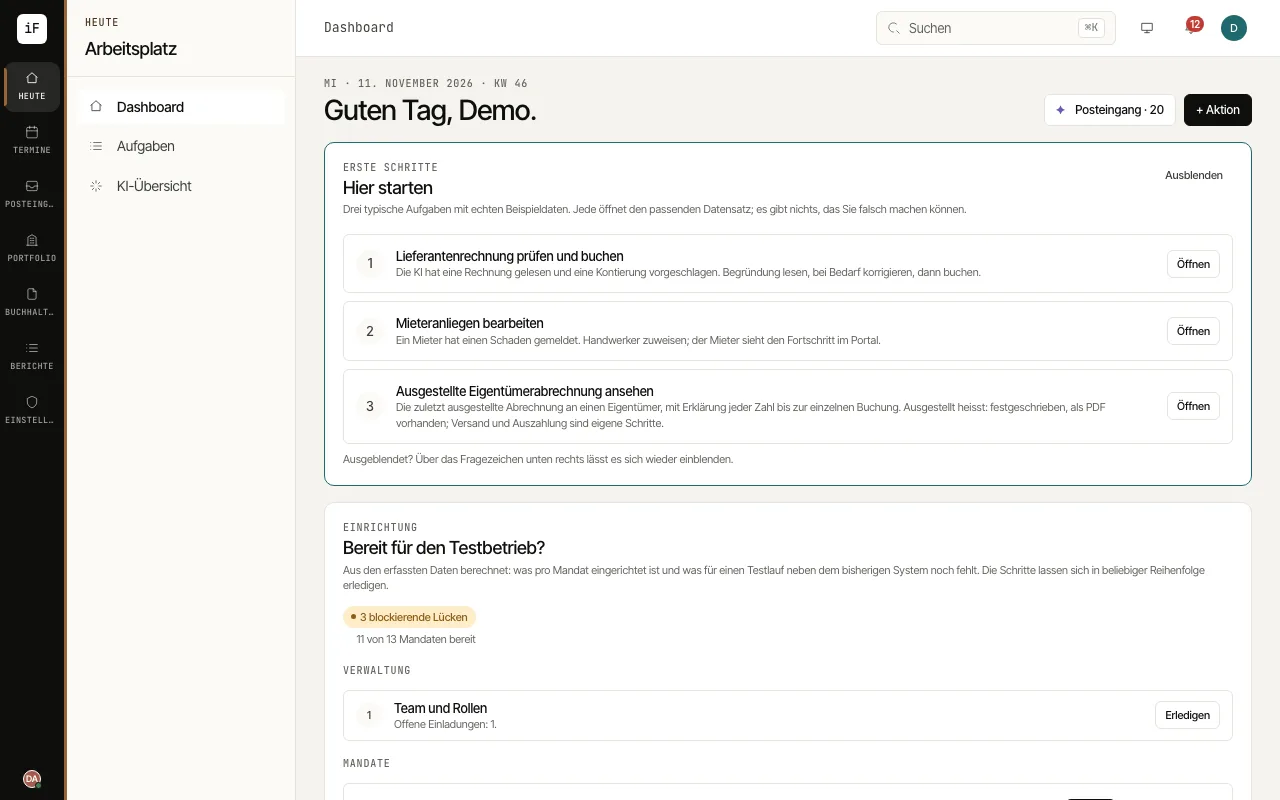 1.1Starting the working dayThe dashboard brings together open tasks and key figures. Start with a specific matter. You do not need to get to know every area first.Read the guide →
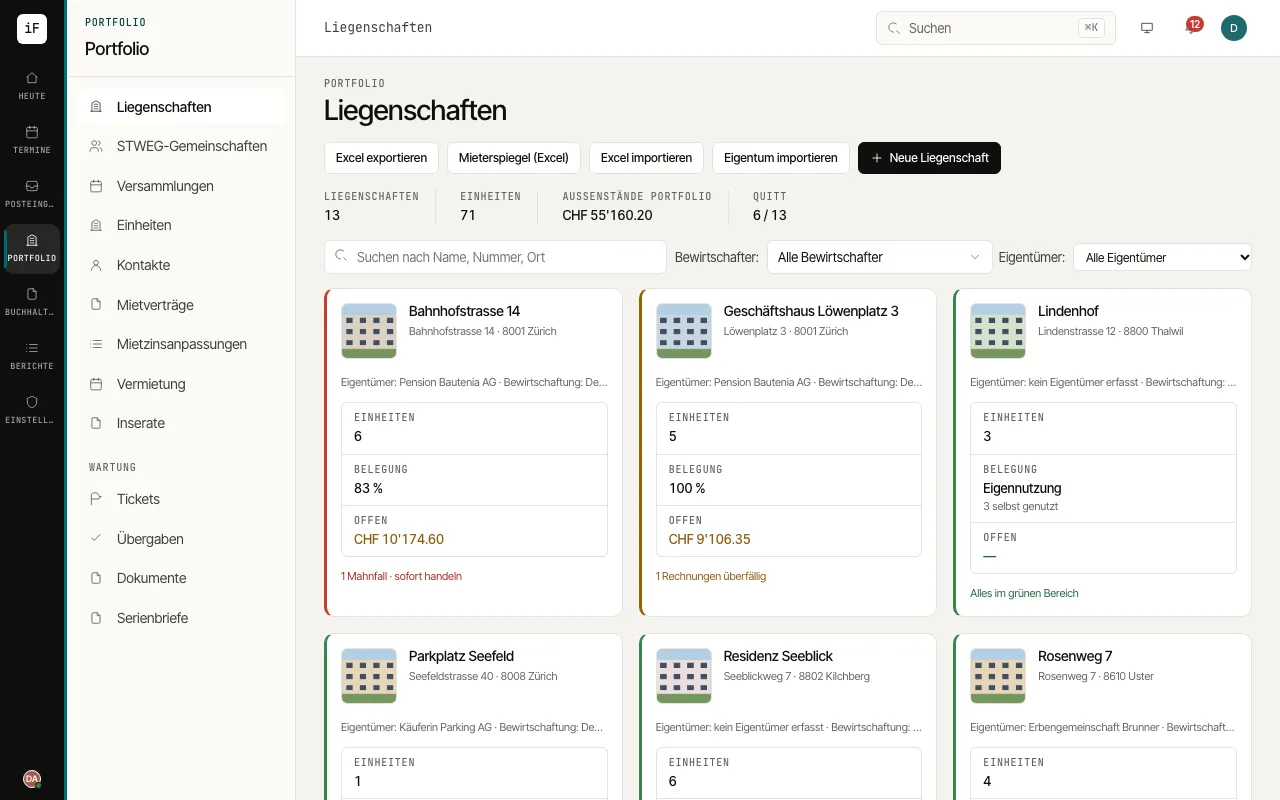 1.2Understanding properties and tenanciesThe portfolio links buildings, units, people and contracts. The property provides the frame; a unit is, for example, a flat, a shop or a parking space.Read the guide →
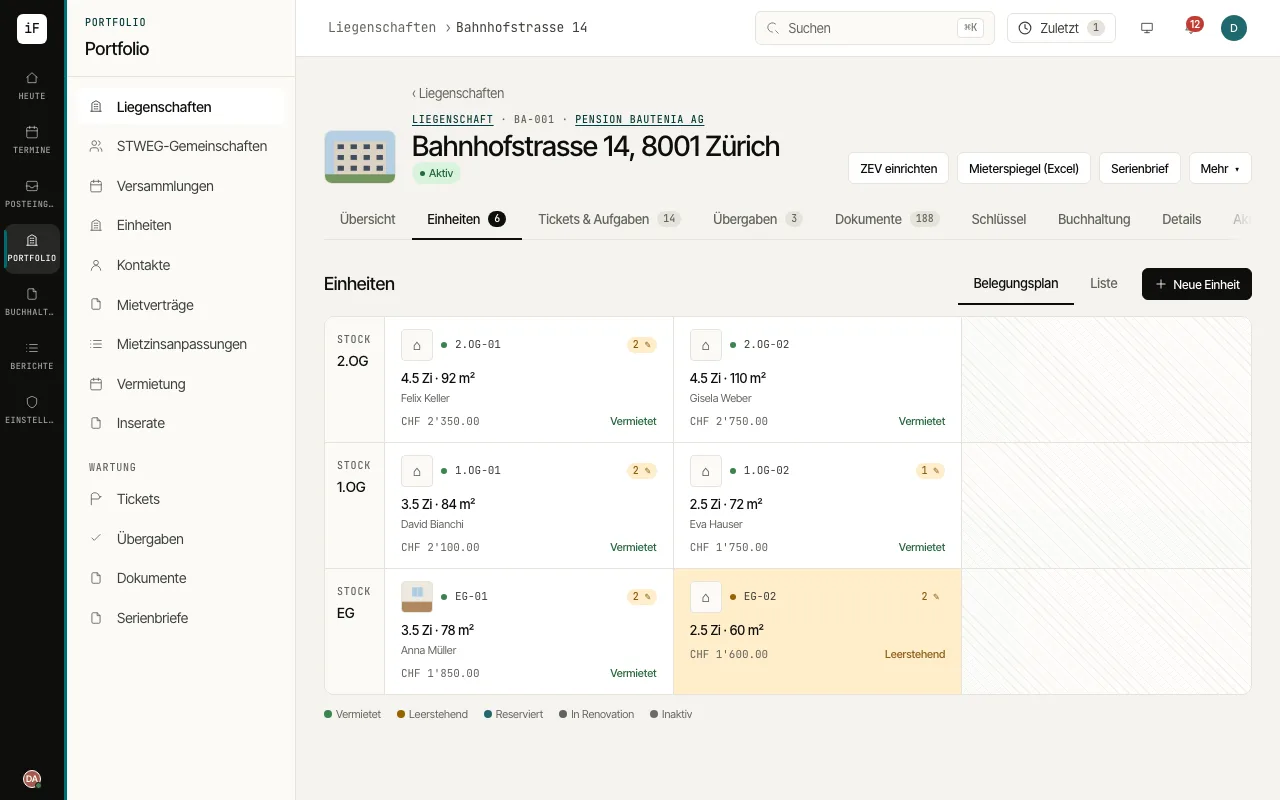 1.3Checking the occupancy of a propertyThe occupancy plan shows the units of a building in context. You can see which spaces are let or vacant and go from there to the specific tenancy.Read the guide →
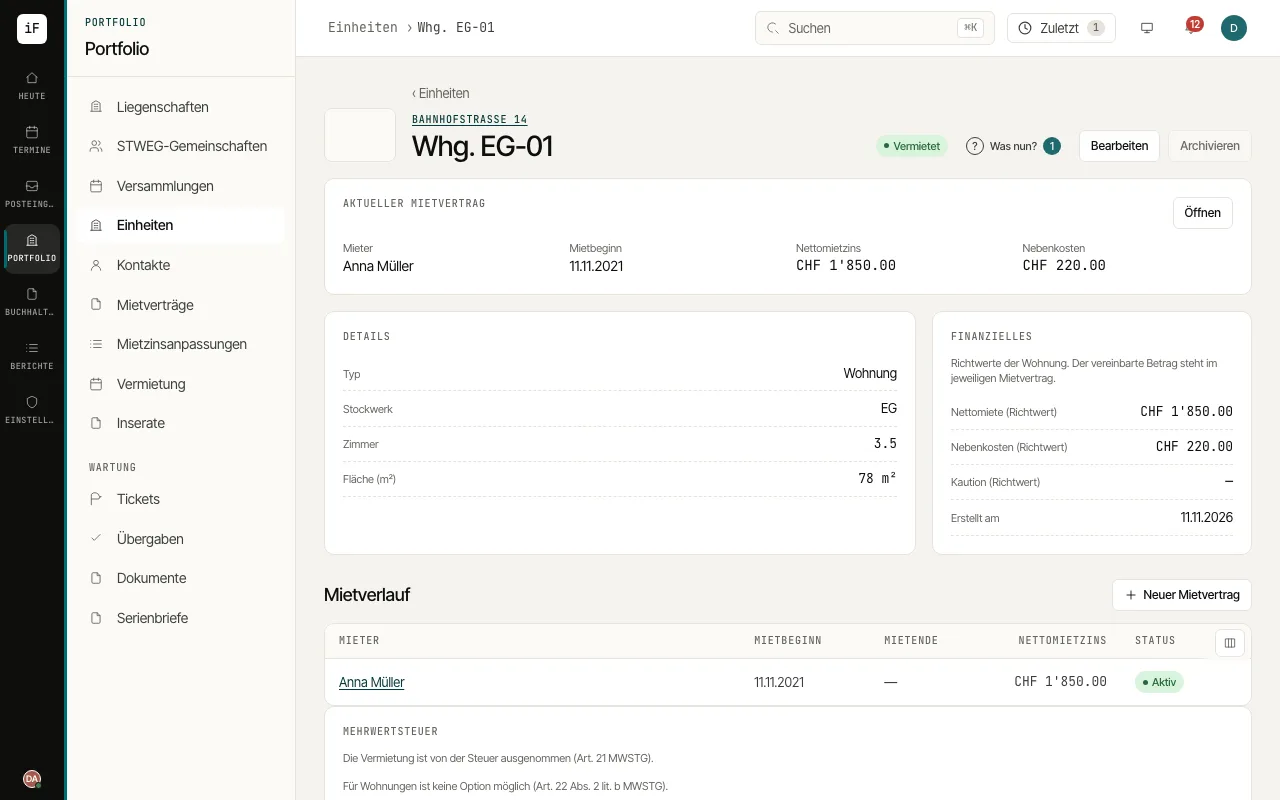 1.4Telling the unit and the lease apartThe unit describes the lettable space. Here you find its characteristics and links to tenancy history, tickets, handovers, documents, viewings and applications.Read the guide →
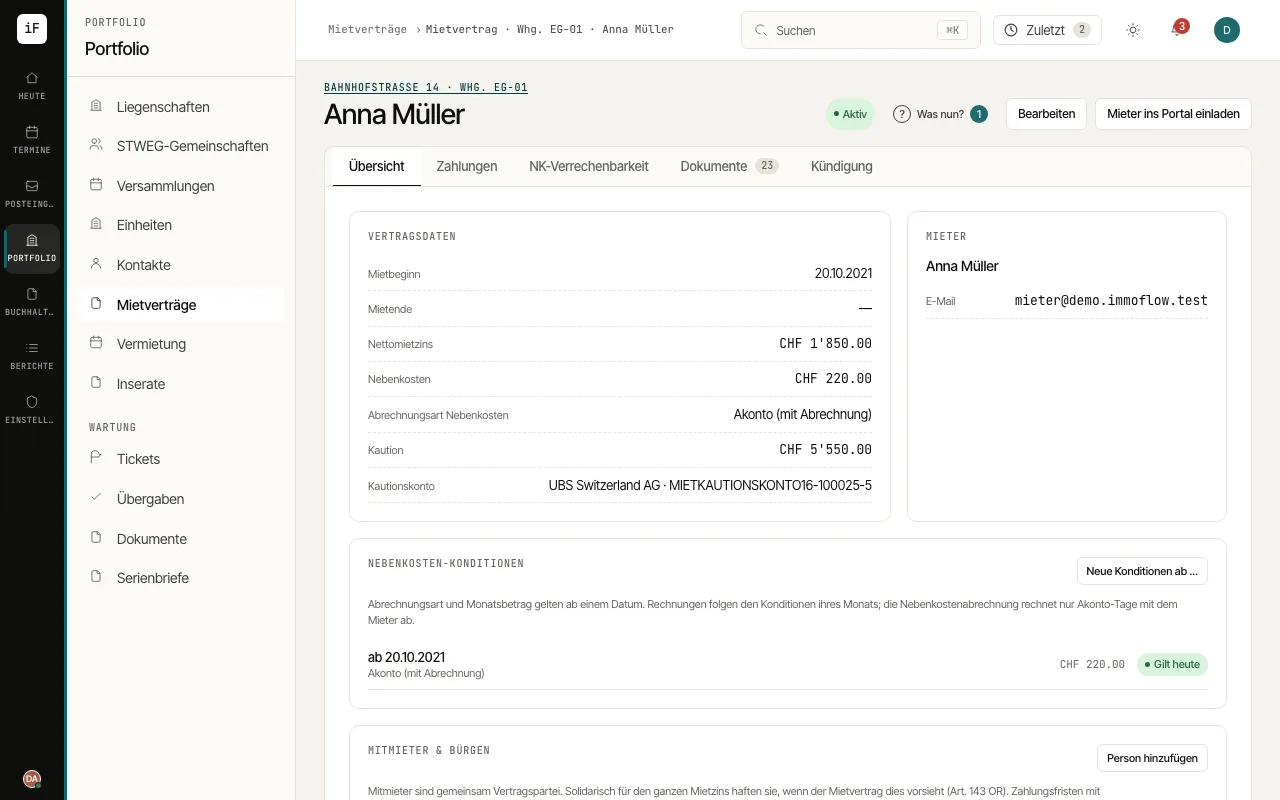 1.5Looking up contract data and partiesThe lease links the unit, tenant, period and agreed amounts. It is the starting point for payments, service charge statements, contract documents and handling a termination.Read the guide →
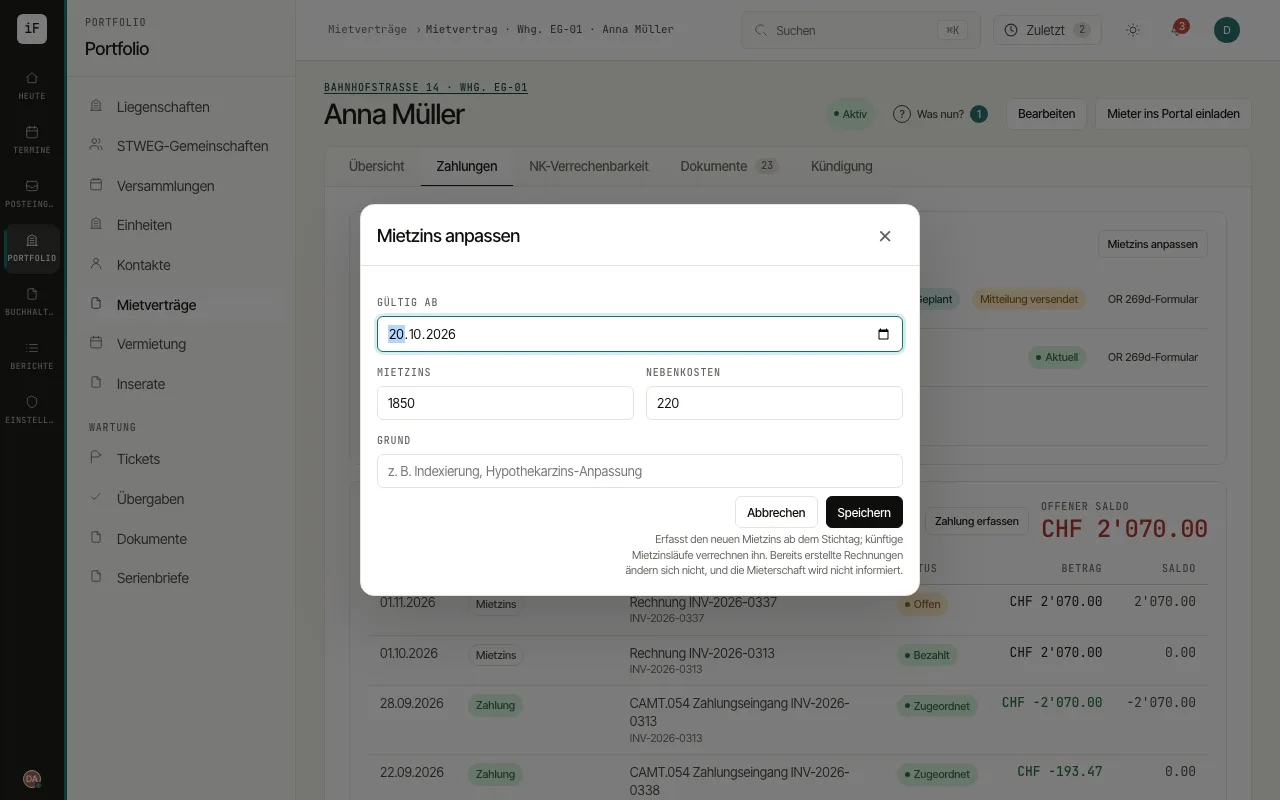 1.6Preparing a rent changeA rent change gets an effective date. This lets you record the future agreement without rewriting existing invoices after the fact.Read the guide →
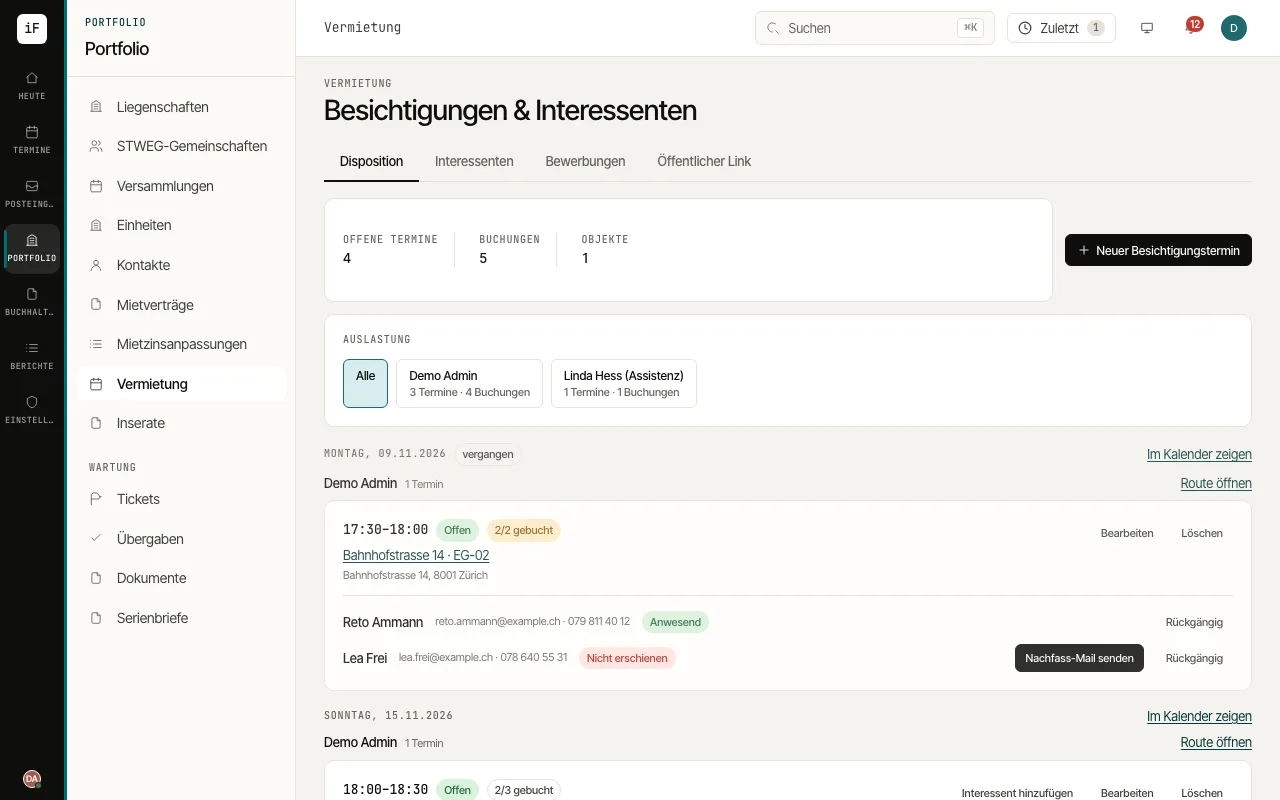 1.7Organising viewingsUnder scheduling you see viewing slots, available places, registered prospects and the workload of the people in charge. A public link allows registration for a viewing and an online application without a user account.Read the guide →
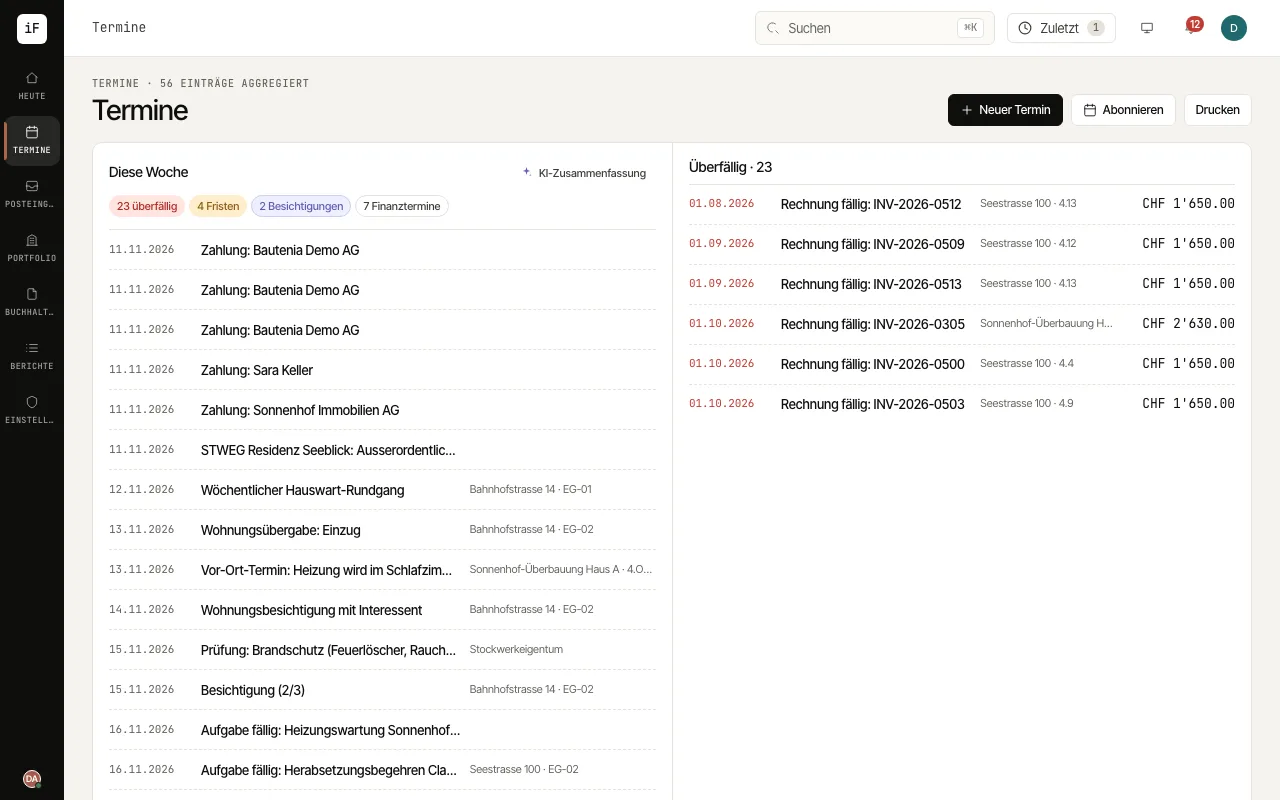 1.8Keeping track of appointments and deadlinesThe calendar brings your own appointments together with dated cases such as deadlines, handovers, viewings and tasks. You choose the view, filter it and move from an entry to the related case.Read the guide →
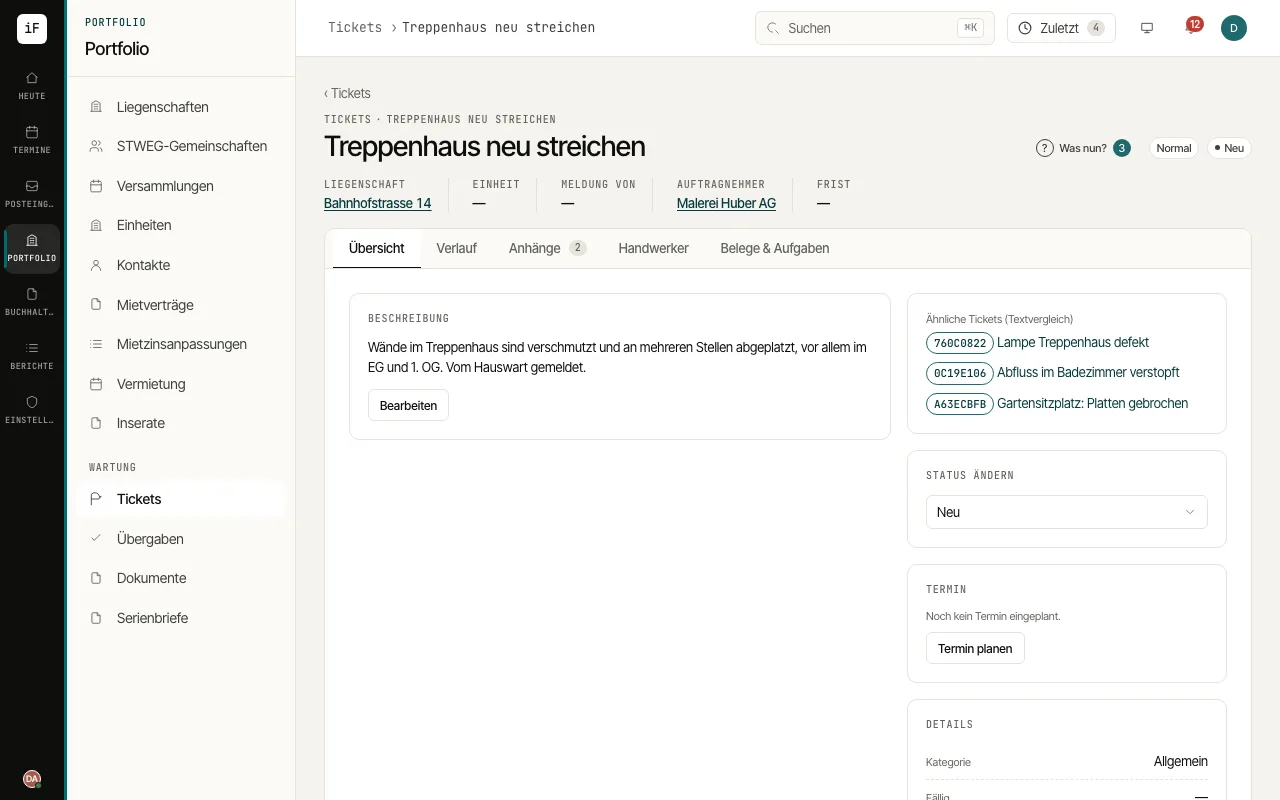 1.9Handling a tenant requestA ticket keeps the report, communication, quotes, order and invoice together. The "Waiting for" line and the progress of the case show the next step and, later, what has happened.Read the guide →
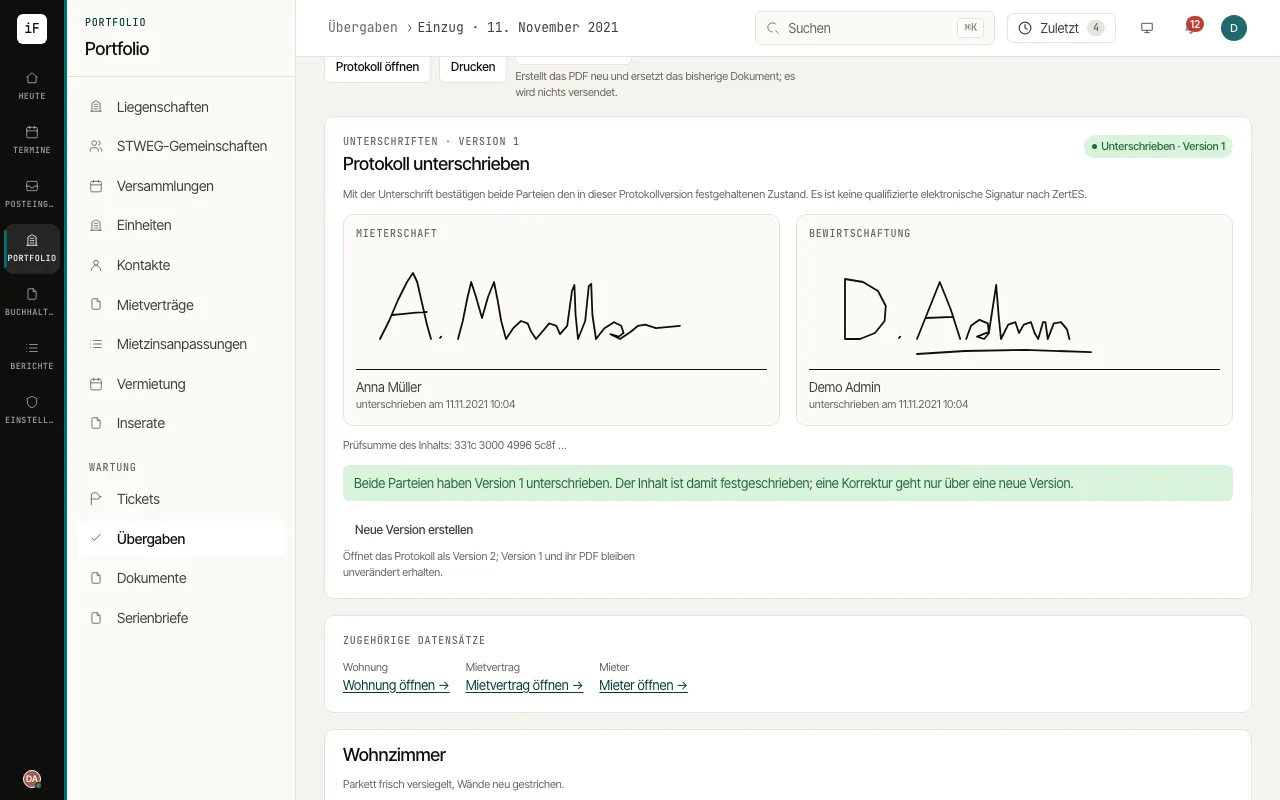 1.10Documenting a handoverThe handover report guides you through rooms and checkpoints. This lets you record condition and defects in the right place and follow them up where needed.Read the guide →
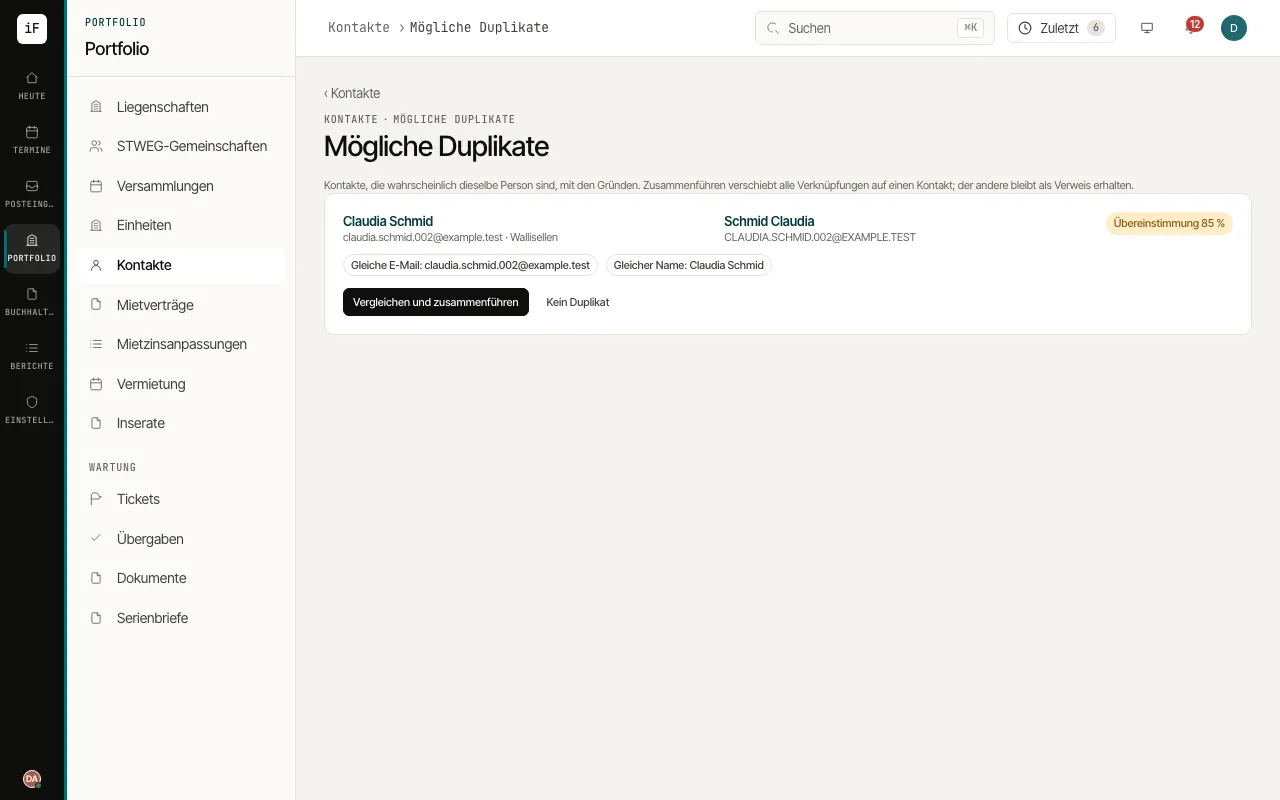 1.11Maintaining contacts, merging duplicates and keeping addresses currentContacts are the people and companies behind tenancies, properties and orders. The duplicate check finds people recorded twice, and the address history makes sure a letter goes to the address that applies on its date.Read the guide →
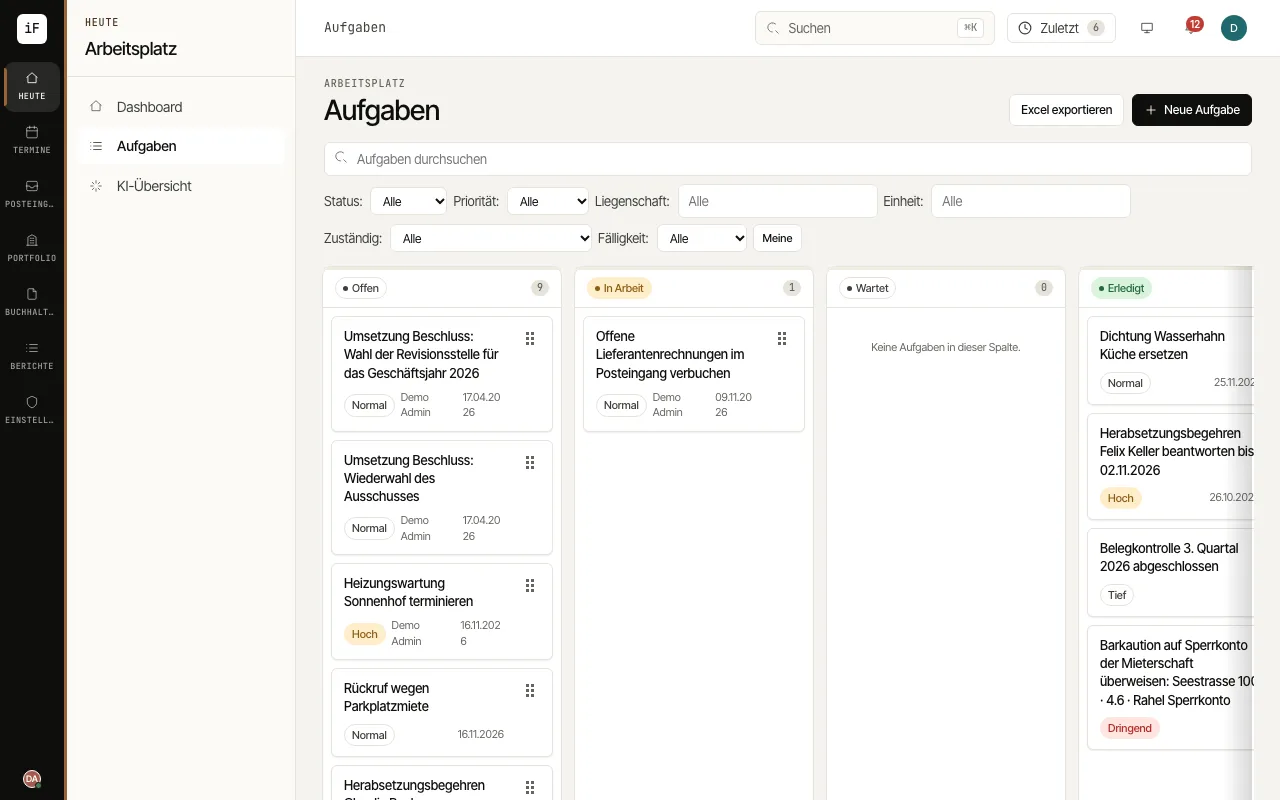 1.12Sharing tasks and deadlines within the teamTasks record what has to be done internally: a call-back, a clarification, a deadline from a letter. They can be linked to a property, unit, contact, ticket or handover and appear with their due date in the "Calendar" as well.Read the guide →
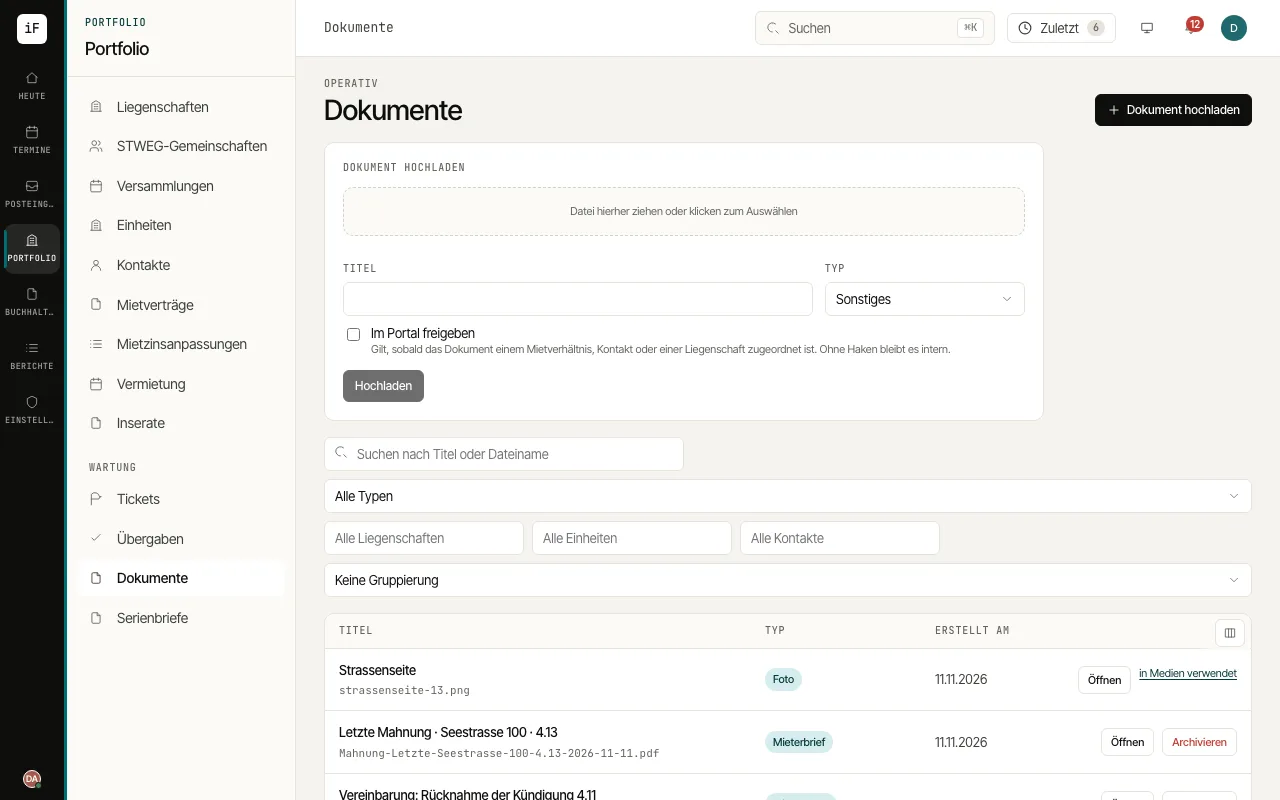 1.13Filing, sharing and requesting documents from tenantsUnder "Documents" you find all of the office's paperwork, linked to a property, unit, lease, contact, ticket or task. If a tenant's document is missing, request it directly; the tenant uploads it in the portal.Read the guide →
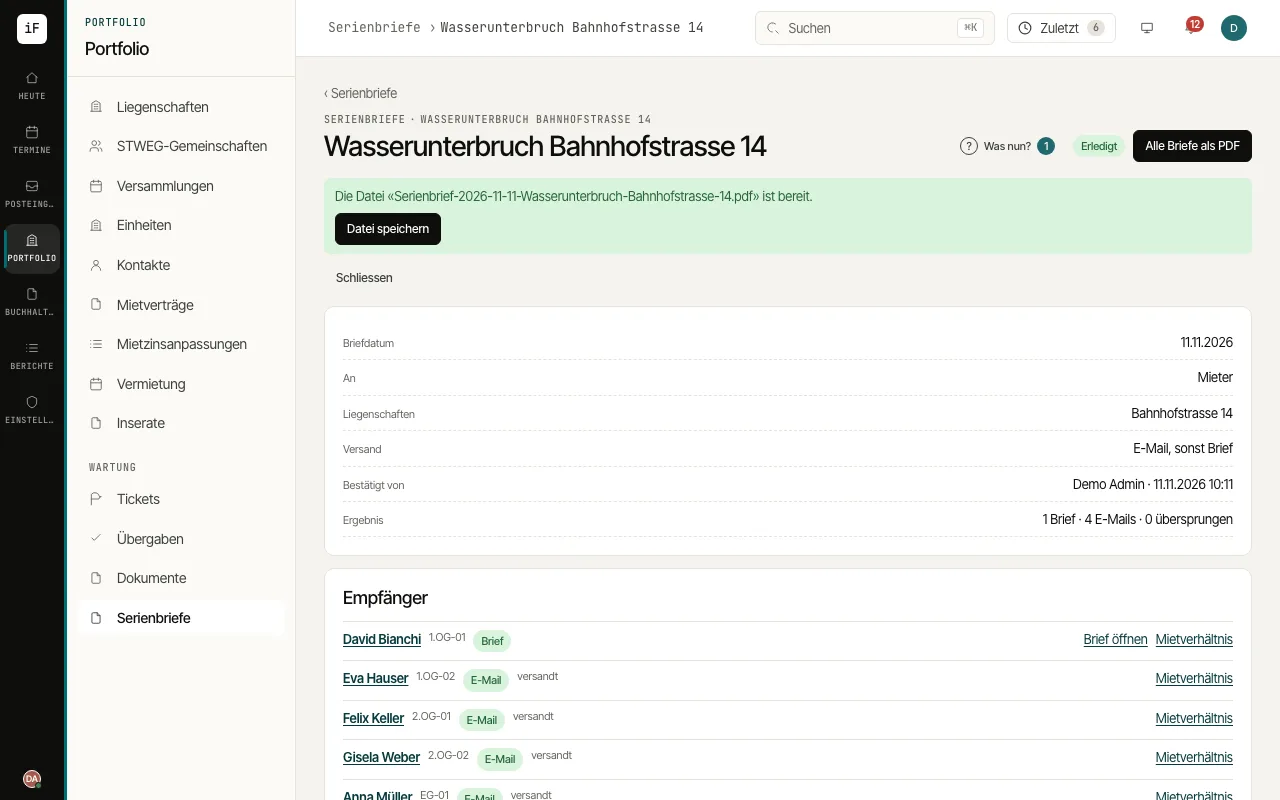 1.14Sending serial letters and circularsA serial letter reaches all tenants or owners of one or more properties, for example for a water shut-off. Every recipient gets their own text in their language, as a letter to print or as an e-mail.Read the guide →
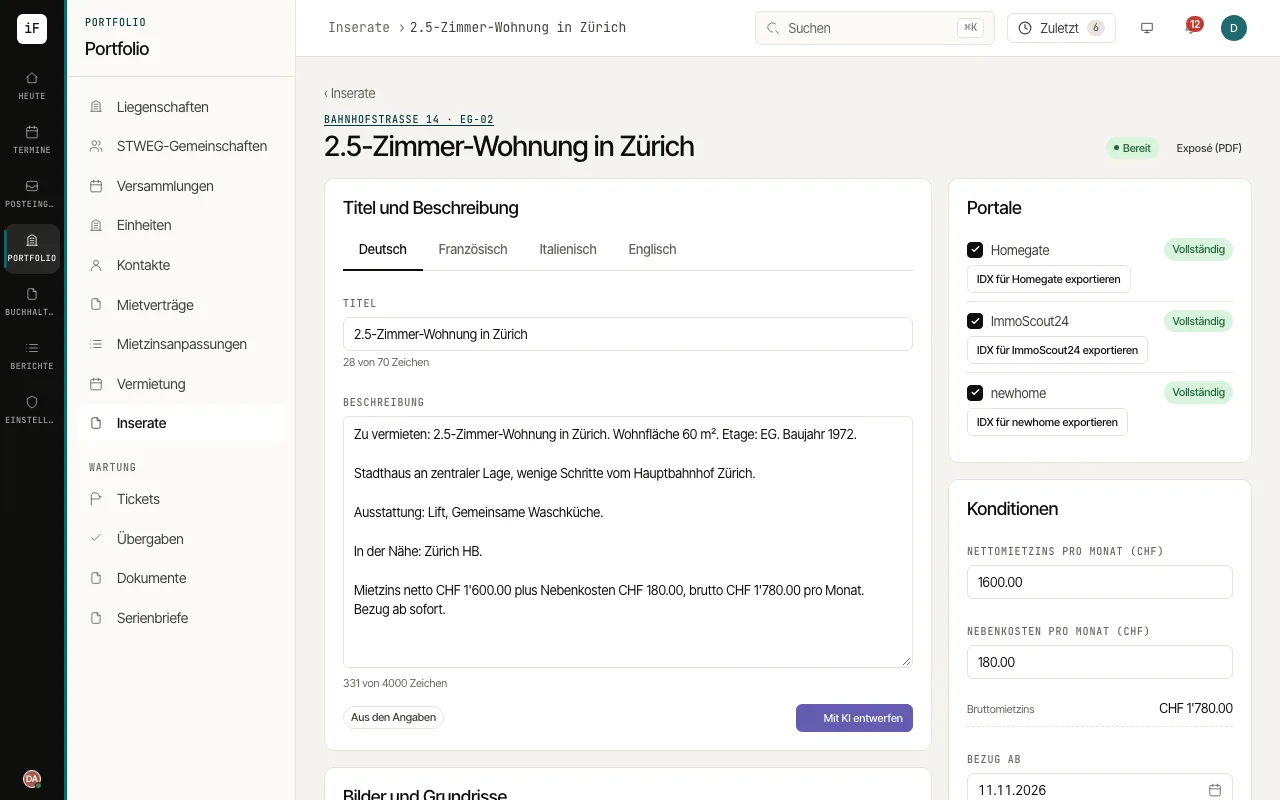 1.15Preparing a listing and exporting it for the portalsFor vacant units and units becoming vacant, ImmoFlow prepares the listing from the unit's details, checks it per portal and outputs it as an IDX file for Homegate, ImmoScout24 and newhome. Nothing is published automatically.Read the guide →
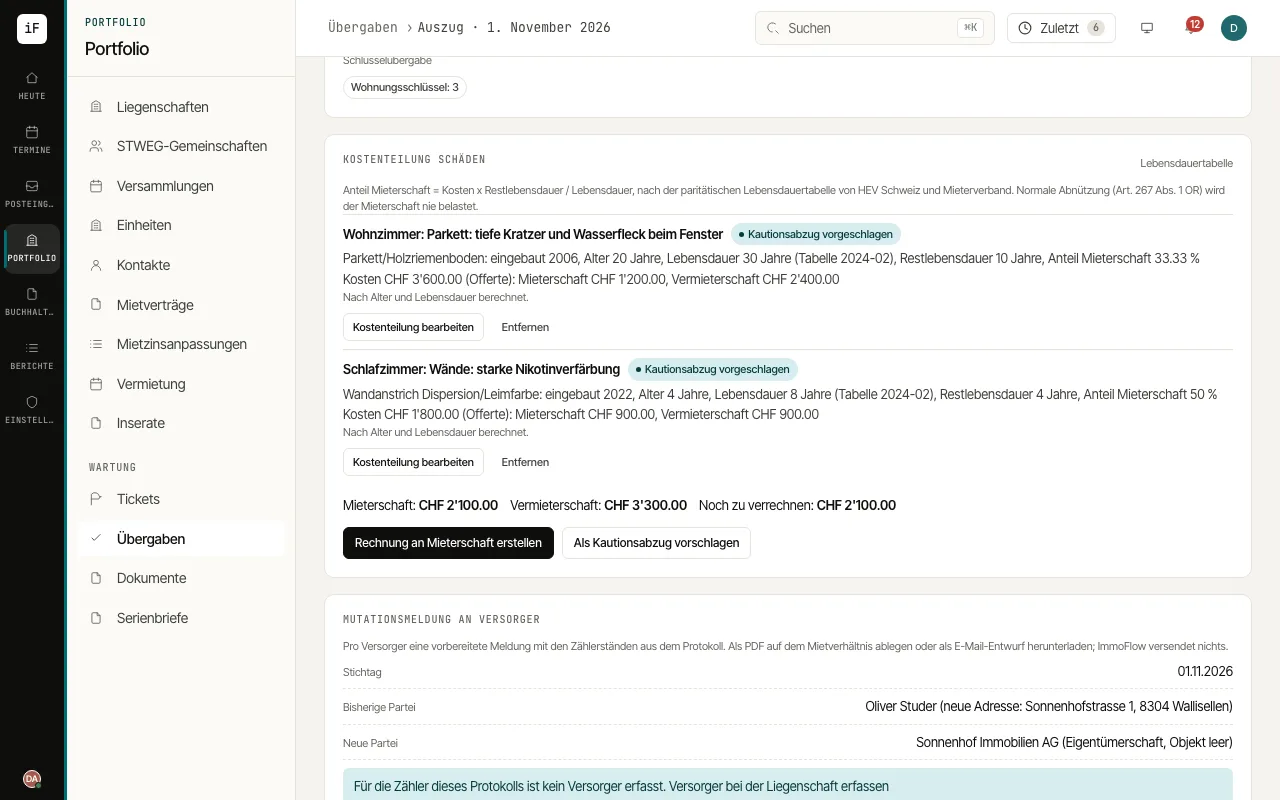 1.16Splitting move-out damage, billing it and summarising the handoverAt move-out, the protocol records damage. The cost split calculates the tenant's share using the joint lifespan table, and the summary prepares the message to the tenant.Read the guide →
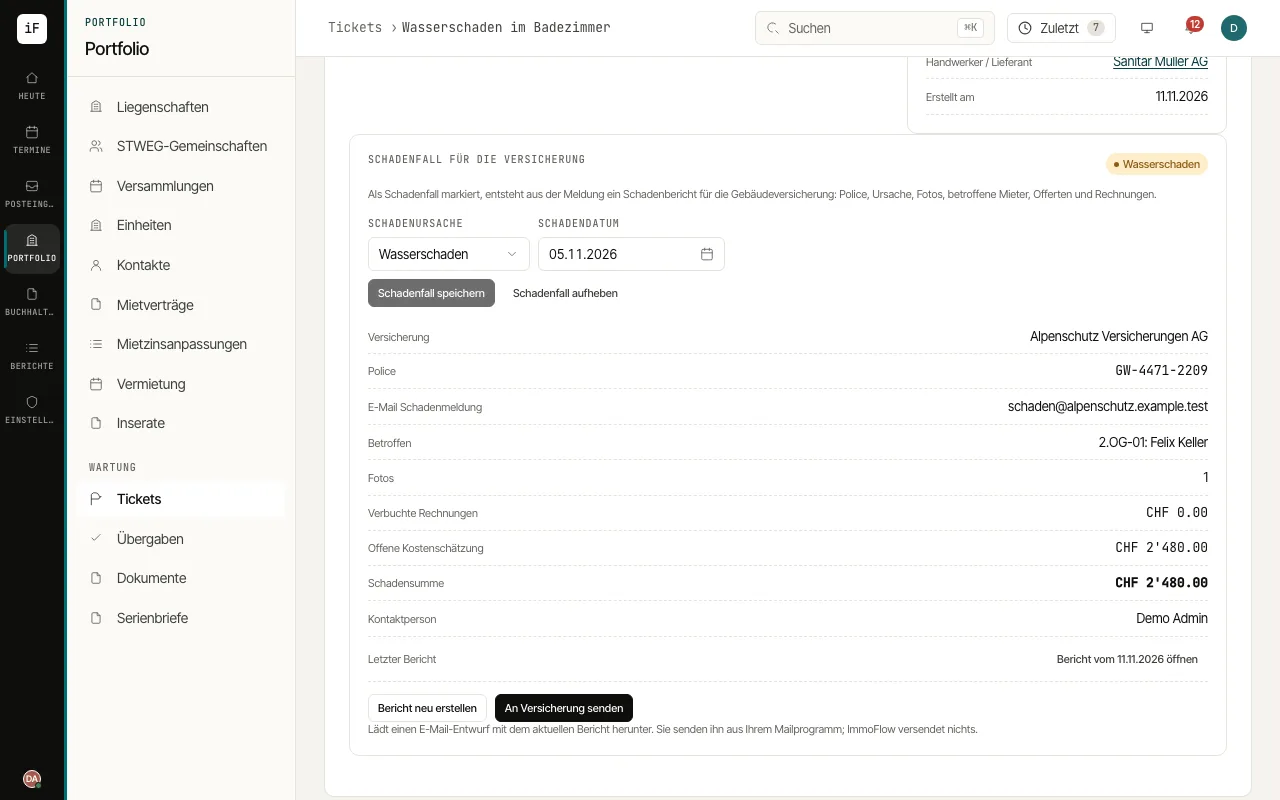 1.17Report damage to the building insurerA ticket with water, glass, fire or storm damage becomes a damage case. ImmoFlow puts the damage report for the insurer together and prepares the e-mail to it.Read the guide →
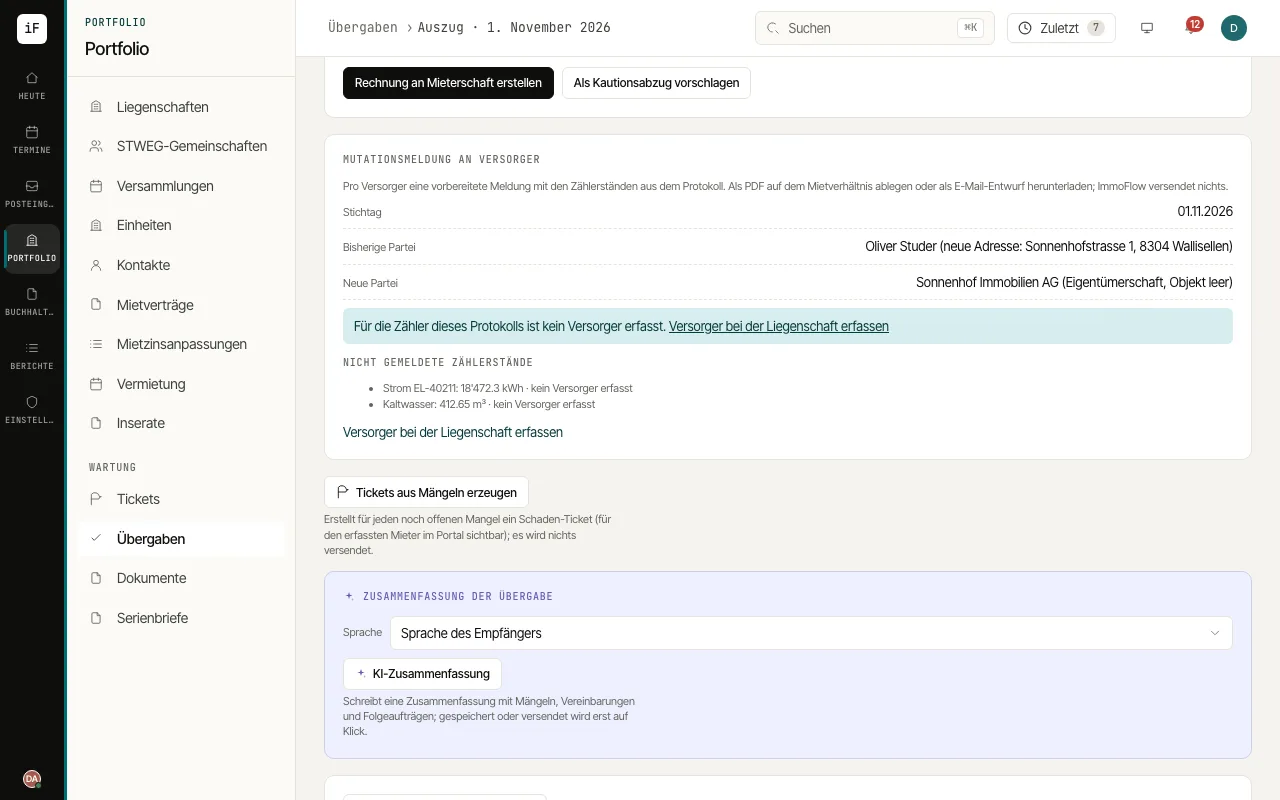 1.18Notify the energy providers at a change of tenantAfter a handover, the electricity, gas, district heating and water providers need the meter readings and the new contracting party. ImmoFlow prepares the move notice per provider from the protocol.Read the guide →
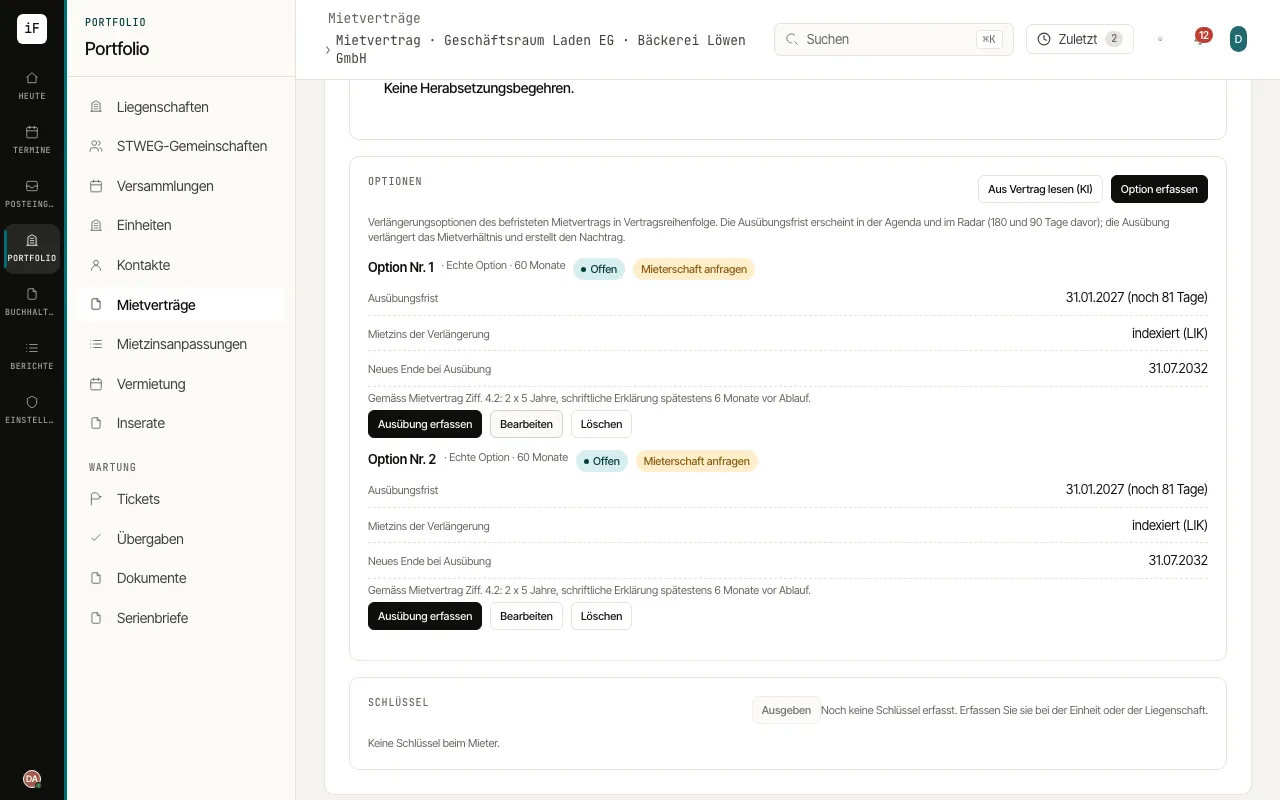 1.19Renewal options and amendmentsA fixed-term lease may grant the tenant options to extend. ImmoFlow keeps them with deadline and rent rule, watches the deadline in the agenda and the radar and turns the exercise into the numbered amendment.Read the guide →
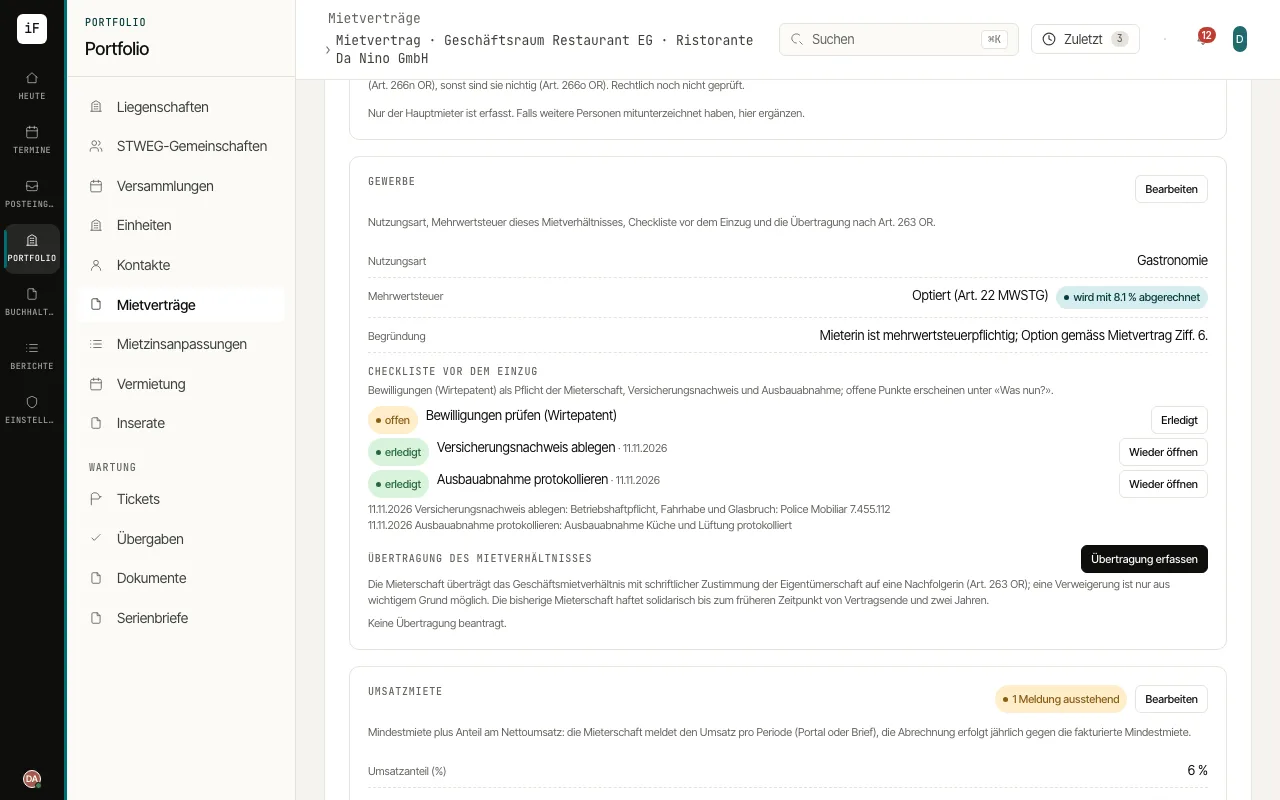 1.20Commercial lease: use, VAT and transferA lease of business premises brings its own rules: six months' notice, no cap on the deposit, the clause pack of the use, VAT per lease and the transfer to a successor under Art. 263 CO. ImmoFlow sets the defaults on creation and lets you change everything.Read the guide →
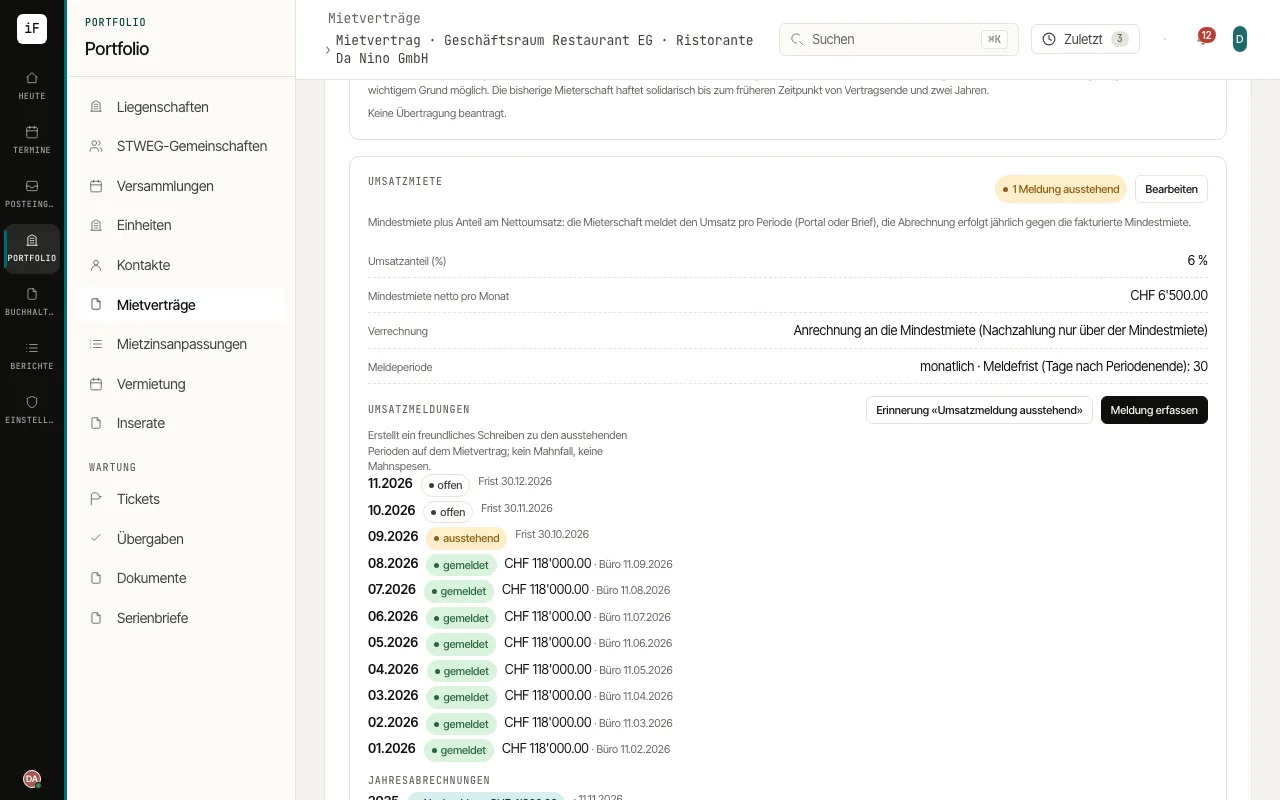 1.21Turnover rent: reports, reminder and annual settlementShops and restaurants often pay a base rent plus a share of their turnover. ImmoFlow keeps the tenant's turnover reports per period, reminds gently of missing reports and settles the year with an additional payment; the settlement is a PDF in the portal.Read the guide →
AI in everyday work
Where the AI reads vouchers, explains findings and drafts texts, and where your review and decision begin.
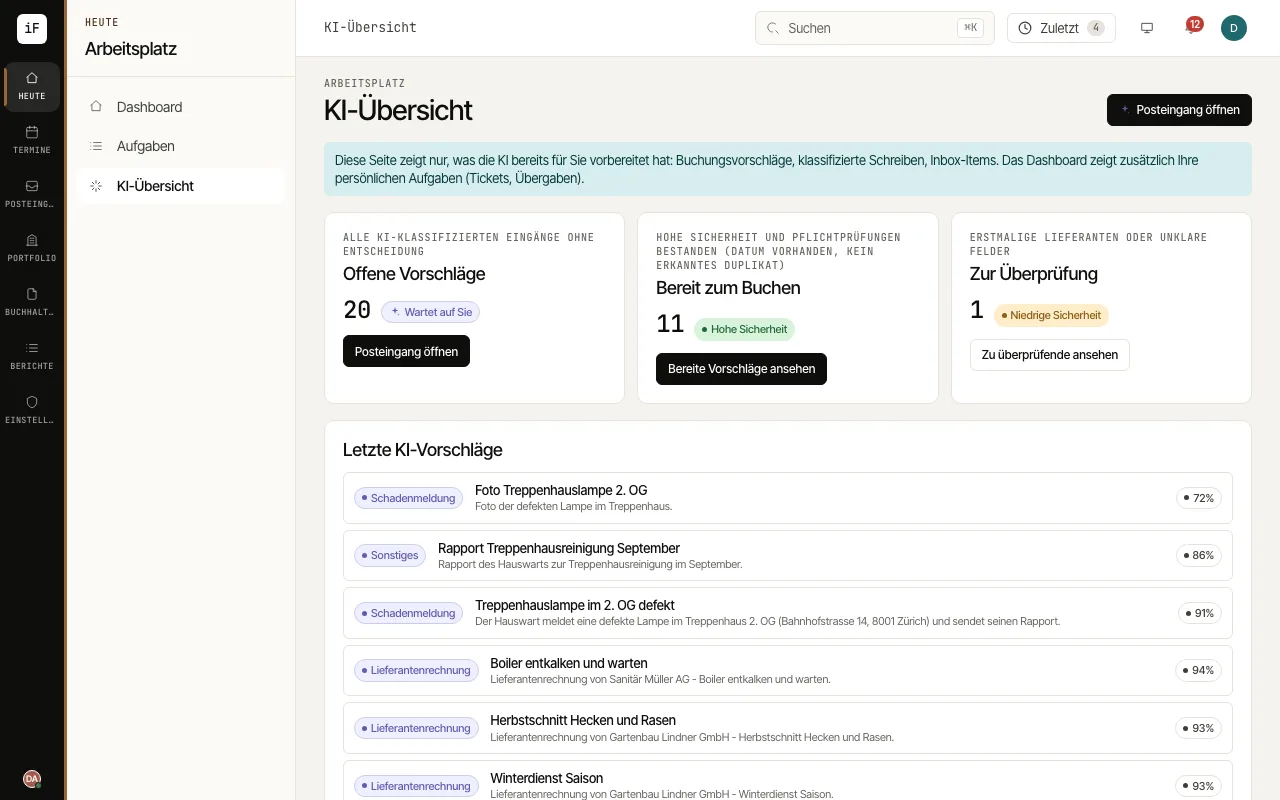 2.1Where the AI supports youThe AI helps where you need to capture, check or clearly explain information. The overview leads to open suggestions. The actual case stays in the inbox, the calendar or the specialist area.Read the guide →
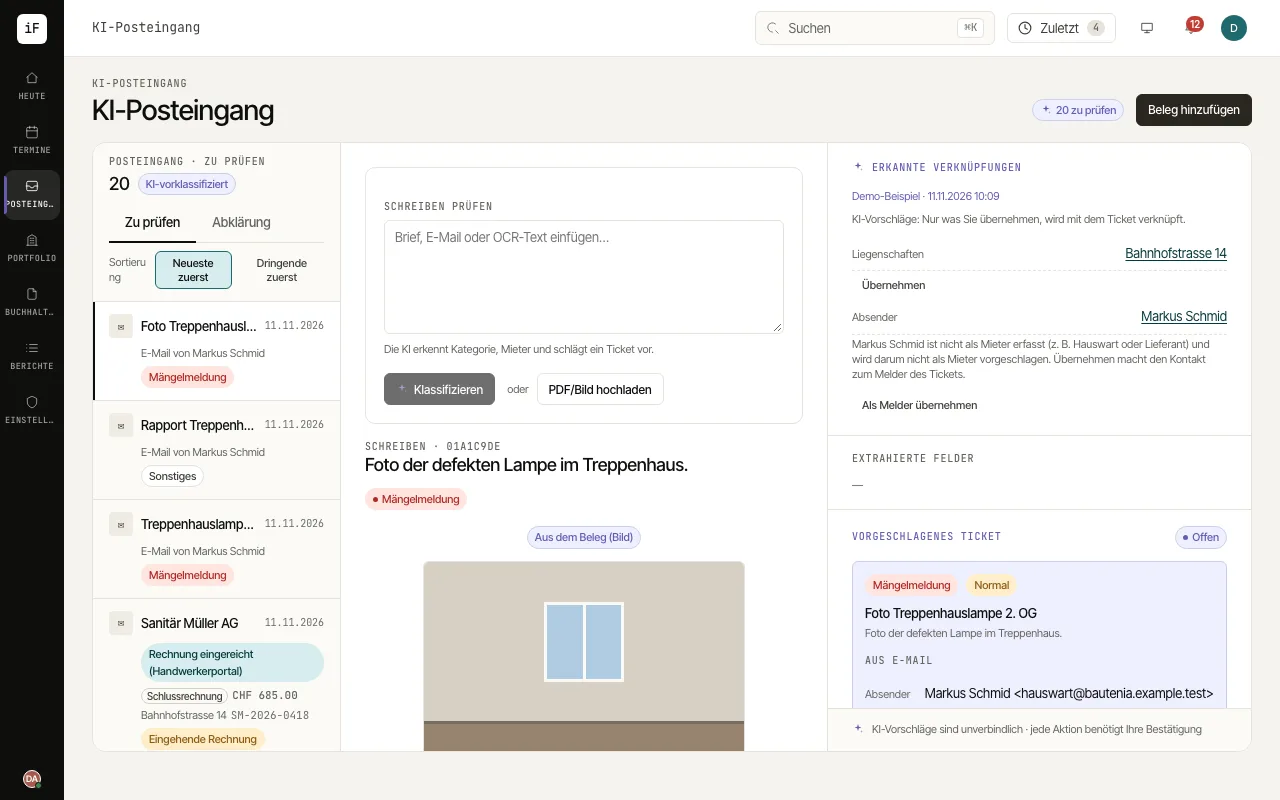 2.2Capturing a letter or a voucherYou can upload a PDF, an image or a saved e-mail, or paste text for review; e-mails from a configured intake arrive by themselves. This produces a suggestion that you take further as a ticket, a follow-up letter, an invoice, a termination or a task.Read the guide →
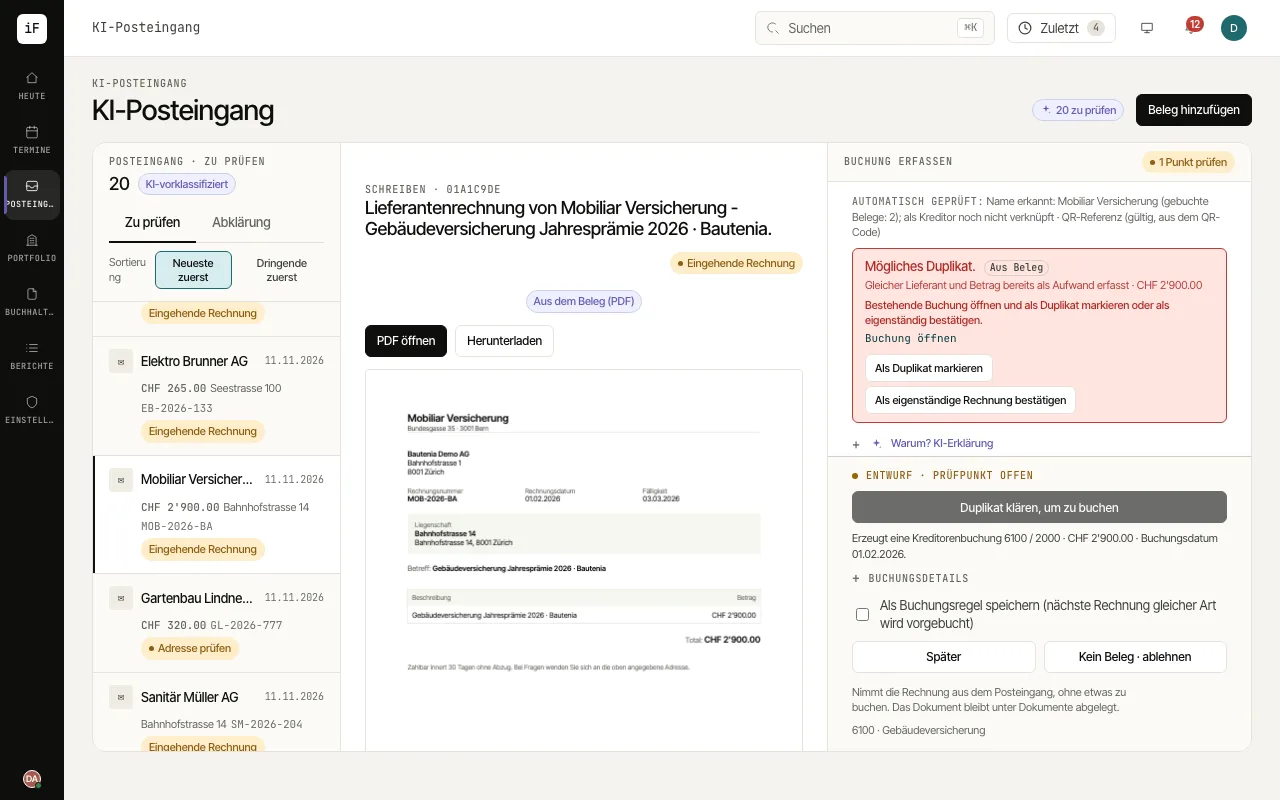 2.3Reviewing a supplier invoiceIn the inbox, the voucher and the posting suggestion sit side by side. The AI supports capturing and account assignment. You check the details and decide on the posting.Read the guide →
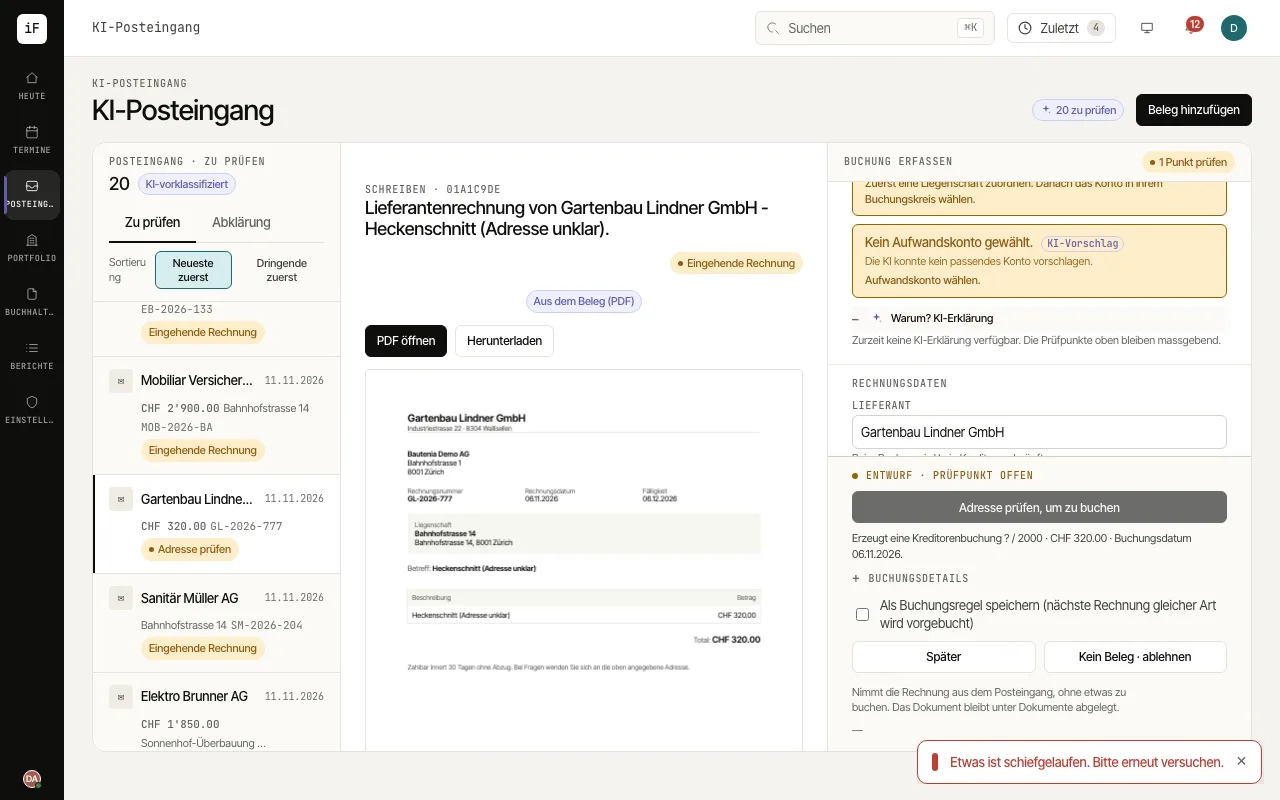 2.4Clarifying posting findings with the AI"Why? AI explanation" helps you place a checkpoint in context and plan the next check. The voucher, the checkpoints and the editable fields alongside remain the basis of your decision.Read the guide →
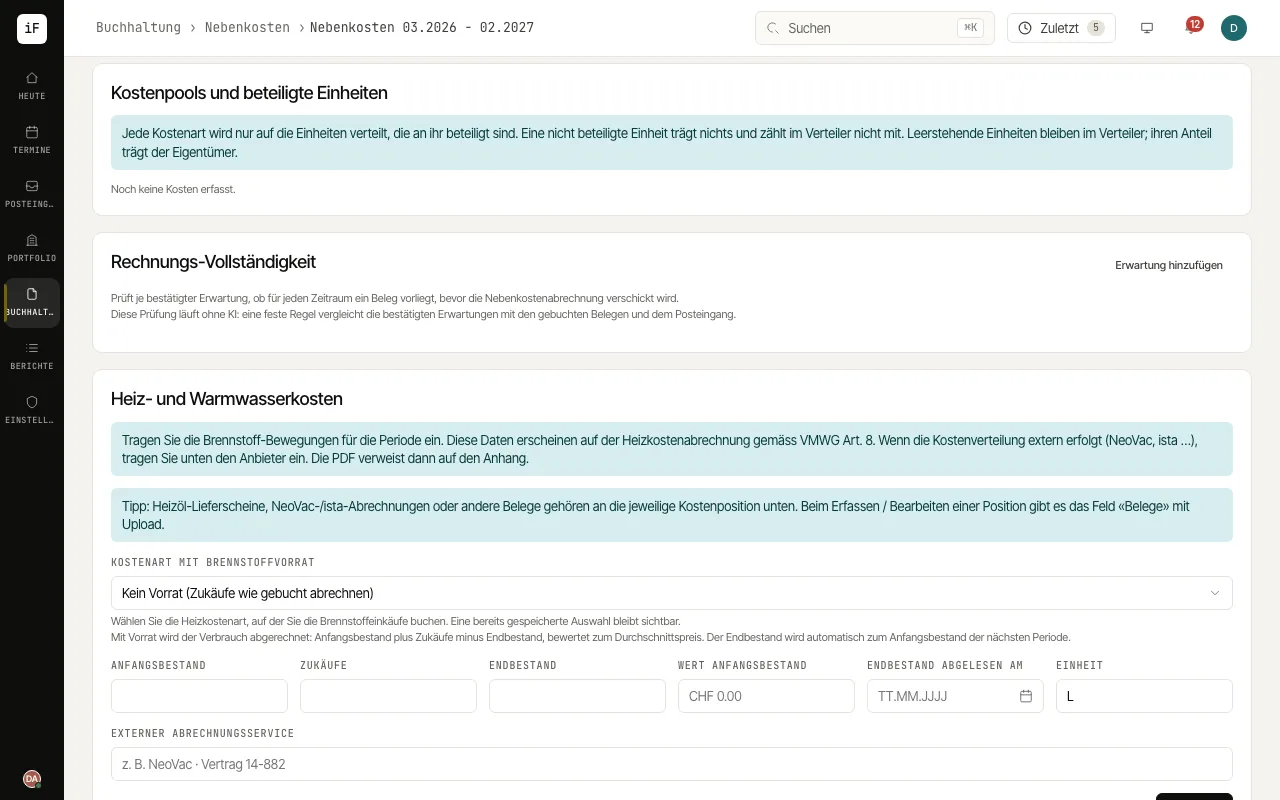 2.5Finding missing bills before closingBill completeness compares recorded bills with stored expectations. This way, for example, a missing month of electricity stands out before closing. The findings complement your professional checks.Read the guide →
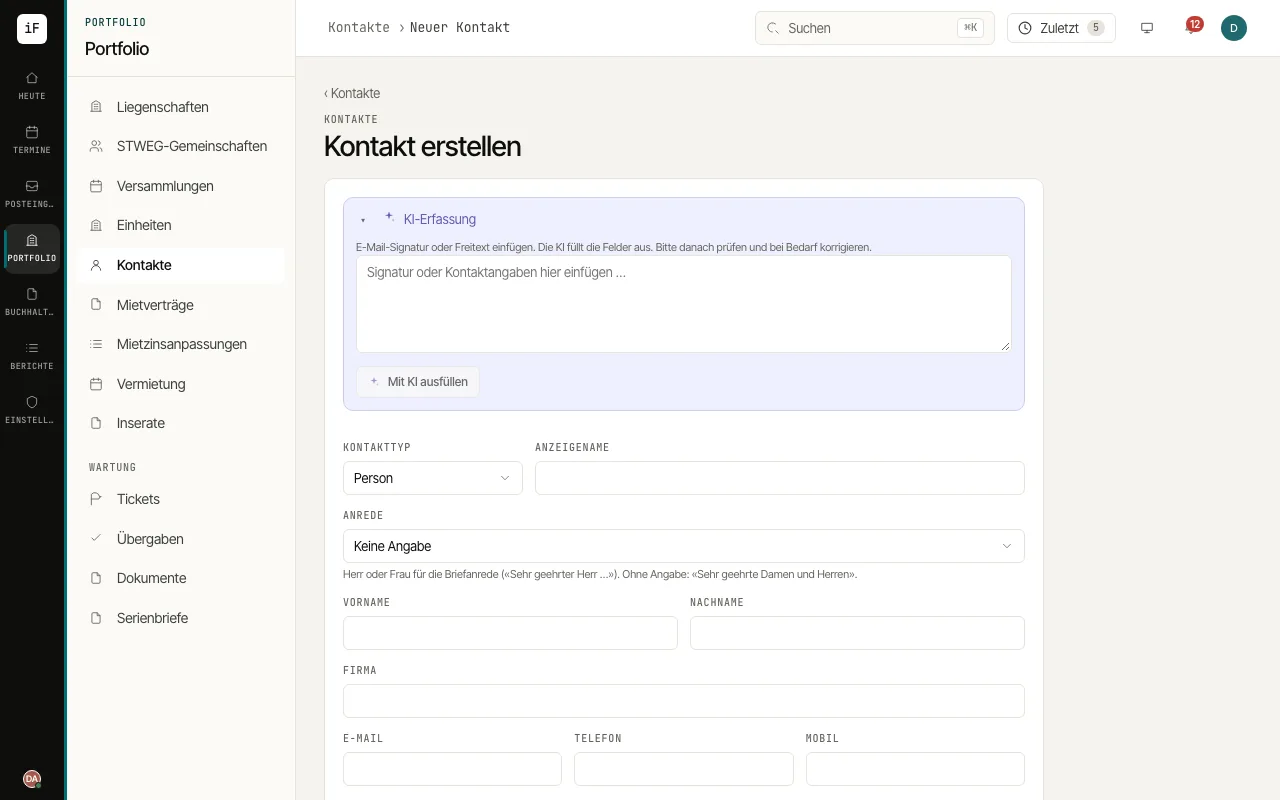 2.6Taking contact details from a signatureAI intake saves you copying out a signature or a short contact text field by field. You get pre-filled fields that you can check before creating the contact.Read the guide →
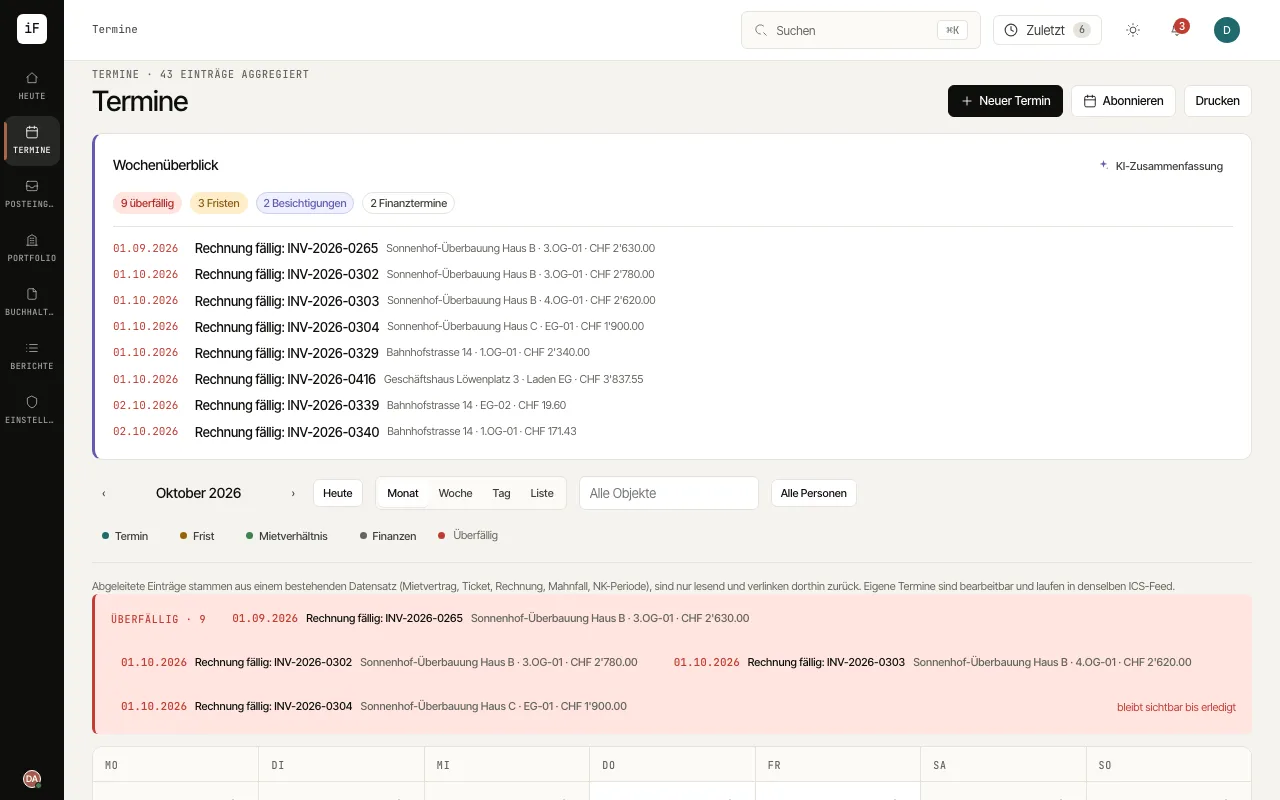 2.7Preparing the week with focusThe week overview summarises dated cases for the next seven days and offers direct ways into their sources. You can request an AI summary when needed, for example when preparing the working day.Read the guide →
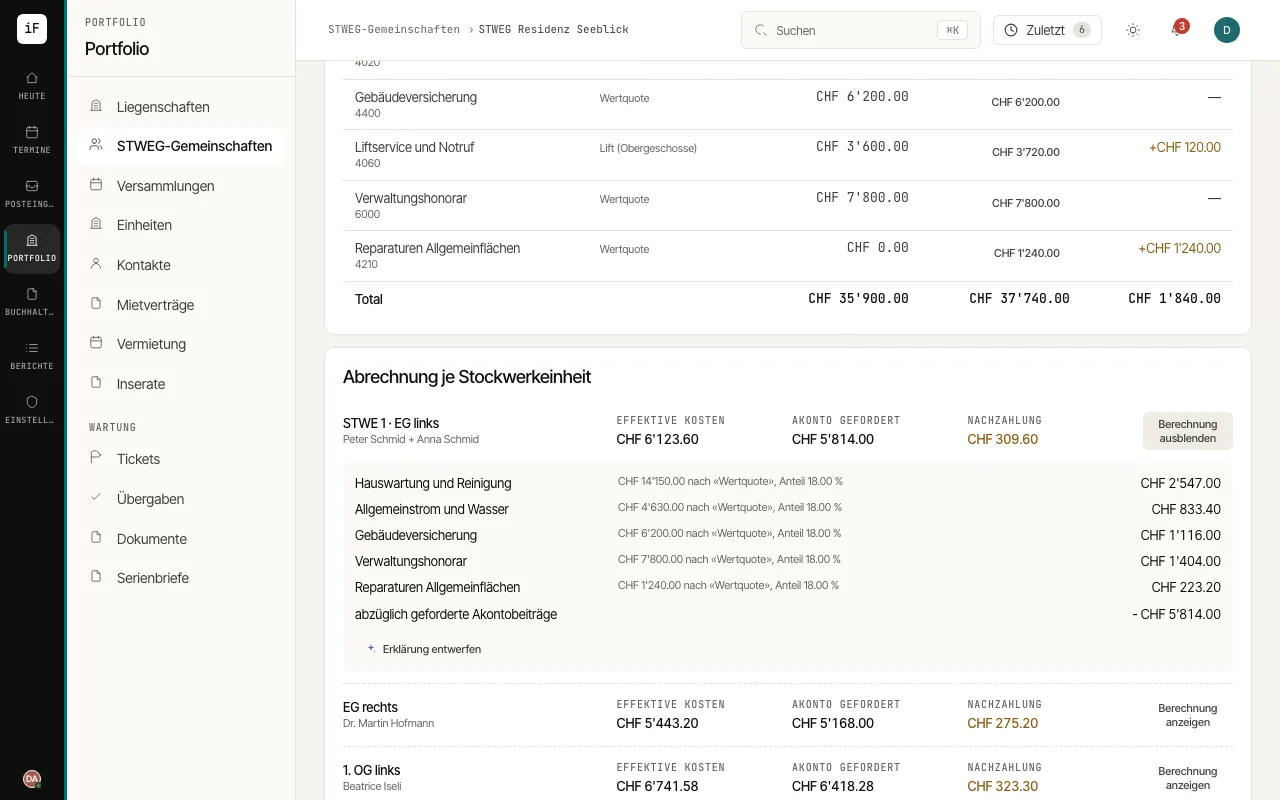 2.8Explaining a statement clearlyA draft explanation helps you turn the figures shown into clear sentences. The calculation stays visible separately and can be compared with the text.Read the guide →
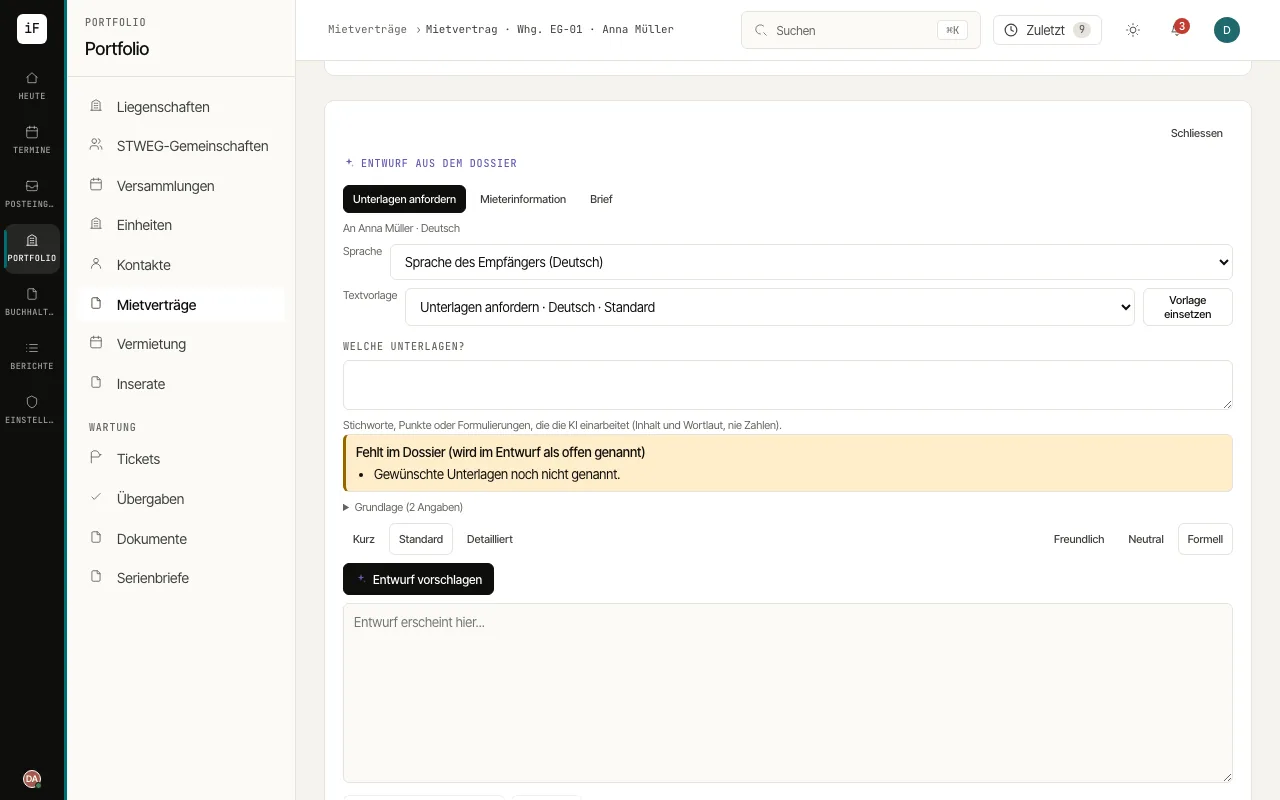 2.9Drafting messages and letters from the dataOn a lease, contact, property, handover, dunning case and ticket you draft messages and formal letters from the recorded facts. A text template of your office sets the wording, the AI phrases it on request; you check and decide what is saved.Read the guide →
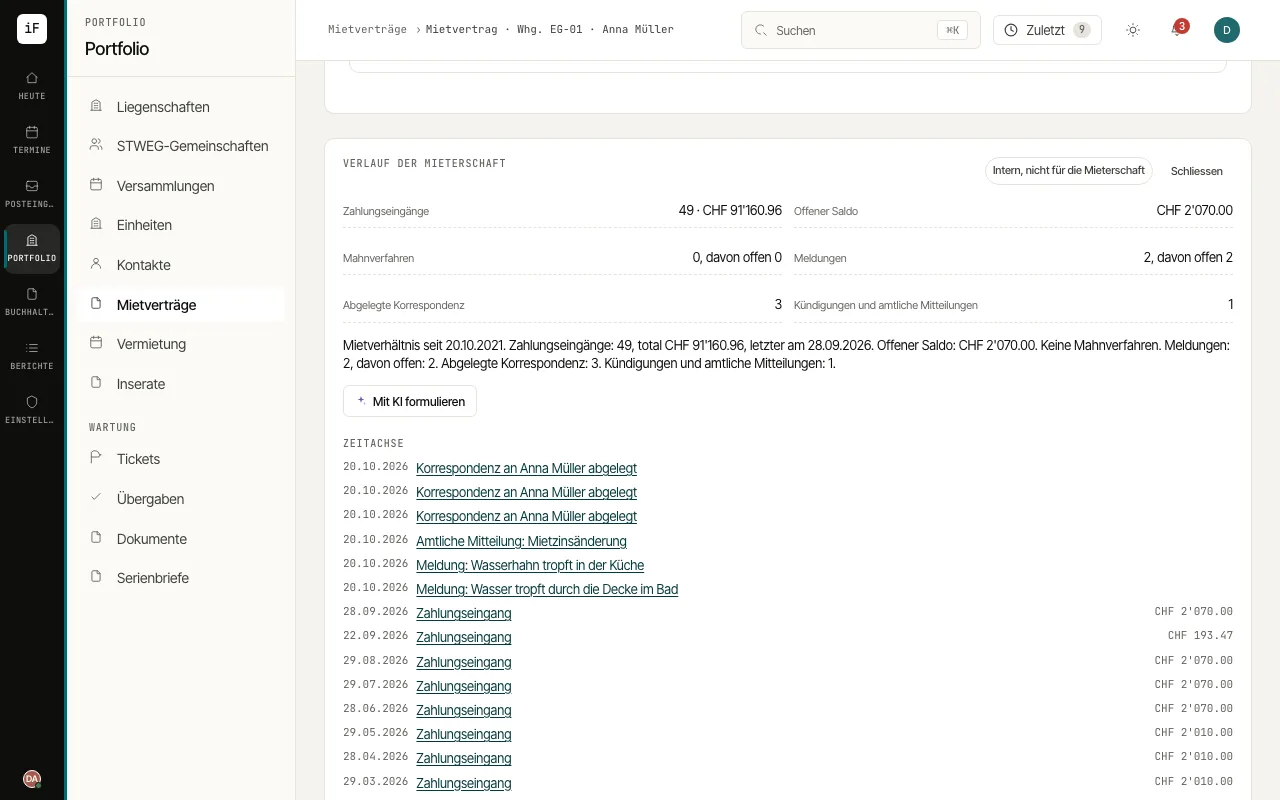 2.10Summarising a tenancy's history"Summarise history" shows the figures and a timeline of a tenancy on the lease and the contact: payments, open balance, dunning cases, reported issues, correspondence and terminations. On request the AI words the same facts as text.Read the guide →
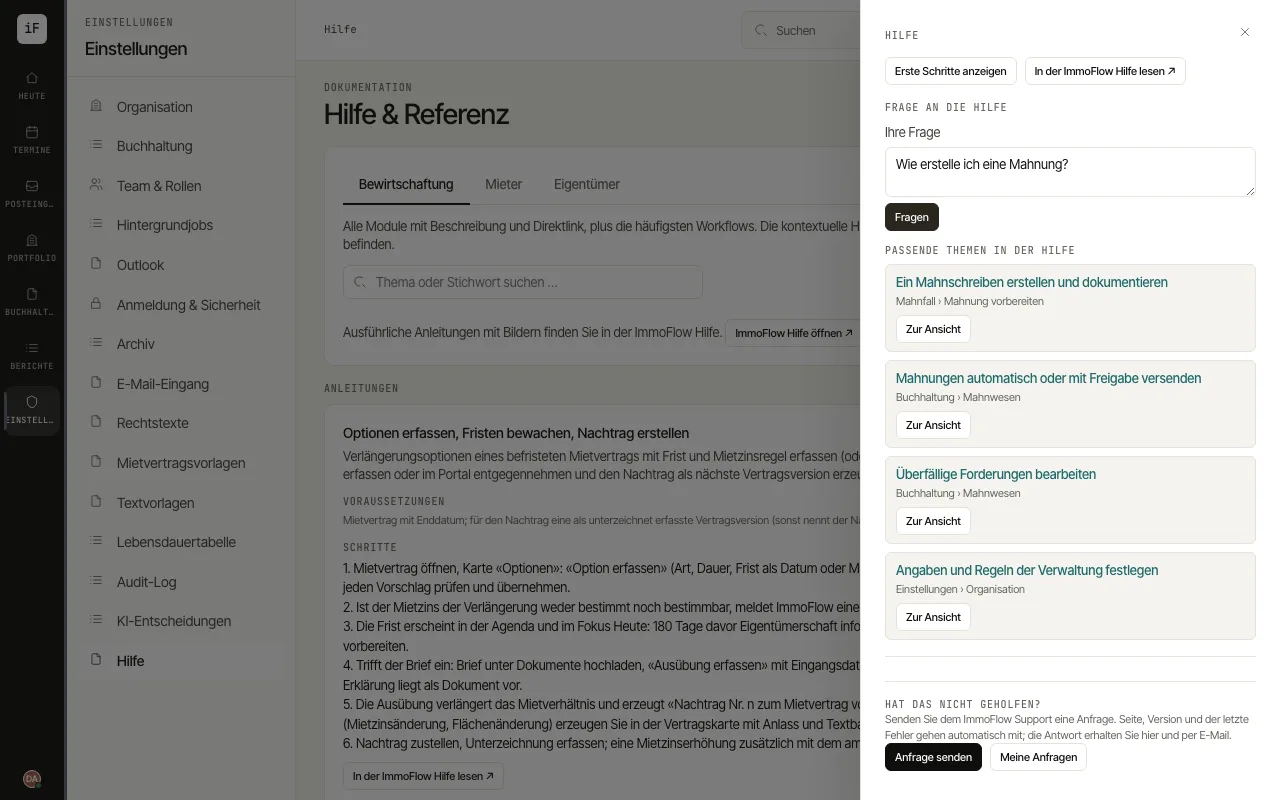 2.11Asking the help a questionWith "Ask the help" you ask a question in your own words. The answer comes only from the topics of this help and links them, so that you can read the steps and go straight to the matching screen.Read the guide →
Accounting from voucher to payout
The path of an amount from the voucher through posting, payment and reminder to the service charge and owner statements.
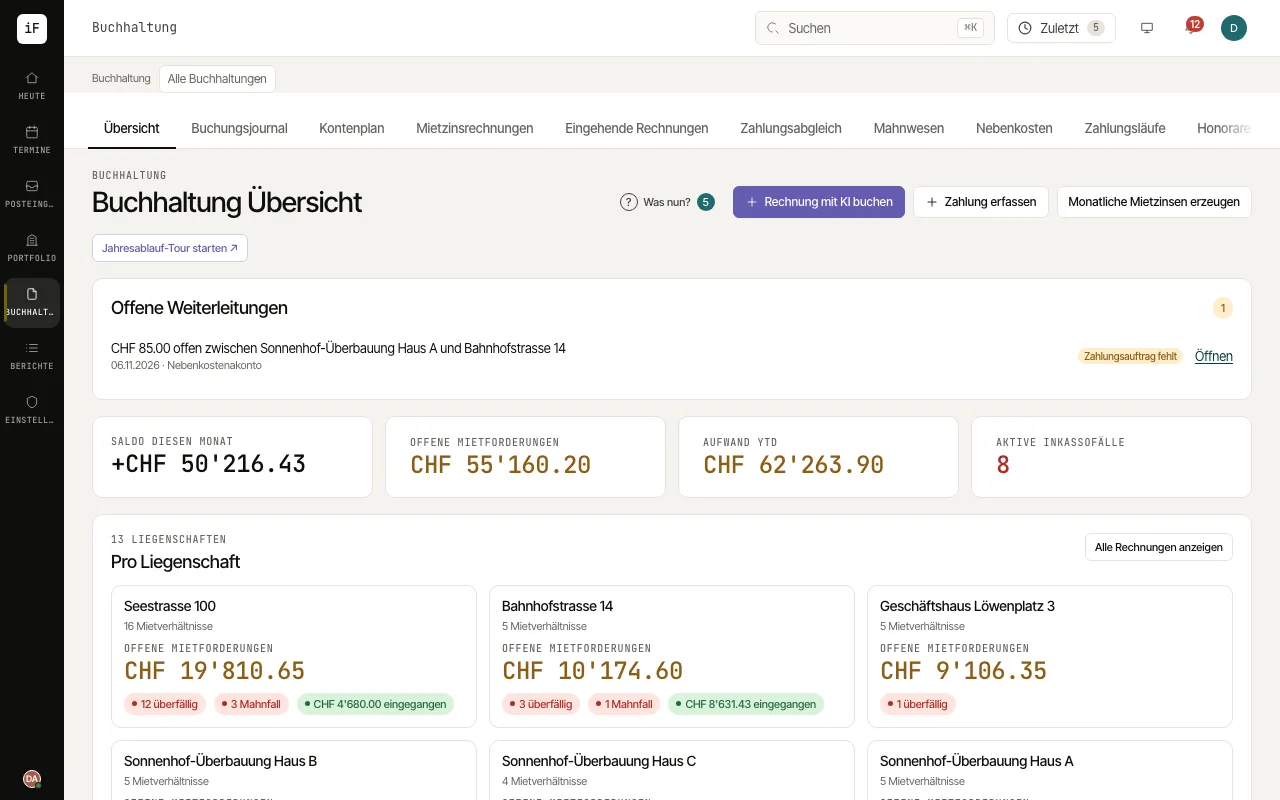 3.1Handling invoices and paymentsAccounting links rent invoices, supplier invoices, payments and the journal, each kept separately per accounting book. The overview leads to the individual steps; the journal shows the posted transactions.Read the guide →
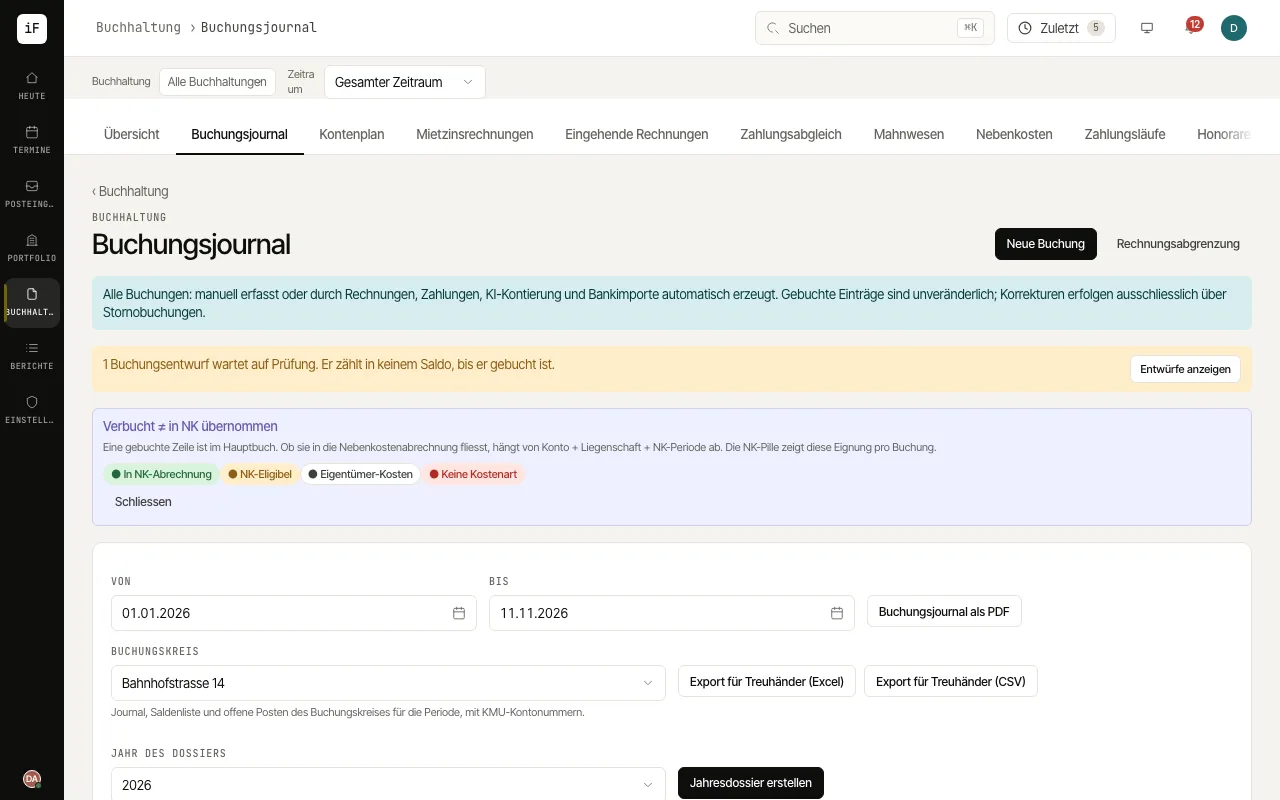 3.2Tracing a posting back to its sourceThe journal makes transactions traceable. Using period, status and property, you narrow down the view, check where an amount comes from and handle waiting journal drafts.Read the guide →
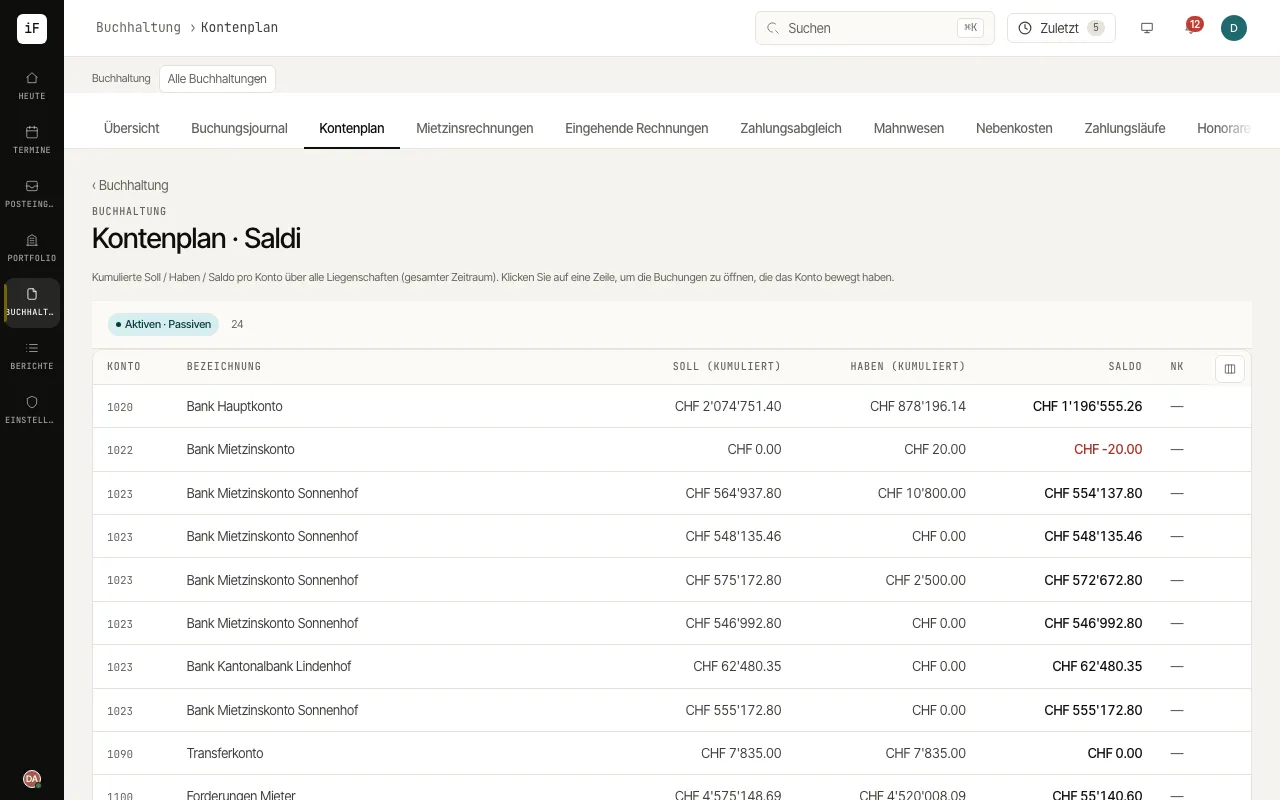 3.3Understanding account balances and movementsThe chart of accounts shows cumulative debit and credit movements and the balance per account. It helps you get from a total to the individual postings.Read the guide →
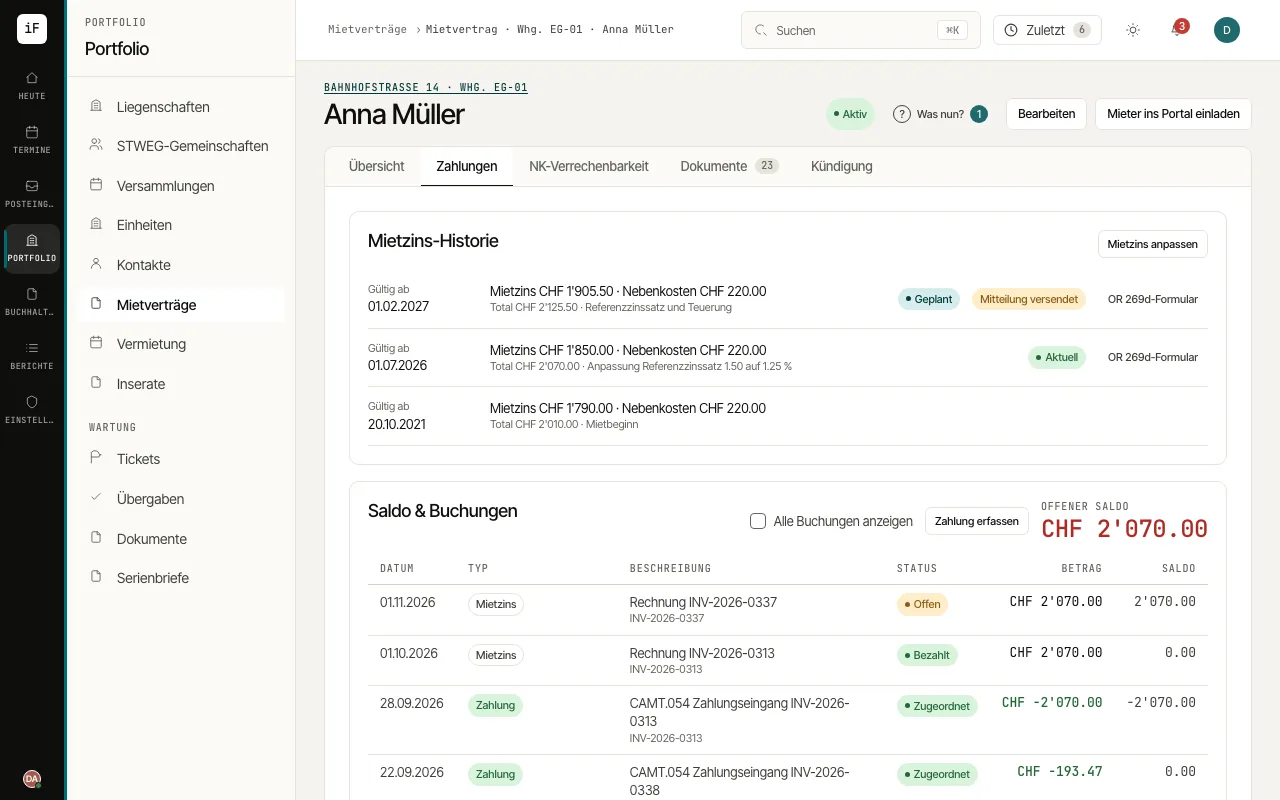 3.4Reconciling the tenant accountThe tenant account links the claims, payments and open balance of a tenancy. It answers the question of which movement led to an arrear and is the starting point for a credit note.Read the guide →
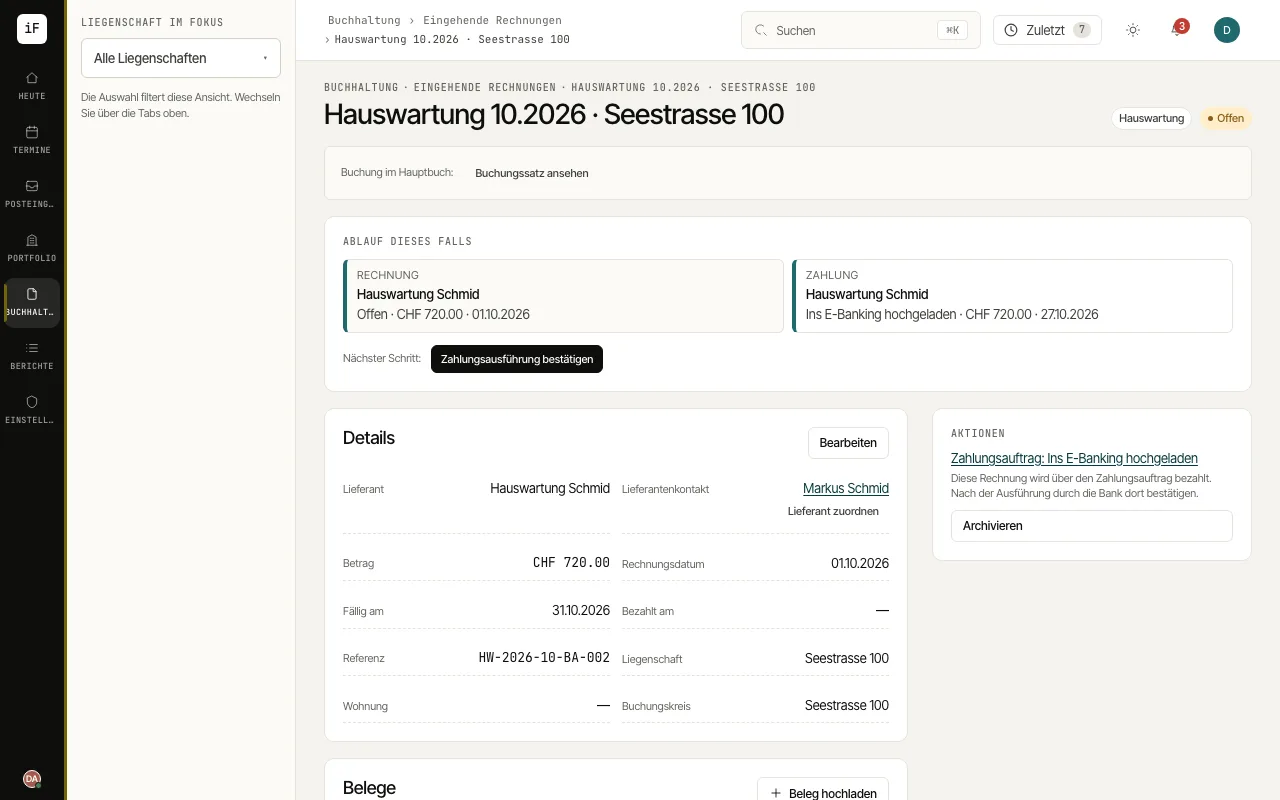 3.5Taking a supplier invoice furtherThe invoice keeps supplier, amount, assignment and payment status together. The "Progress of this case" card shows existing follow-up items and the next step.Read the guide →
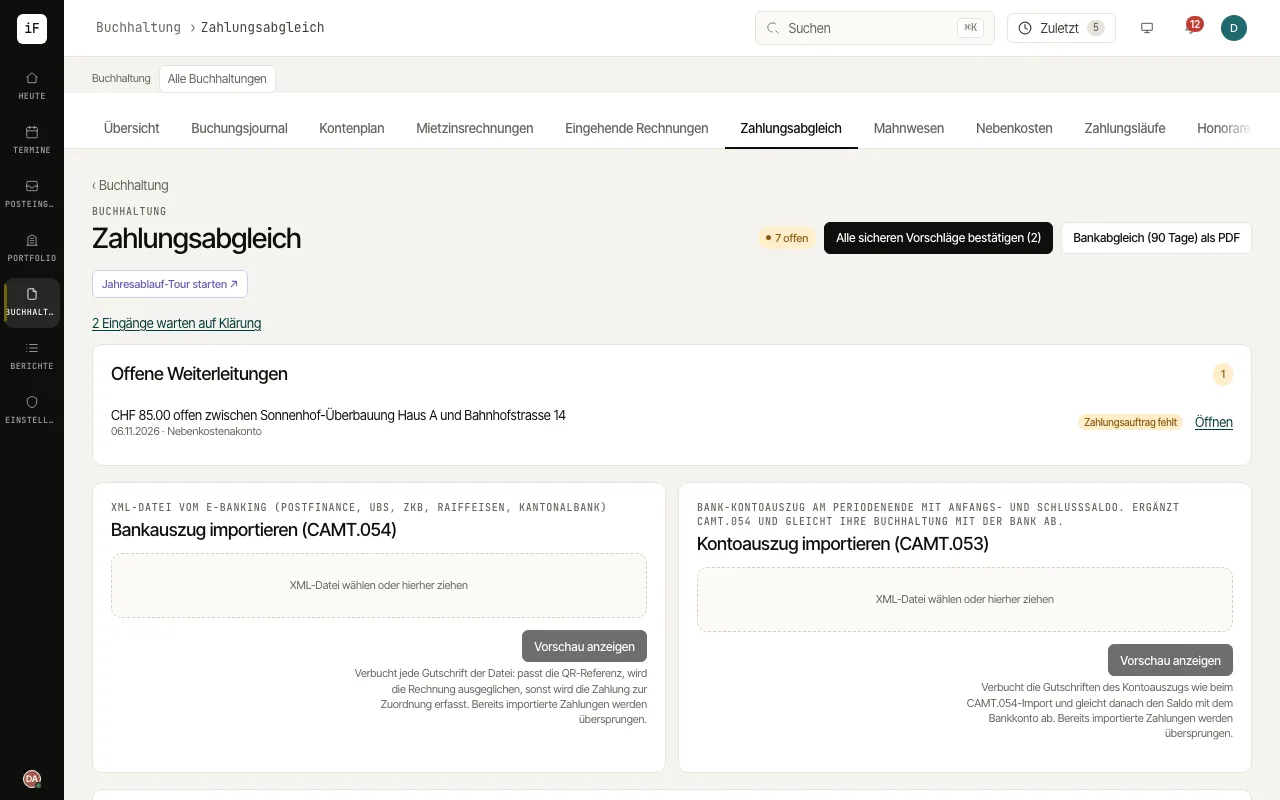 3.6Assigning and reconciling bank paymentsPayment matching brings bank data and open claims together. Automatically recognised matches take work off your hands; unclear payments stay visible for manual review.Read the guide →
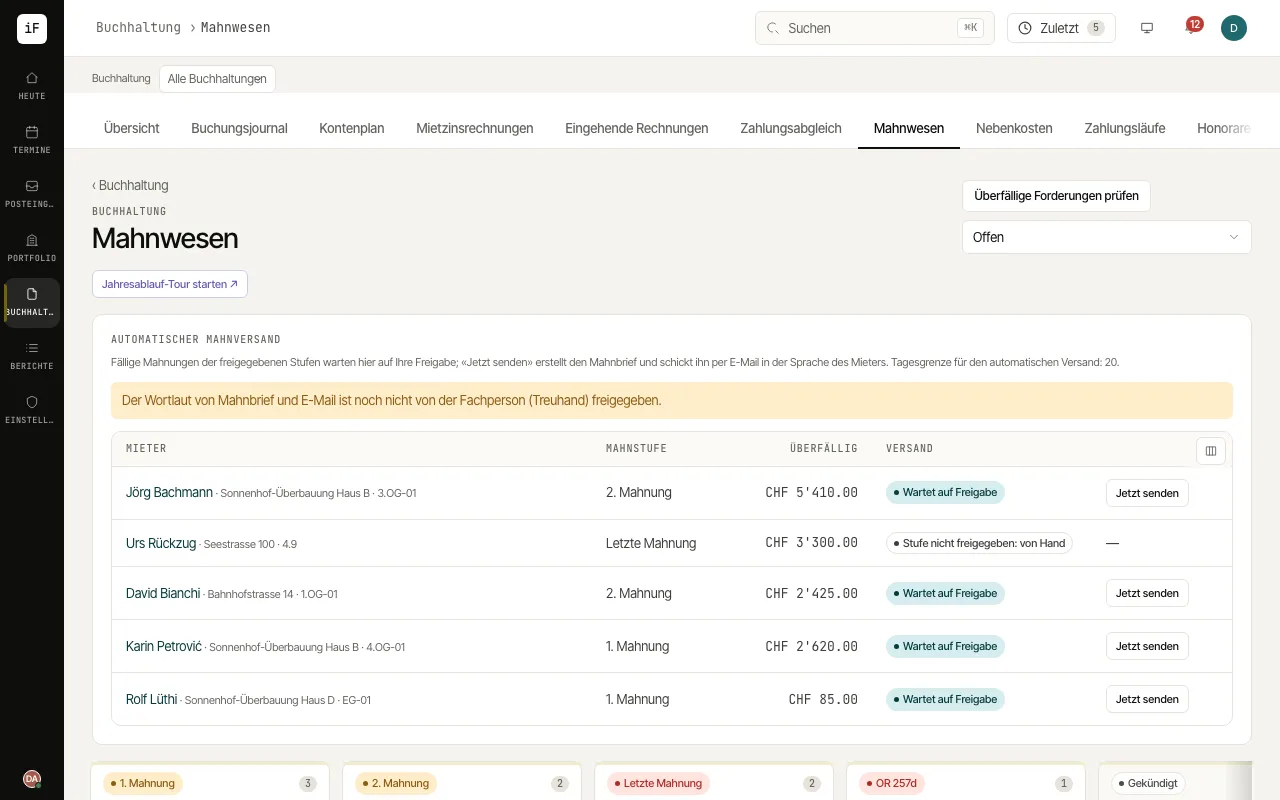 3.7Handling overdue claimsPayment reminders sort open cases by processing stage. They help you work on an arrear together with the related invoices and the correspondence so far.Read the guide →
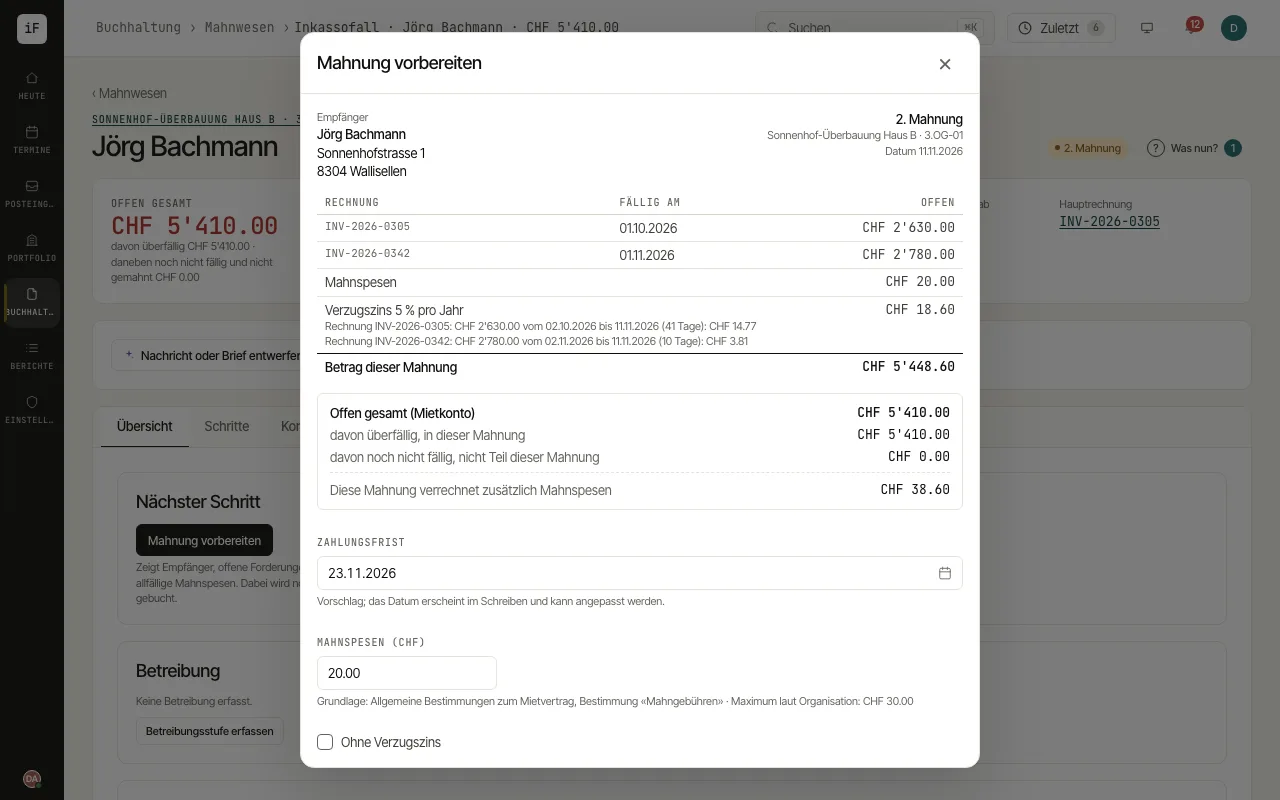 3.8Creating and documenting a reminder letterThe preview shows which claims go into the letter and which fee is planned. This lets you check content and consequences before creating it.Read the guide →
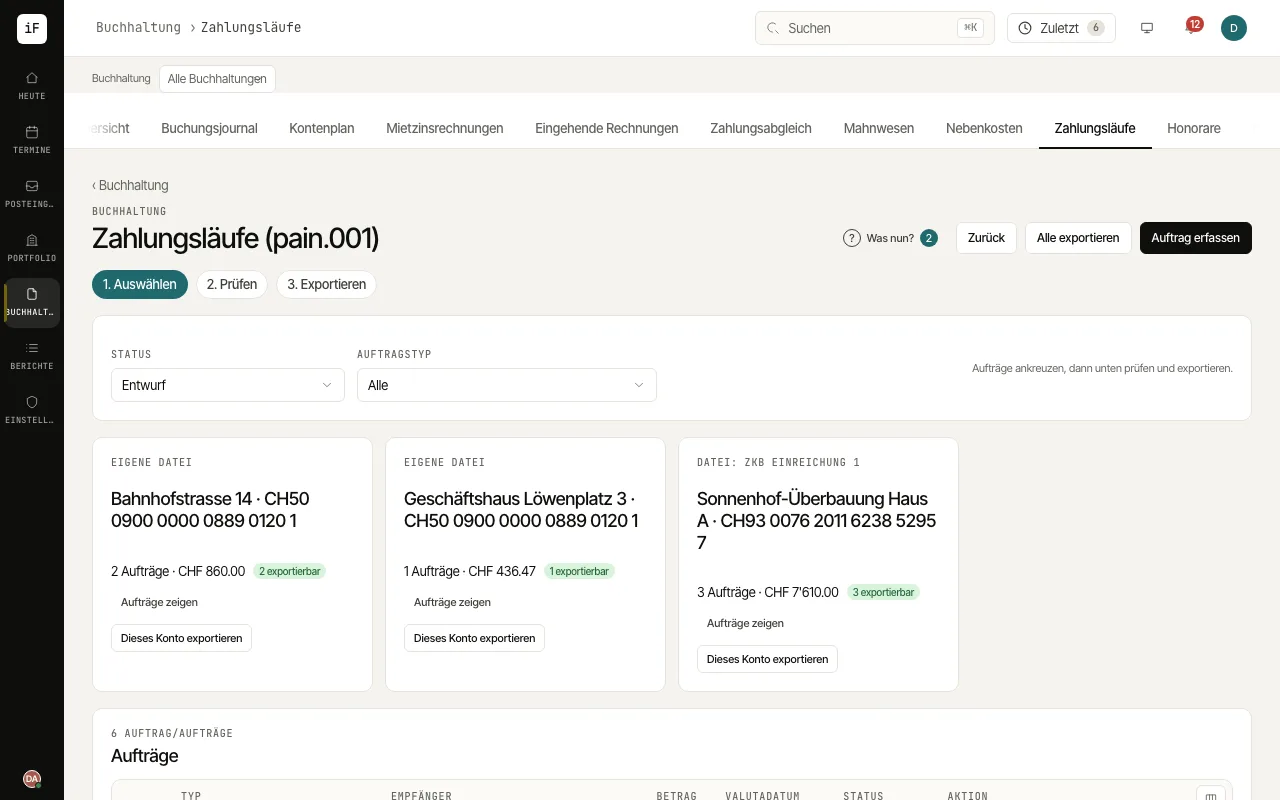 3.9Following payment orders through to executionPayment runs bundle prepared orders for export to the bank. The status distinguishes draft, release, export and upload to e-banking from actual execution.Read the guide →
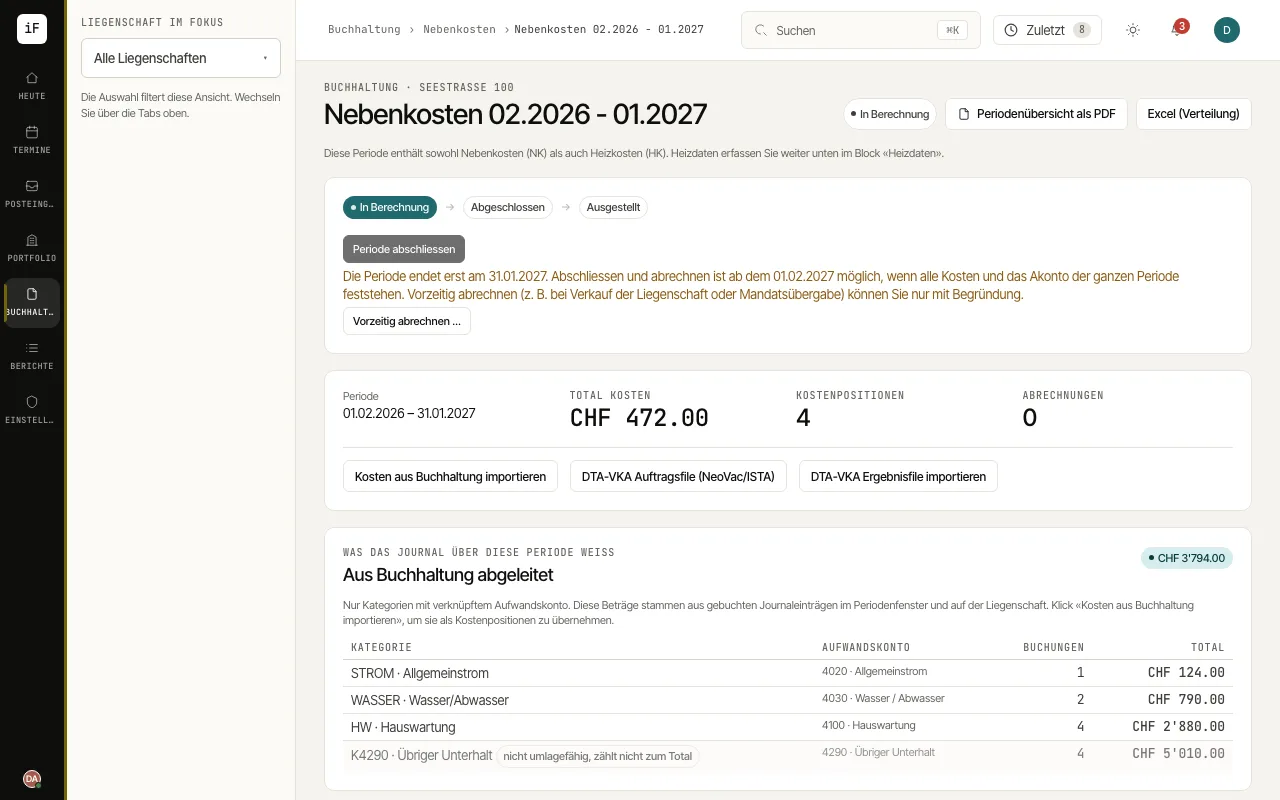 3.10Settling service charges transparentlyA service charge period collects costs and allocates them to the tenancies concerned. In the preview you see cost shares, advance payments made and the resulting balance; after closing, the basis stays frozen and is corrected only with an audit trail.Read the guide →
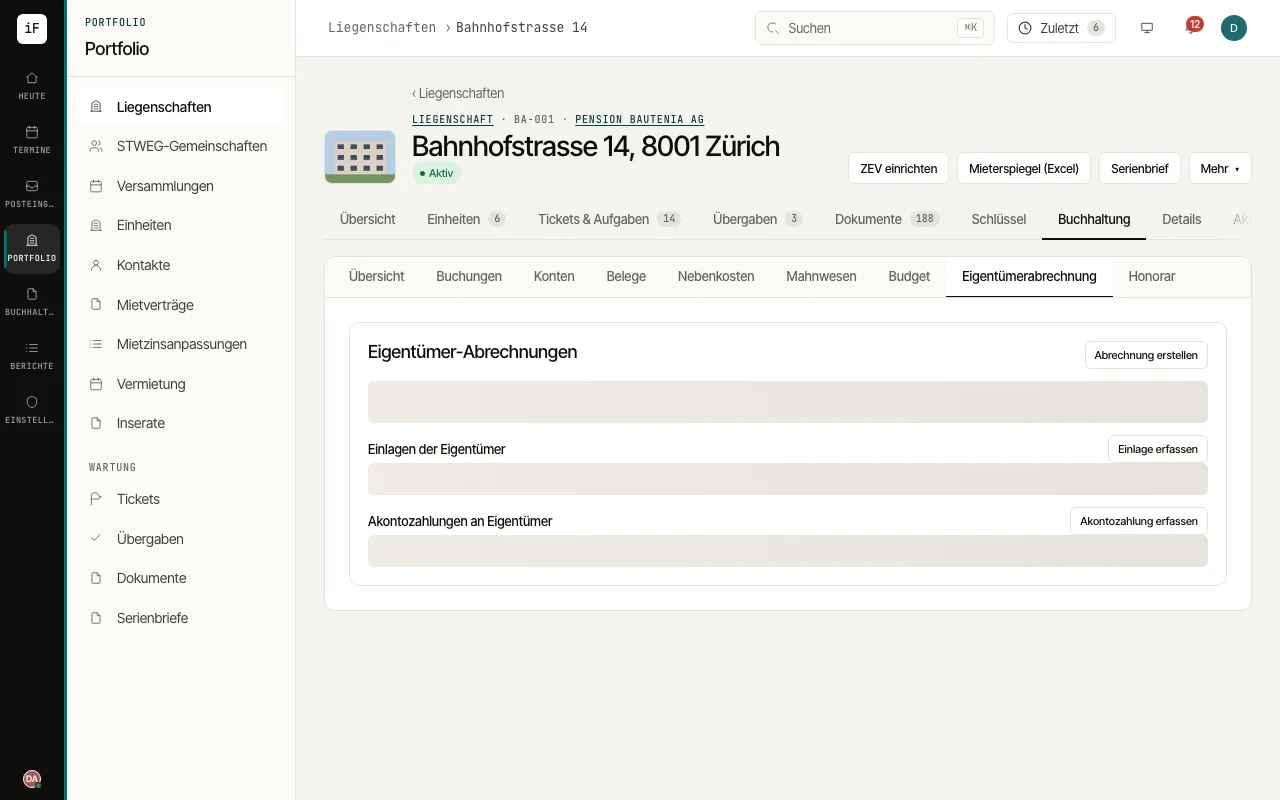 3.11Preparing an owner statementThe owner statement summarises the result of a period and carries the balance forward. It is the basis for transparent accounting to the owners.Read the guide →
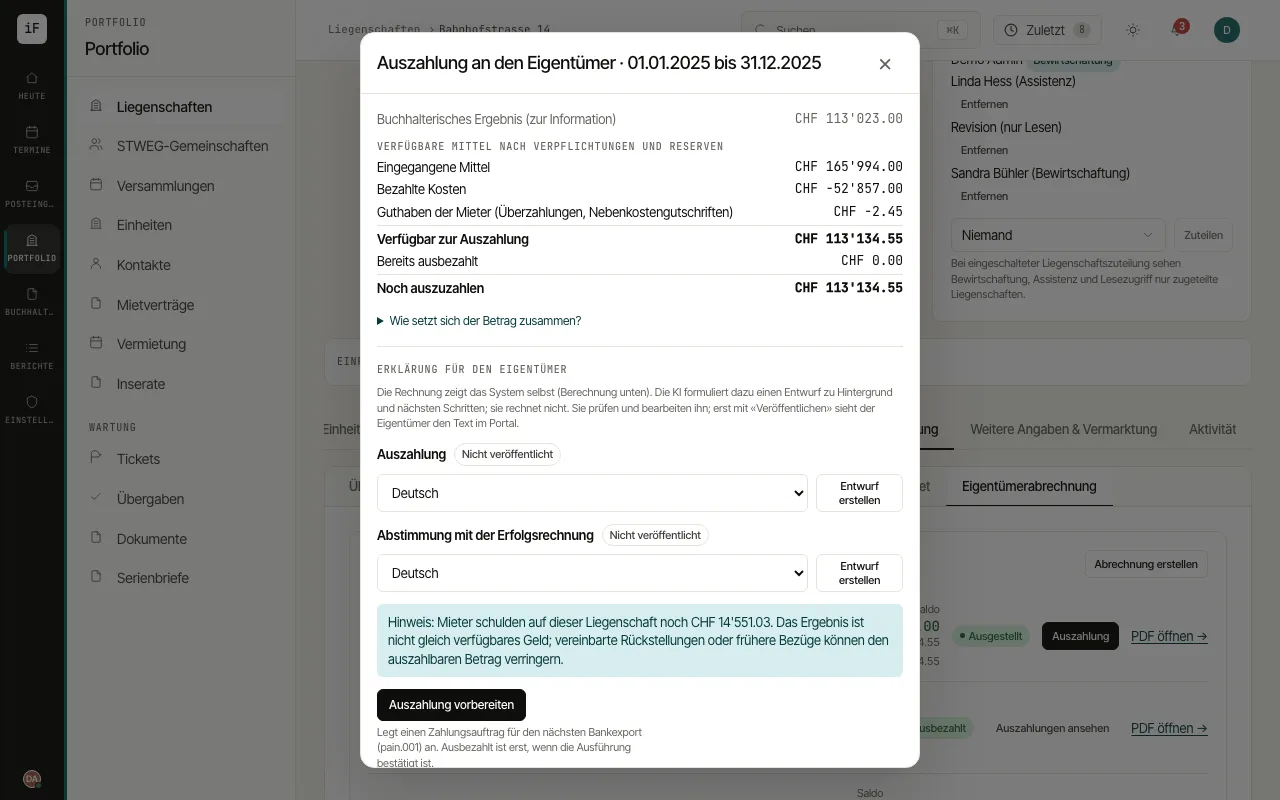 3.12Paying out the ownerThe payout dialog shows the statement amount, payments made and the remainder currently owed. You can prepare an order or record a payment that has already been made.Read the guide →
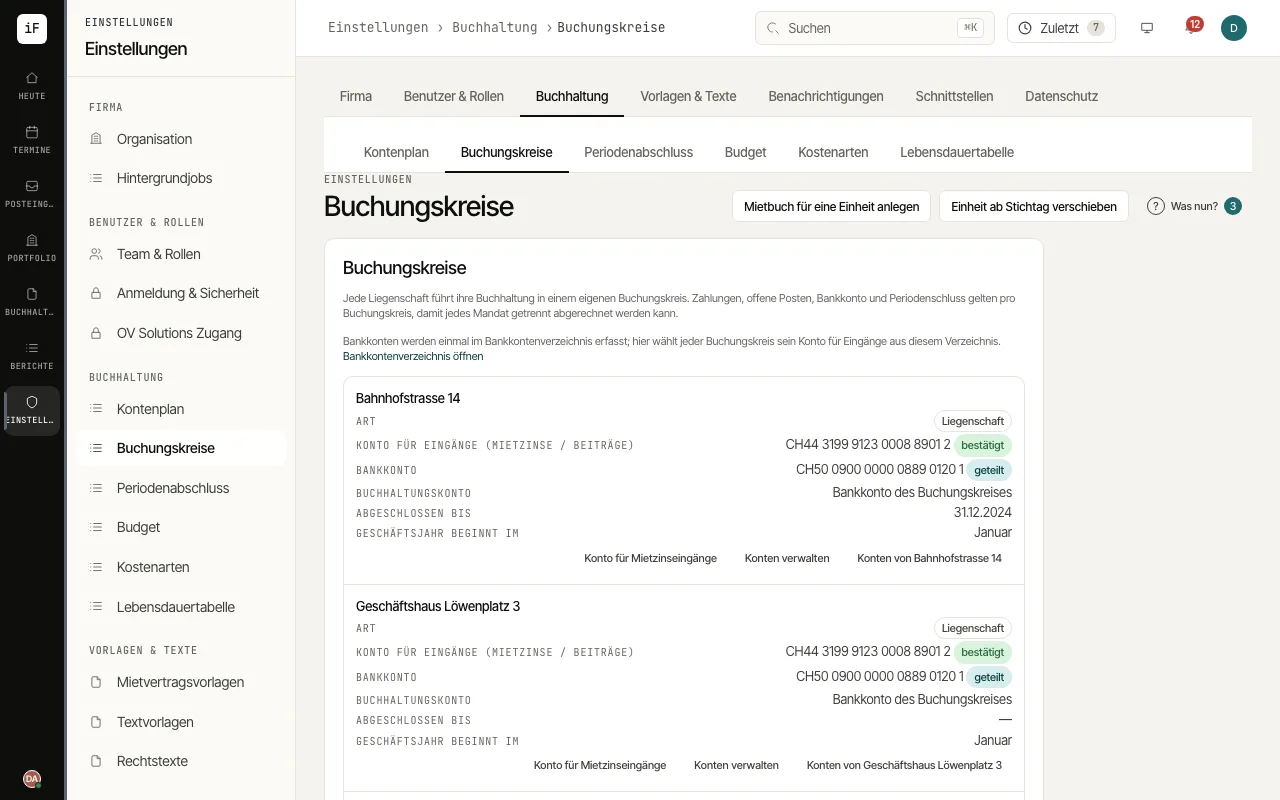 3.13Recording bank accounts and confirming the rent account per accounting bookEach property keeps its accounts in its own accounting book. Each accounting book explicitly sets the account tenants pay into: ImmoFlow never uses an account automatically.Read the guide →
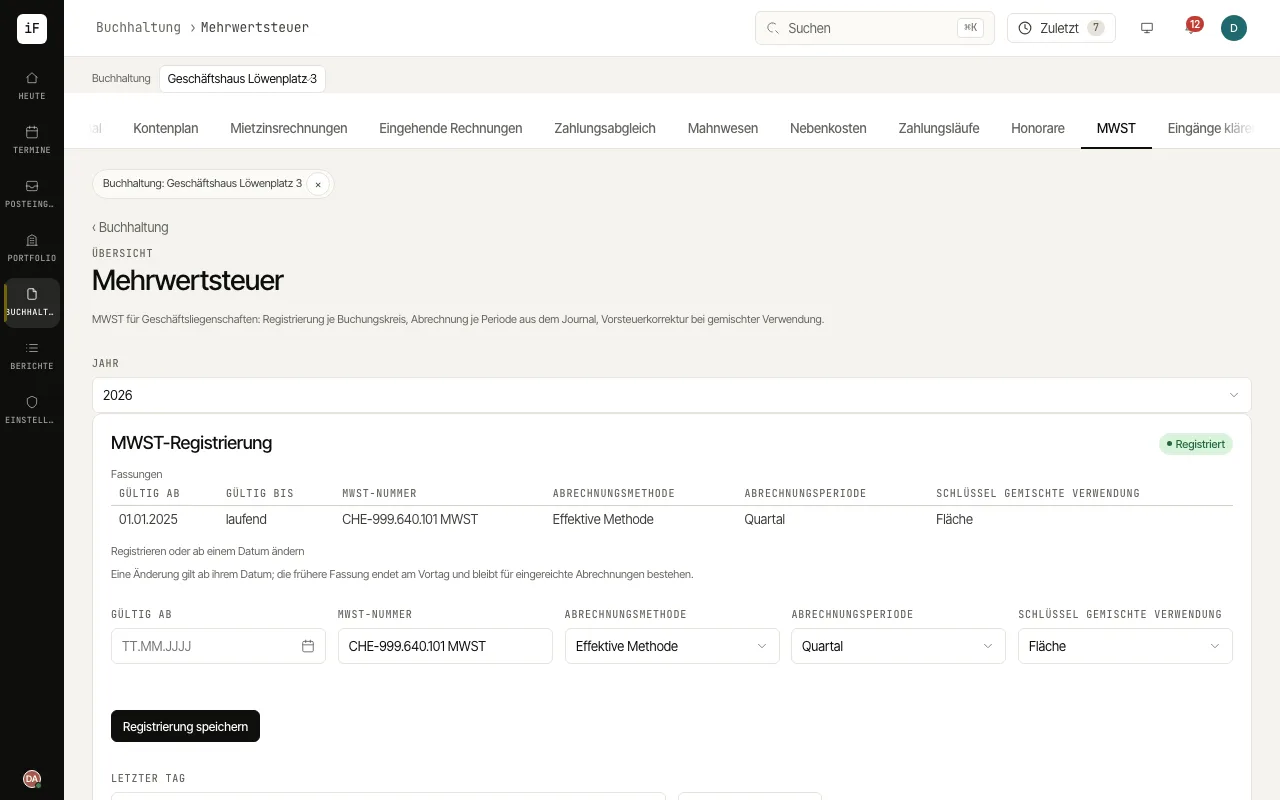 3.14Handling VAT for commercial propertiesIf a VAT-registered owner lets commercial premises with the option to tax, ImmoFlow charges VAT on rent and service charges, posts output and input tax and produces the return per period from the journal. Flats remain excluded from the tax.Read the guide →
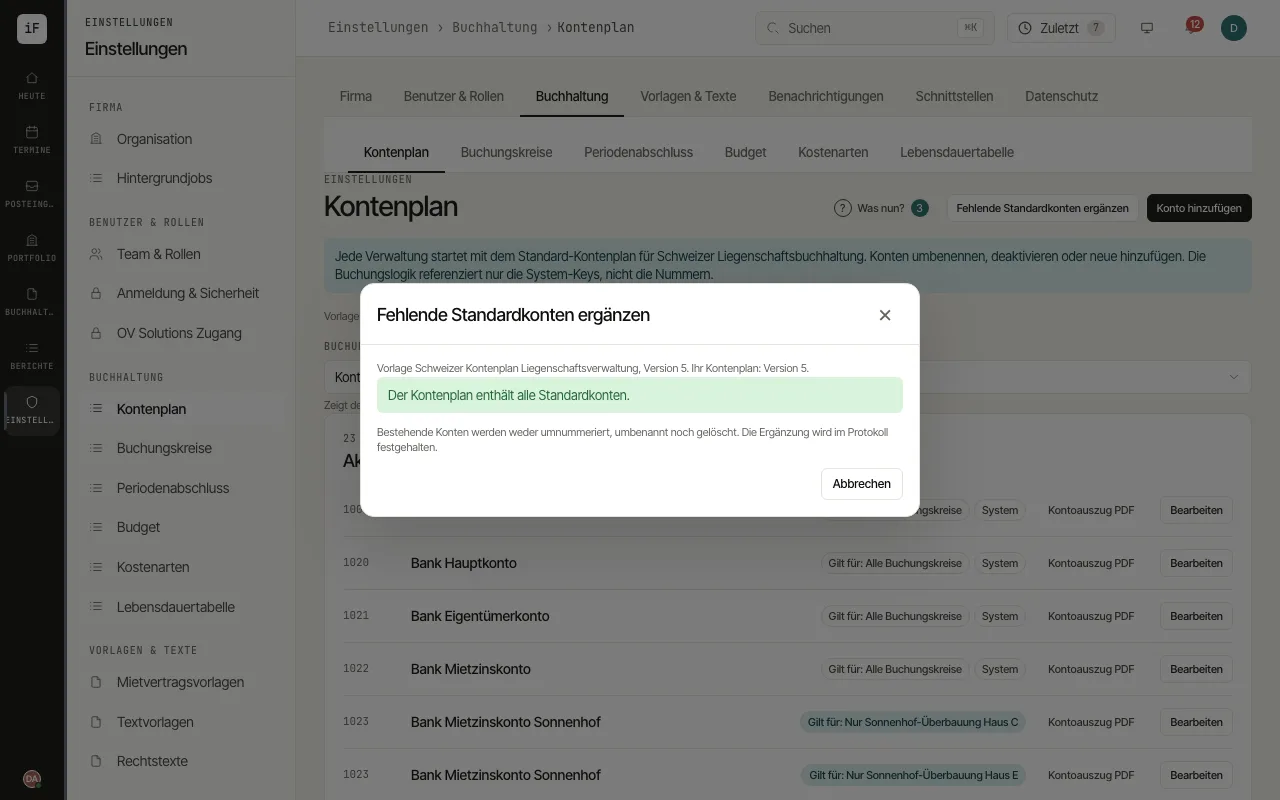 3.15Setting up the chart of accounts and bringing it to the new templateEvery management company starts with the standard chart of accounts for Swiss property accounting. The template is versioned: when new default accounts are added, you add them selectively without changing your own accounts.Read the guide →
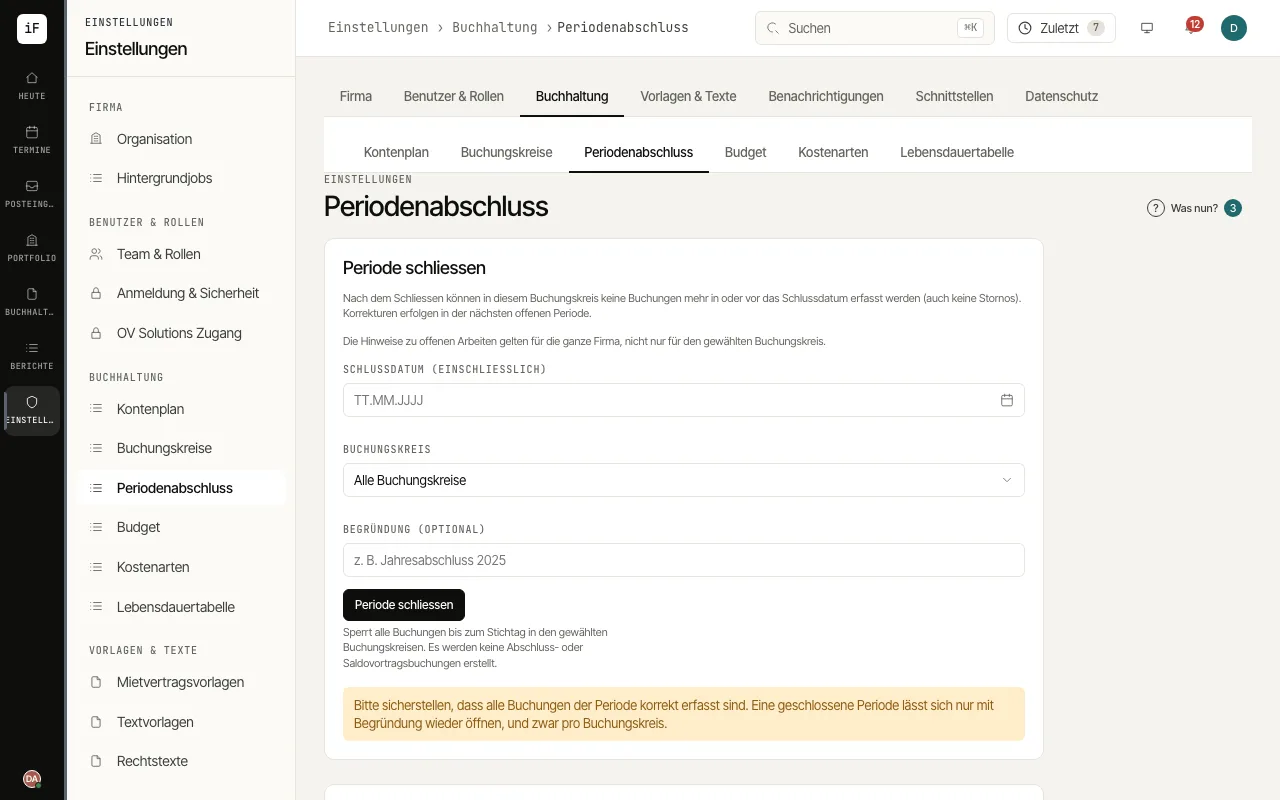 3.16Posting accruals and closing a periodAt year end, expenses and income belong in the right year; afterwards the period is locked per accounting book. Anything that still falls into a closed period is posted by ImmoFlow on the first open day once you confirm, without losing the original details.Read the guide →
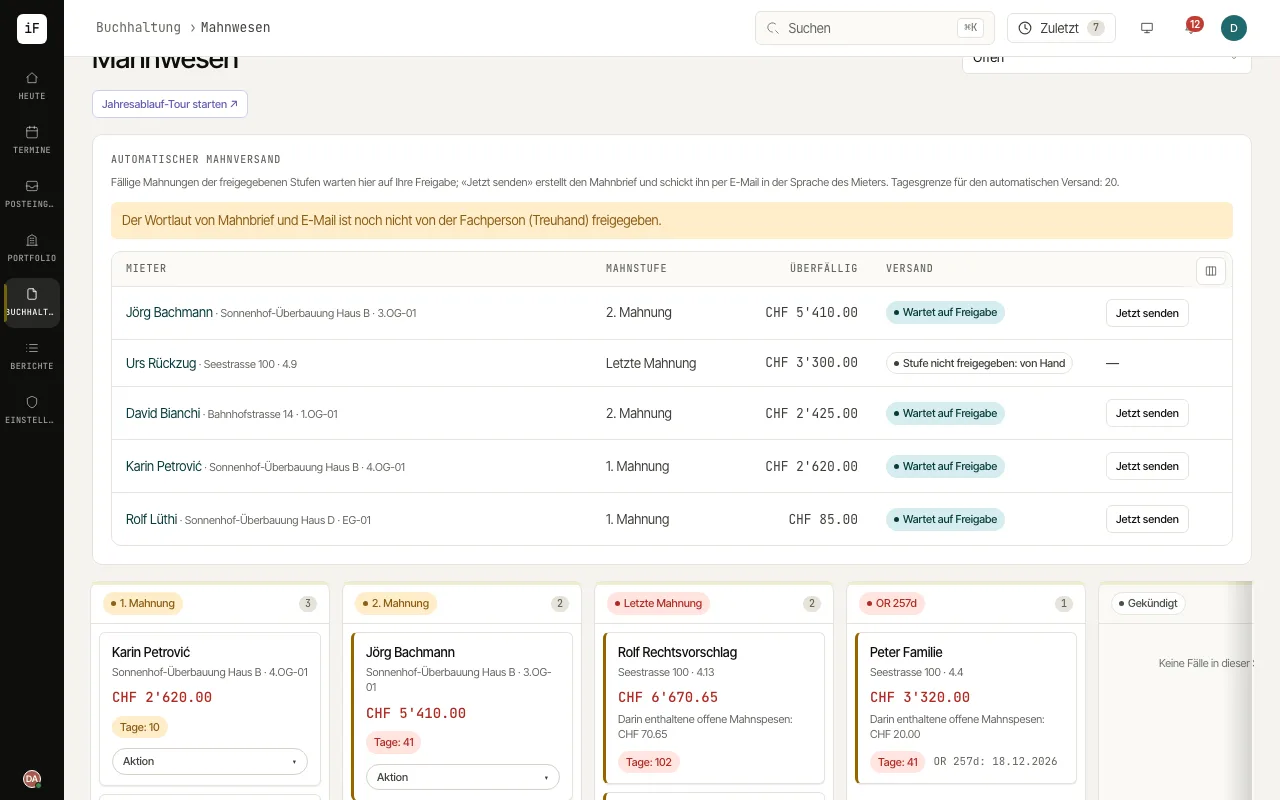 3.17Sending reminders automatically or after approvalIf you wish, the daily dunning run creates the due ordinary reminders itself and e-mails them. You decide whether each reminder first needs your approval, which stages are included and how many go out per day.Read the guide →
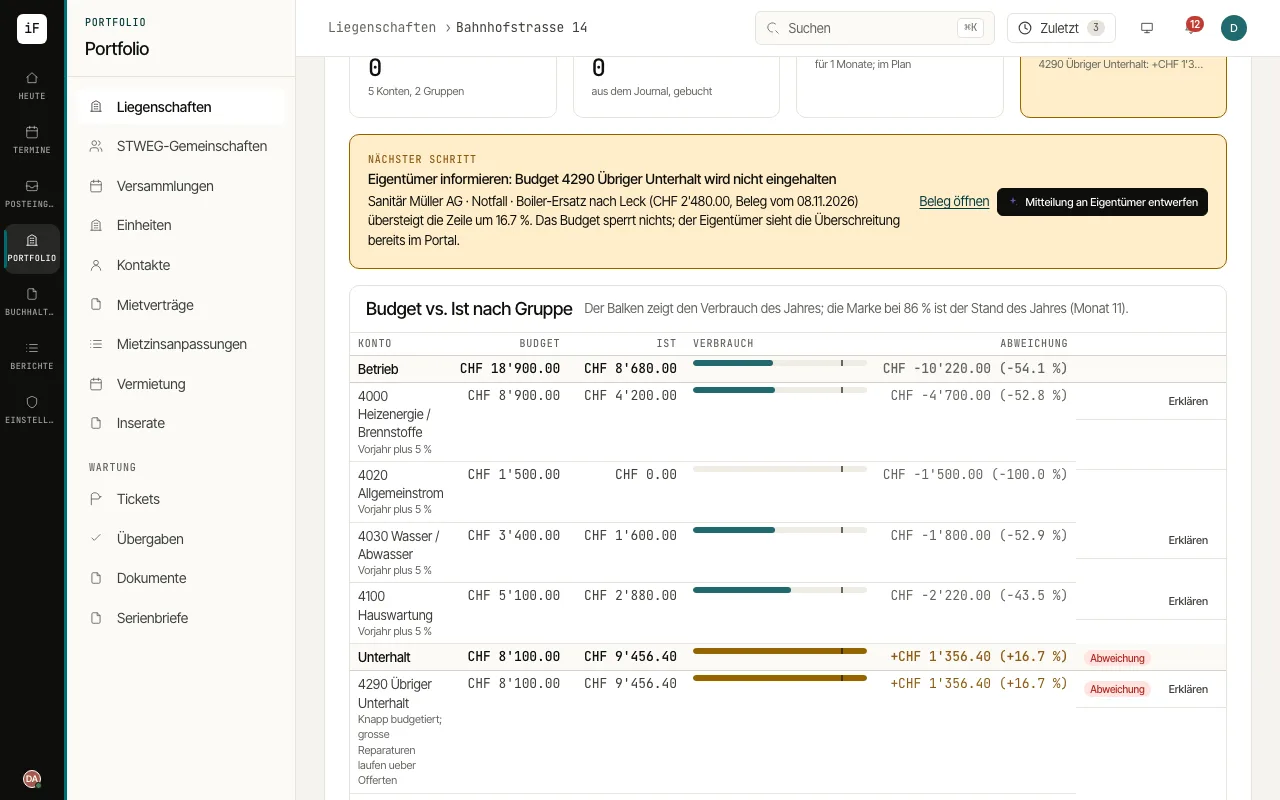 3.18Planning a budget and comparing it with actualsEvery property has a budget per year on its book: lines per account, groups like "Maintenance", actuals straight from the posted journal. The owner approves once a year in the portal; overruns become the next step.Read the guide →
Managing condominium ownership (STWEG)
Ownership, budget, contributions, annual accounts and meetings of a condominium owners' community.
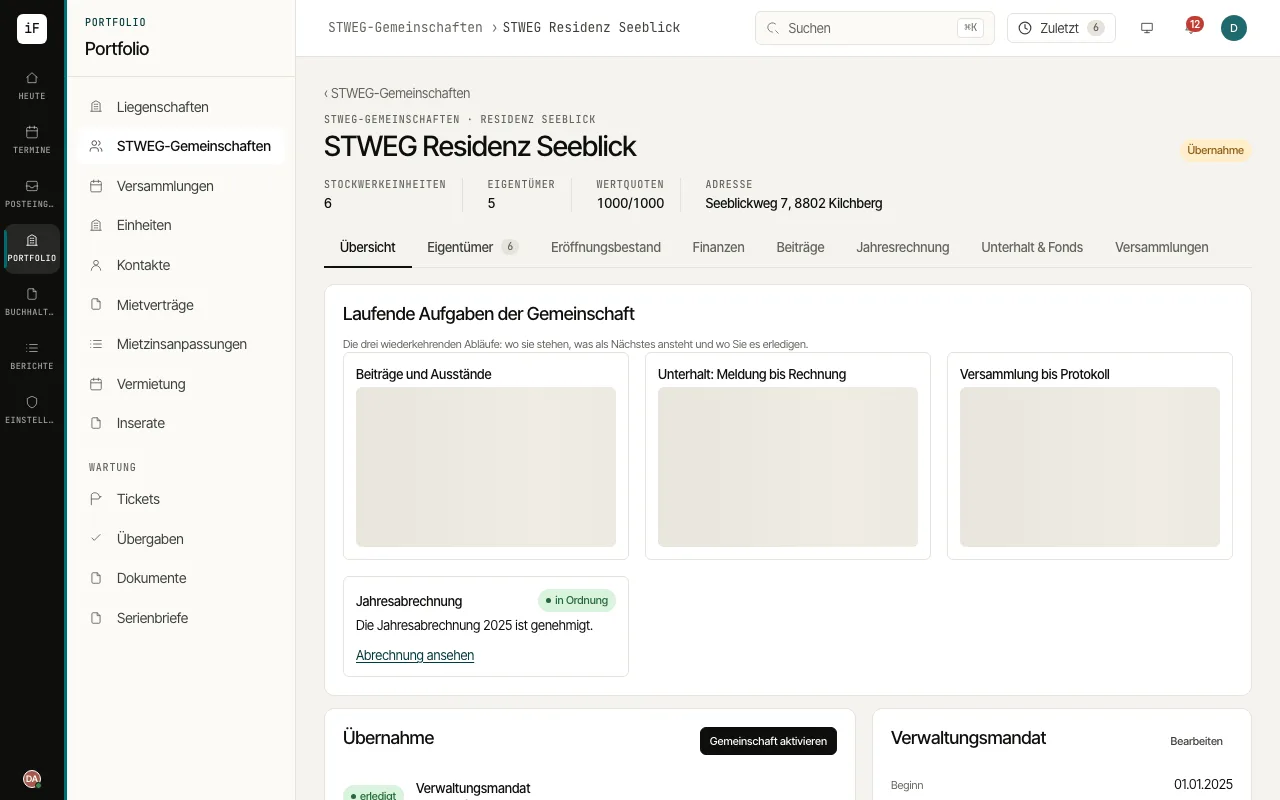 4.1Managing a STWEG communityThe community brings together ownership, contributions, annual accounts, maintenance and meetings. The overview shows which work is due next.Read the guide →
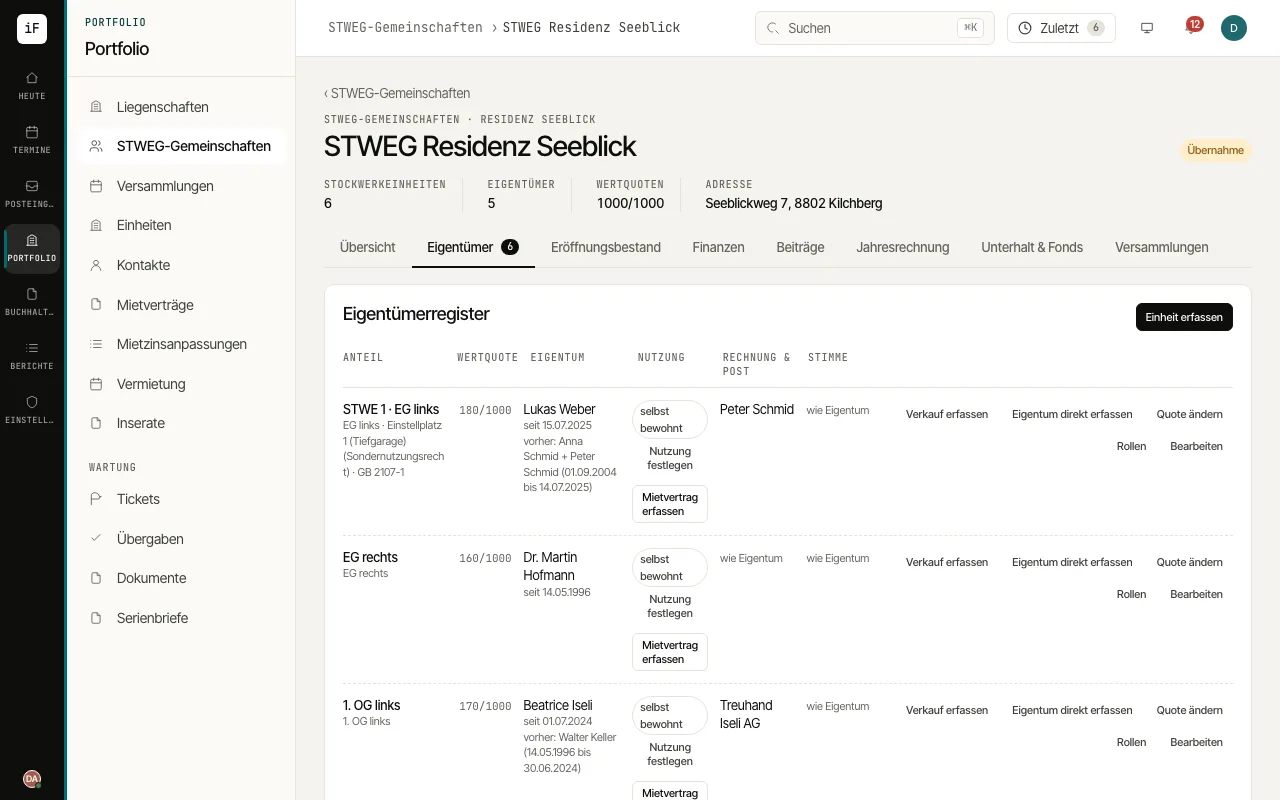 4.2Maintaining ownership and responsibilitiesThe ownership register links shares, value quotas and people. It distinguishes ownership from use and from responsibility for invoices, correspondence and voting.Read the guide →
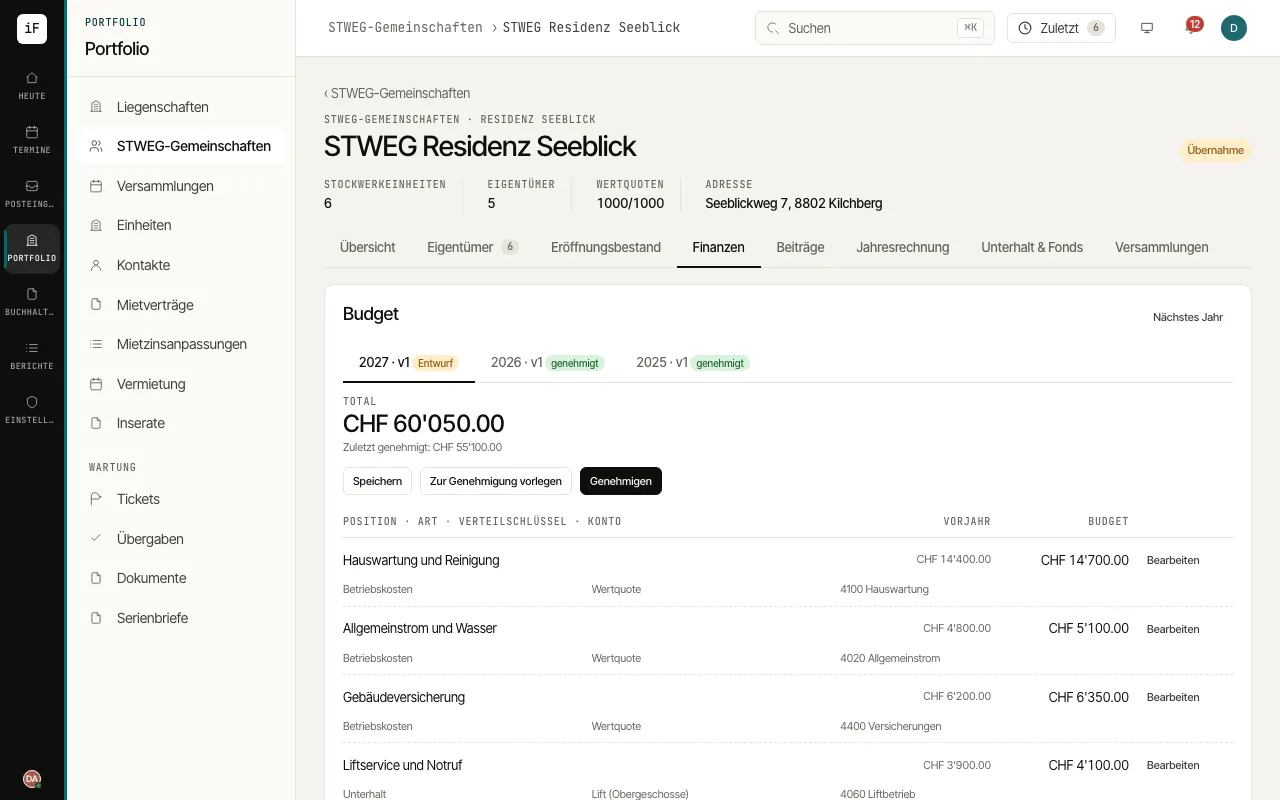 4.3Preparing the budget and allocationA budget makes the community's planned costs and their allocation visible. Comparing with the previous year supports a traceable preparation.Read the guide →
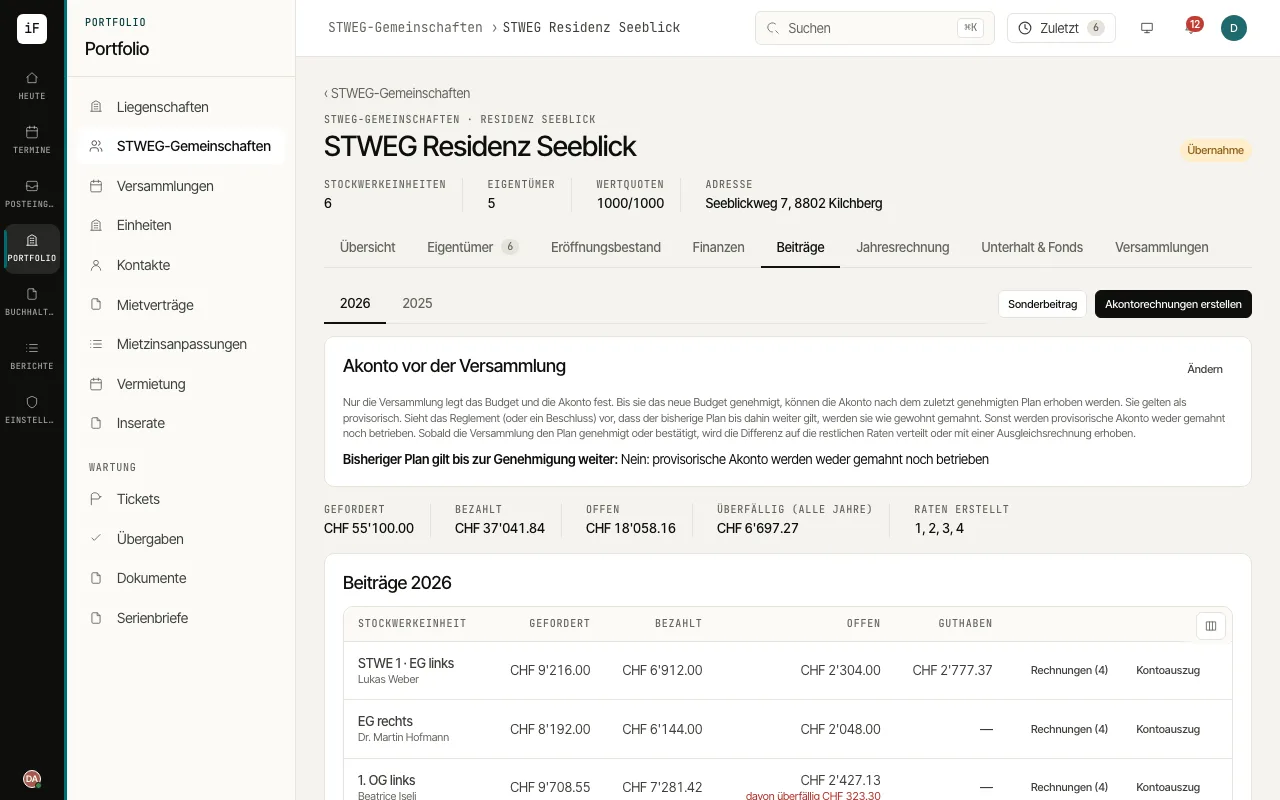 4.4Following contributions and advance invoicesThe contributions overview sets requested, paid and open amounts side by side. You see which units or invoice recipients still have open claims.Read the guide →
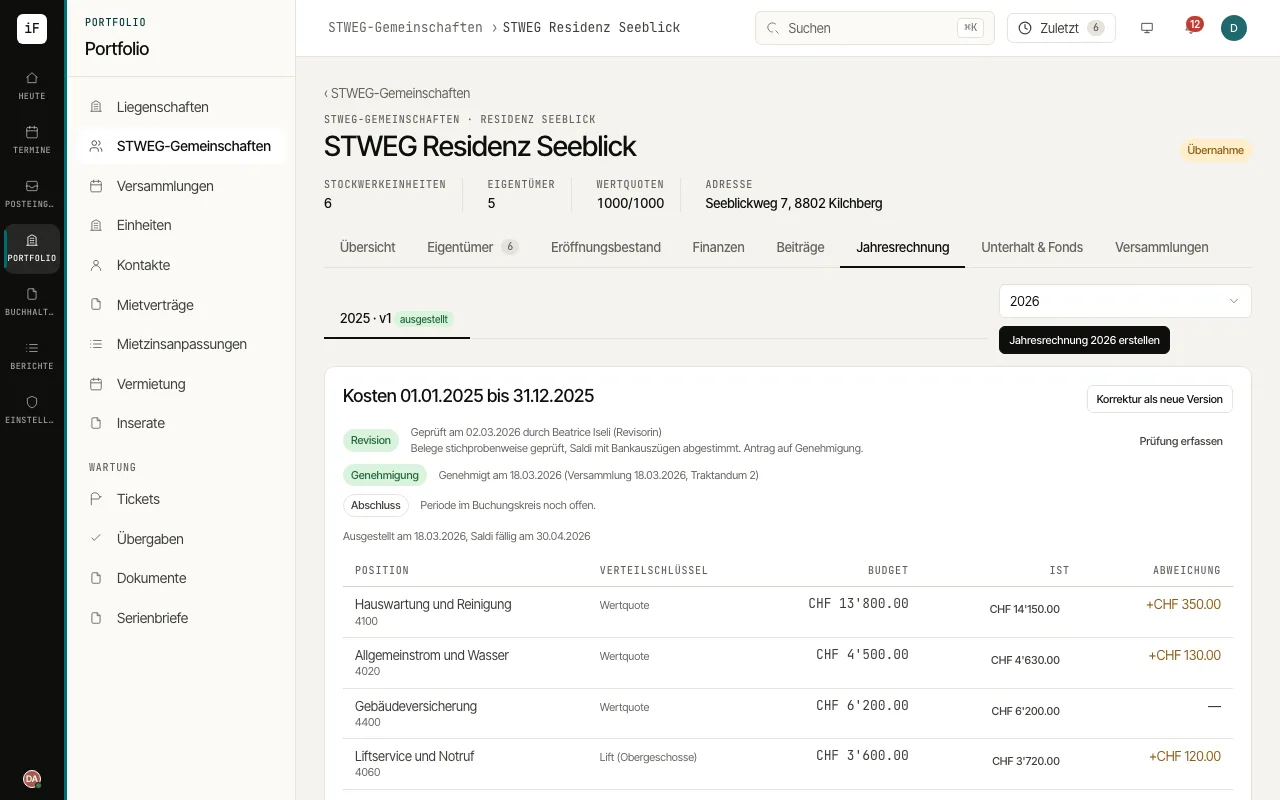 4.5Following the annual accountsThe annual accounts link actual costs, the budget comparison and the allocation to the shares. They also keep the audit, approval and version of the statement visible.Read the guide →
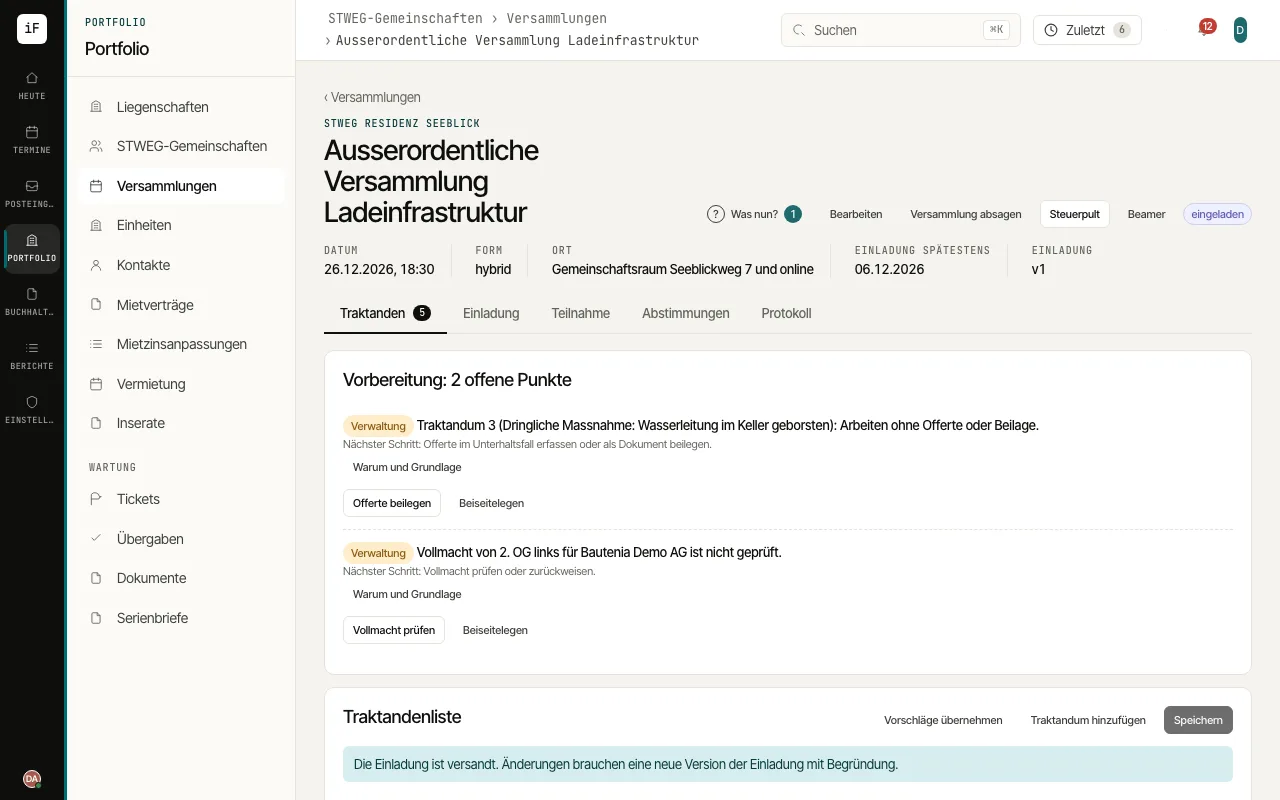 4.6Preparing and concluding a meetingThe meeting leads from agenda items and documents through attendance and votes to the minutes. Preparation notes show missing documents and open checks; the draft minutes state what has not been recorded.Read the guide →
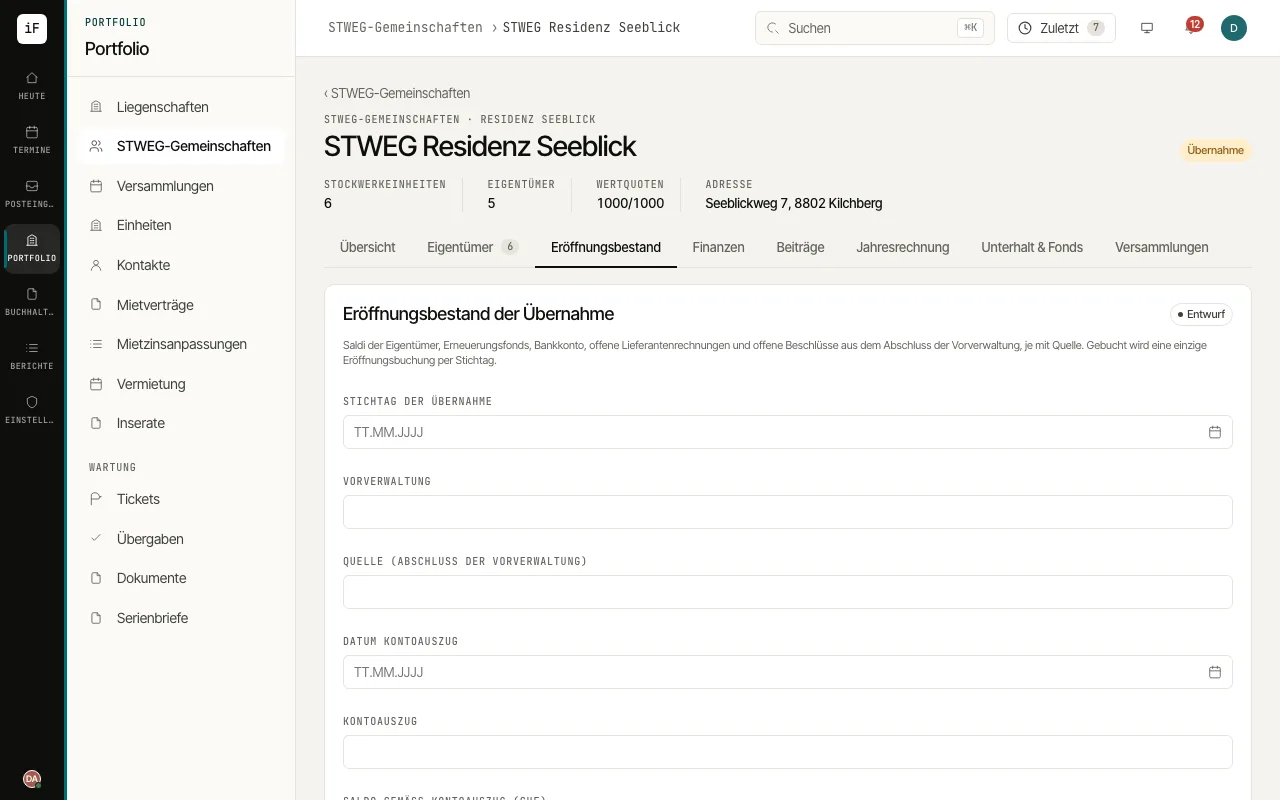 4.7Taking over a community and posting the opening positionWhen the administration changes, you create the community on the existing property and take over the previous administration's closing statement: owner balances, renewal fund, bank account, open supplier invoices and open resolutions, each with its source.Read the guide →
Portals for working together
What tenants, owners and contractors see and do in their own access.
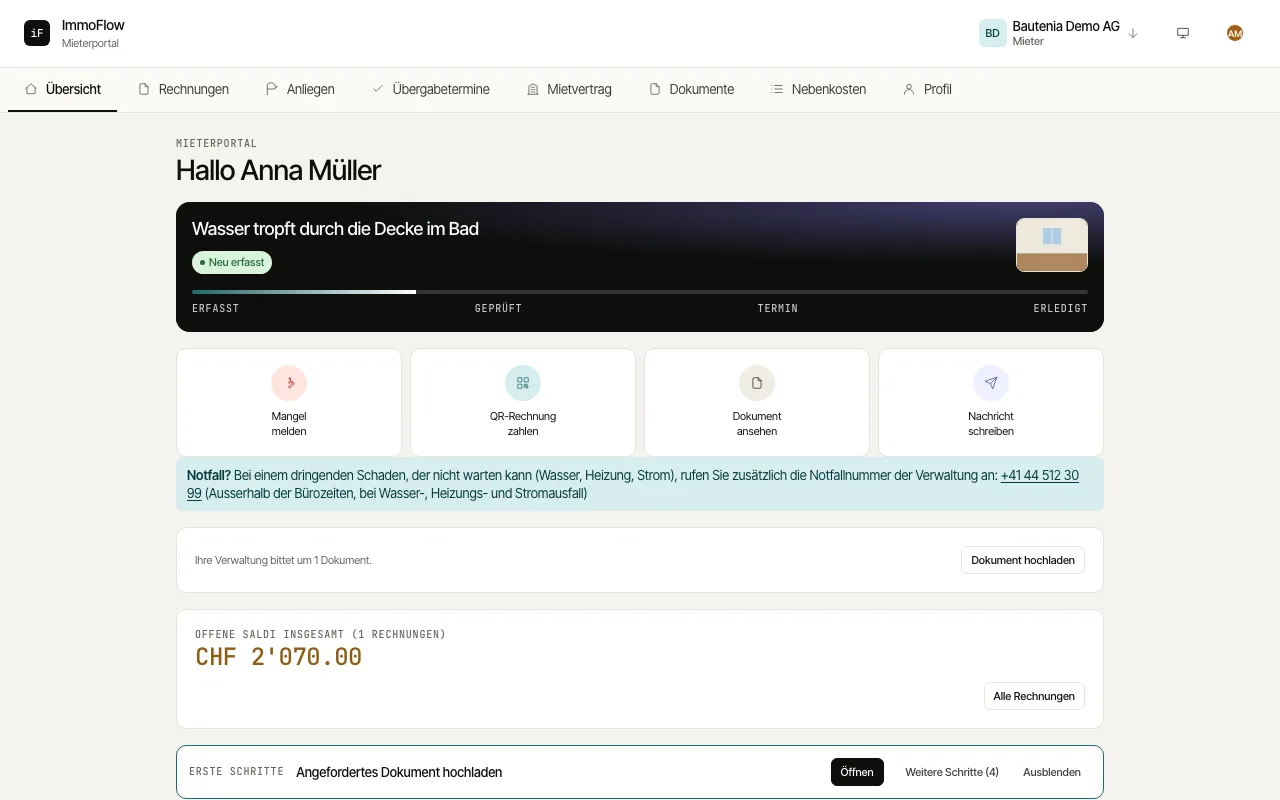 5.1Using the tenant portalIn the tenant portal you find invoices, your lease, documents and your requests in one place. For a question or a damage report, you do not need to gather the information from several channels.Read the guide →
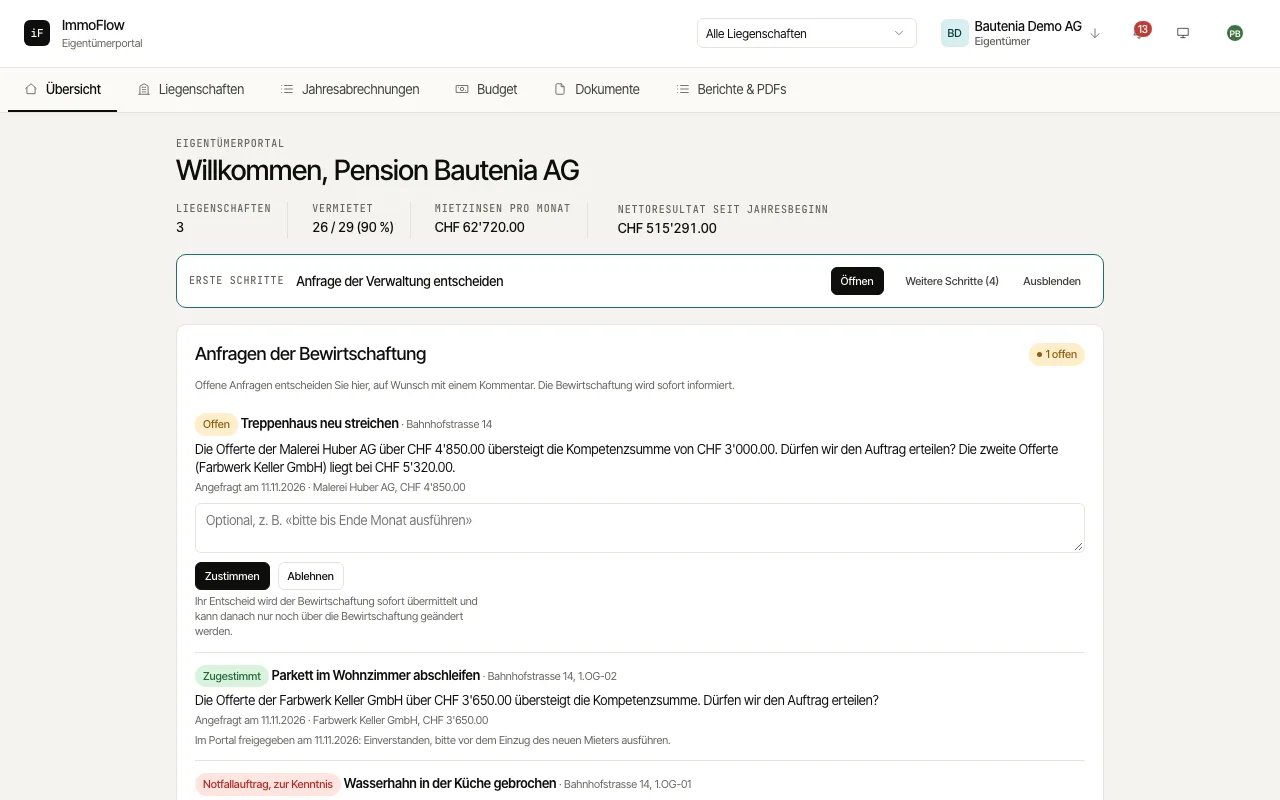 5.2Using the owner portalThe owner portal gives you insight into your properties, open claims, vacancies and results. You can look up figures and documents yourself, decide the management's requests directly and talk to the property manager in a more targeted way.Read the guide →
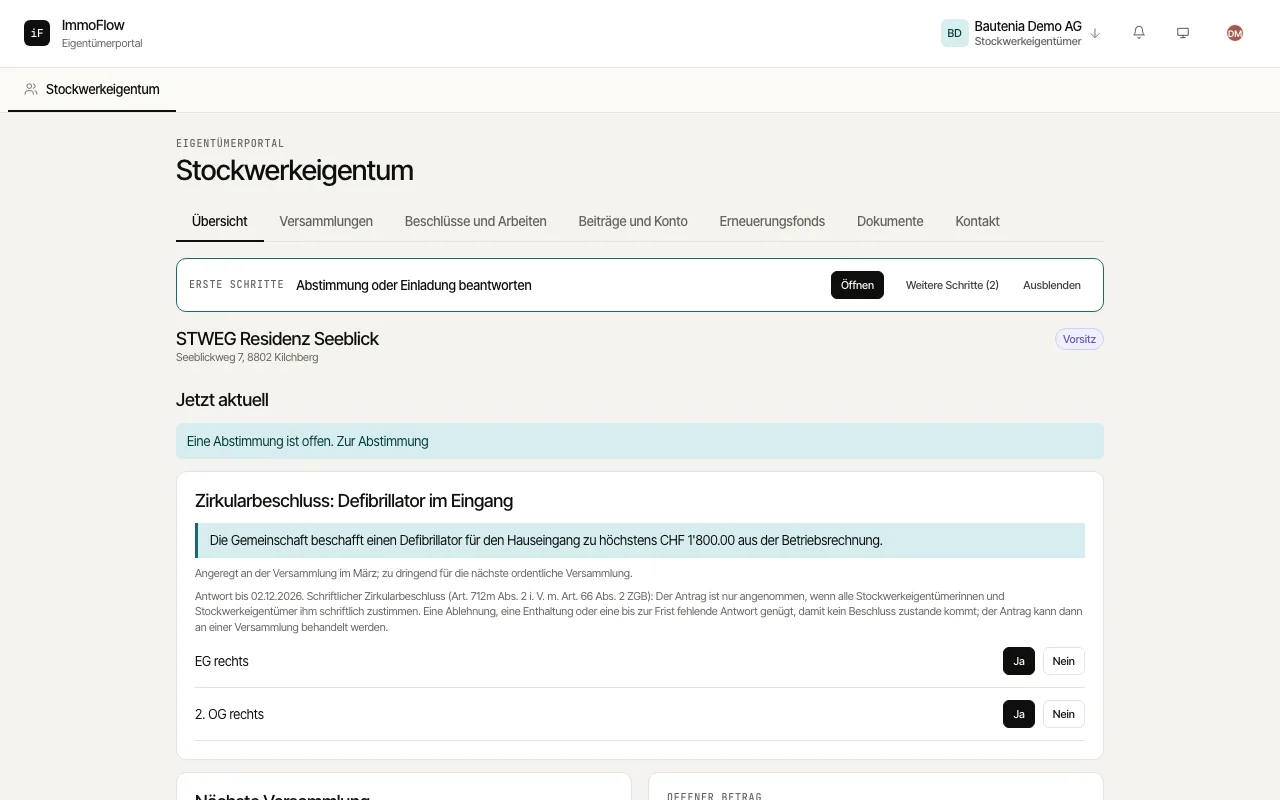 5.3Taking part as a condominium ownerHere you find everything about your condominium community, arranged by section: "Overview", "Meetings", "Decisions and works", "Contributions and account", "Renewal fund", "Documents" and "Contact". The functions available follow your relationship to the community and your role.Read the guide →
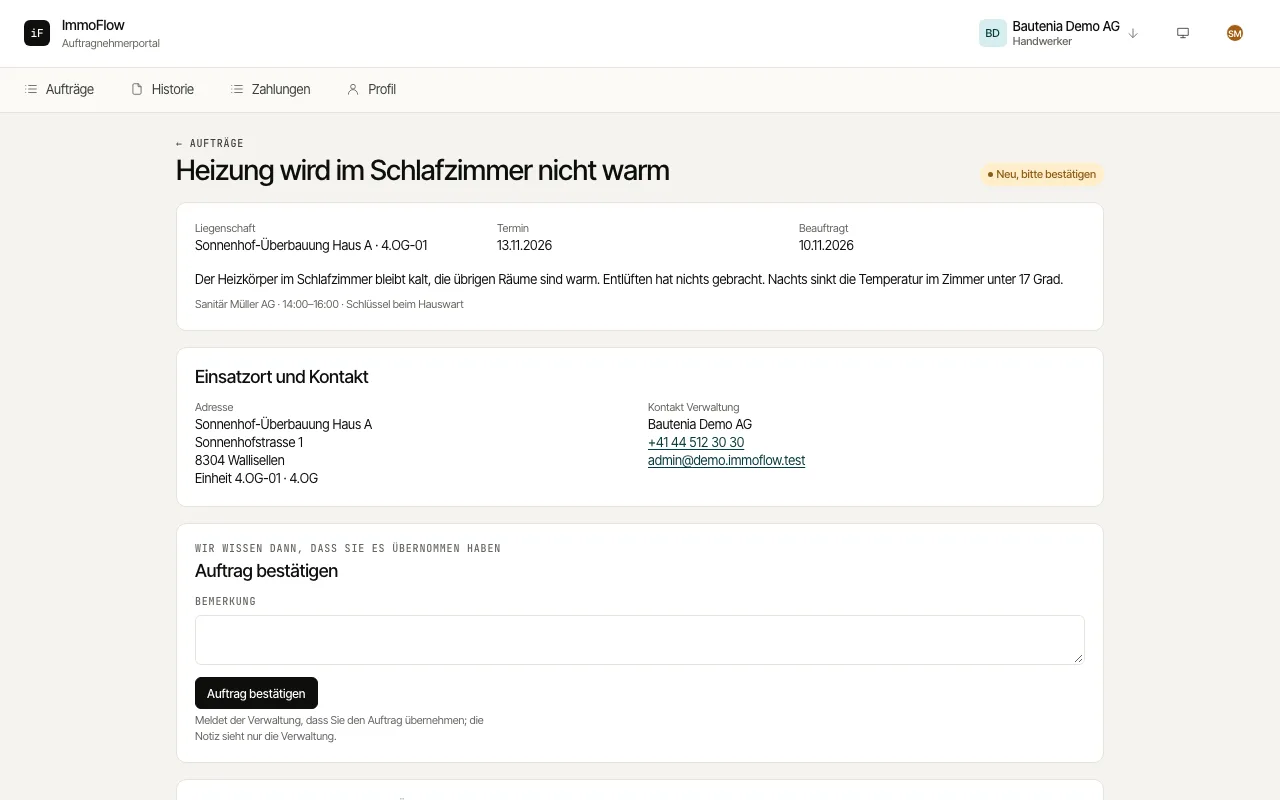 5.4Handling a contractor orderThe contractor portal shows you the work assigned to you and the information needed to carry it out. Feedback, quotes and invoices stay traceable on each order.Read the guide →
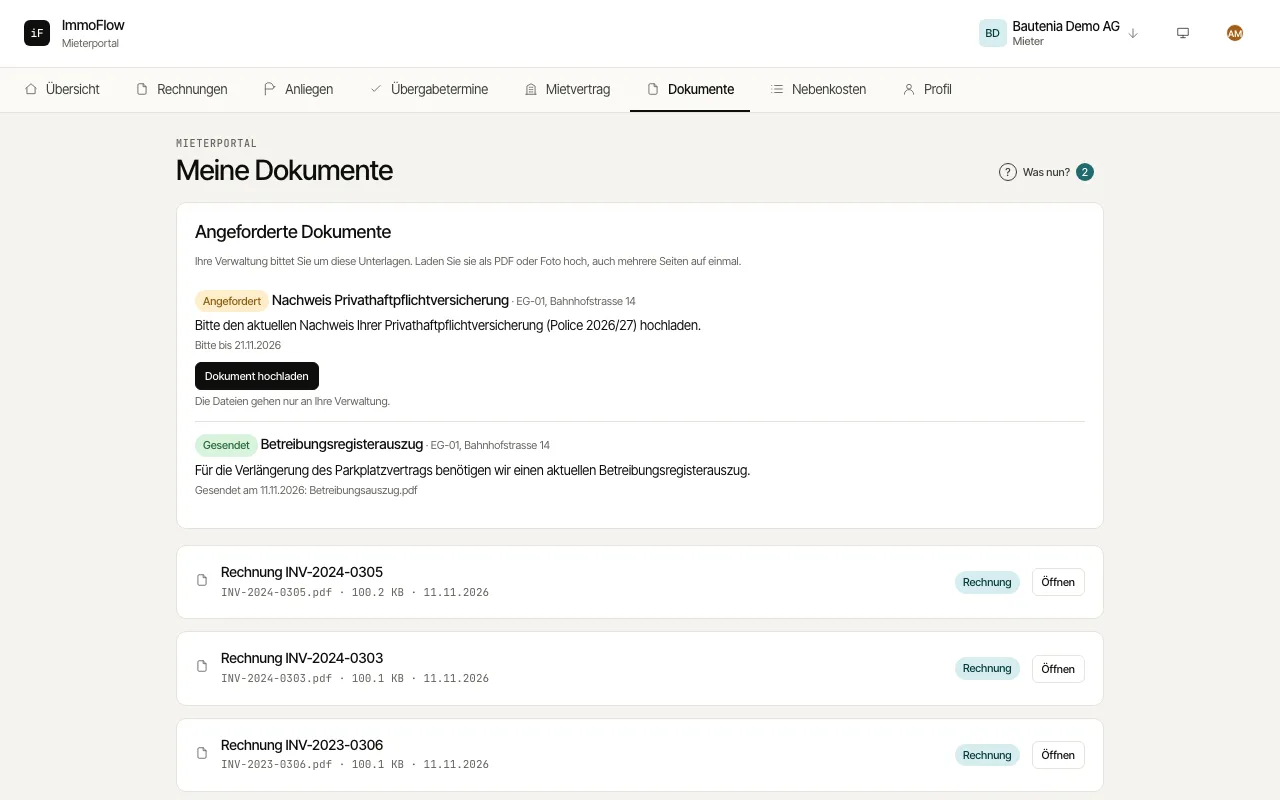 5.5Uploading requested documentsIf your property manager needs a document from you, such as a debt enforcement register extract or proof of your personal liability insurance, they request it in the portal. You upload the document right at the request instead of sending it by email.Read the guide →
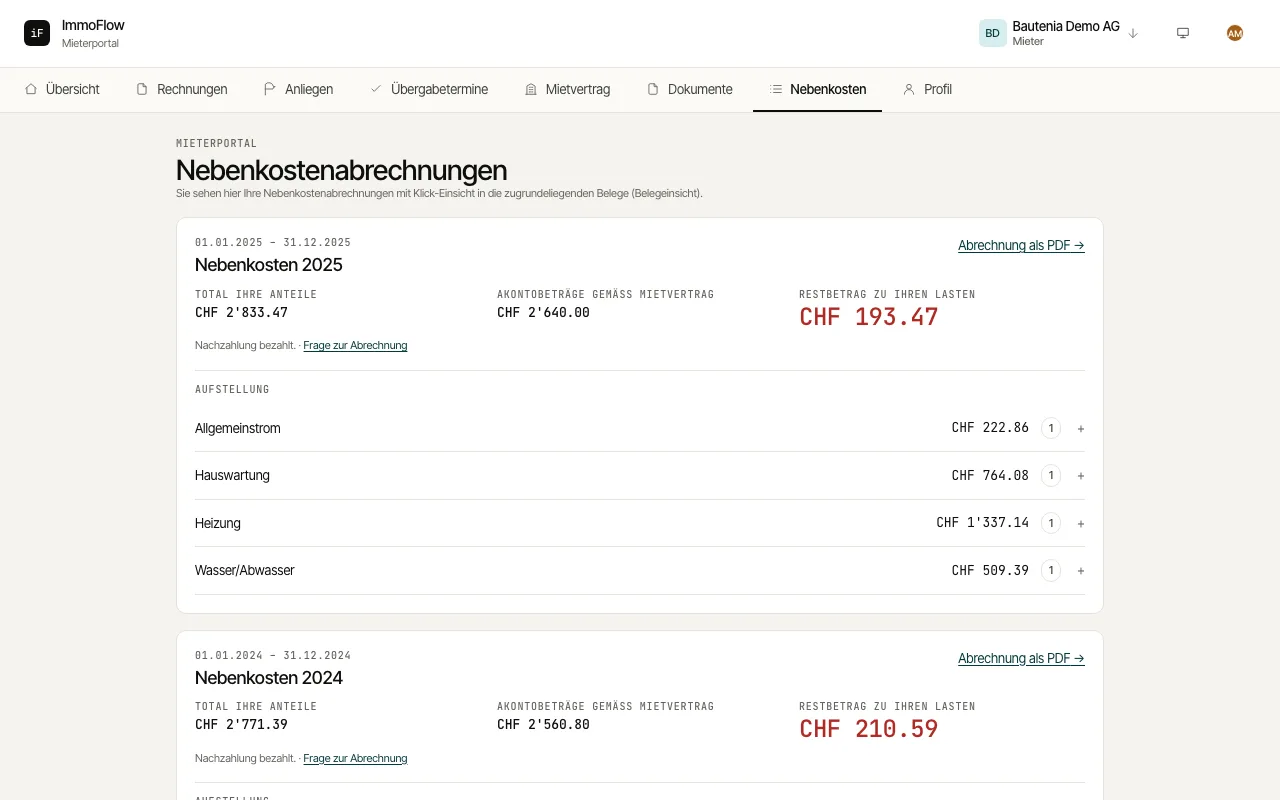 5.6Service charges, handovers and profile in the tenant portalBesides invoices and requests, the tenant portal offers your service charge statements with access to the receipts, the dates and reports of your apartment handovers, and your contact details and notifications.Read the guide →
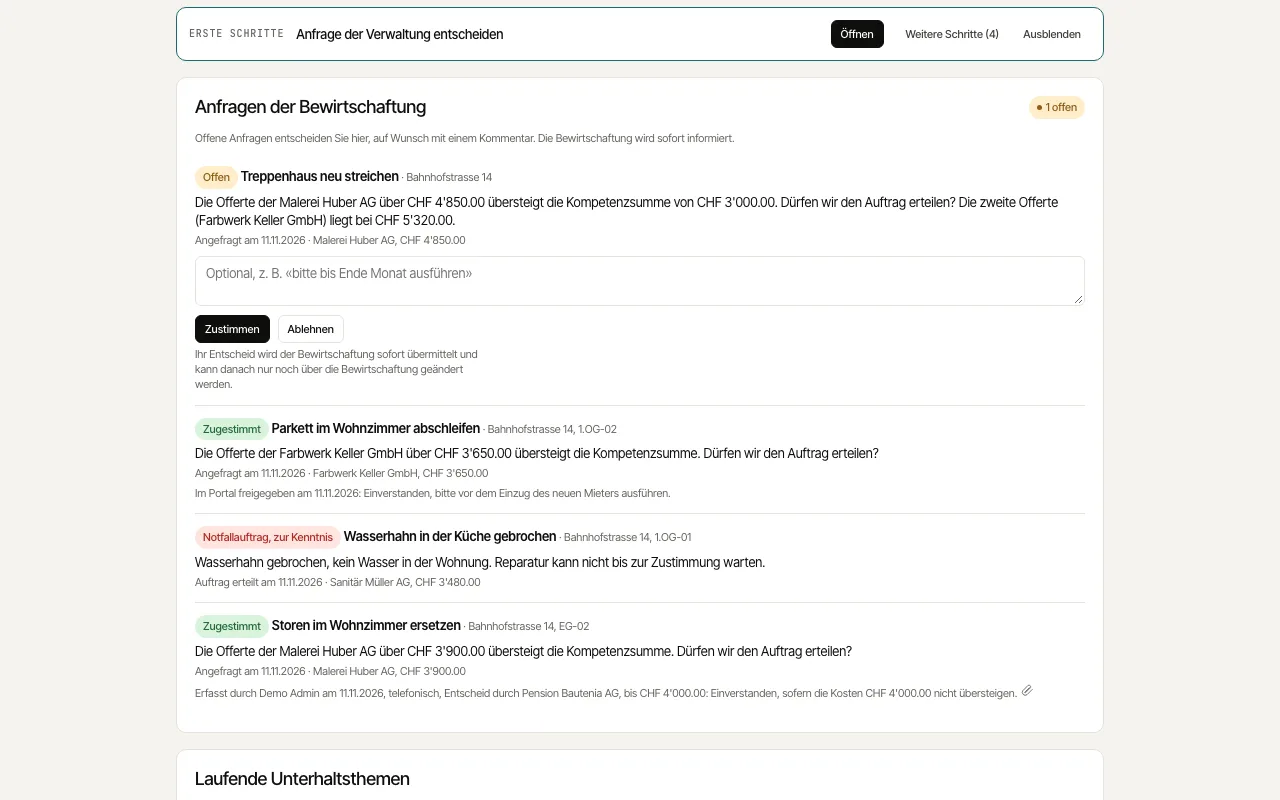 5.7Deciding requests from the managementWhen a repair exceeds the property manager's authority, they ask you as the owner for approval. You decide directly in the portal and see alongside which maintenance topics are currently under way at your properties.Read the guide →
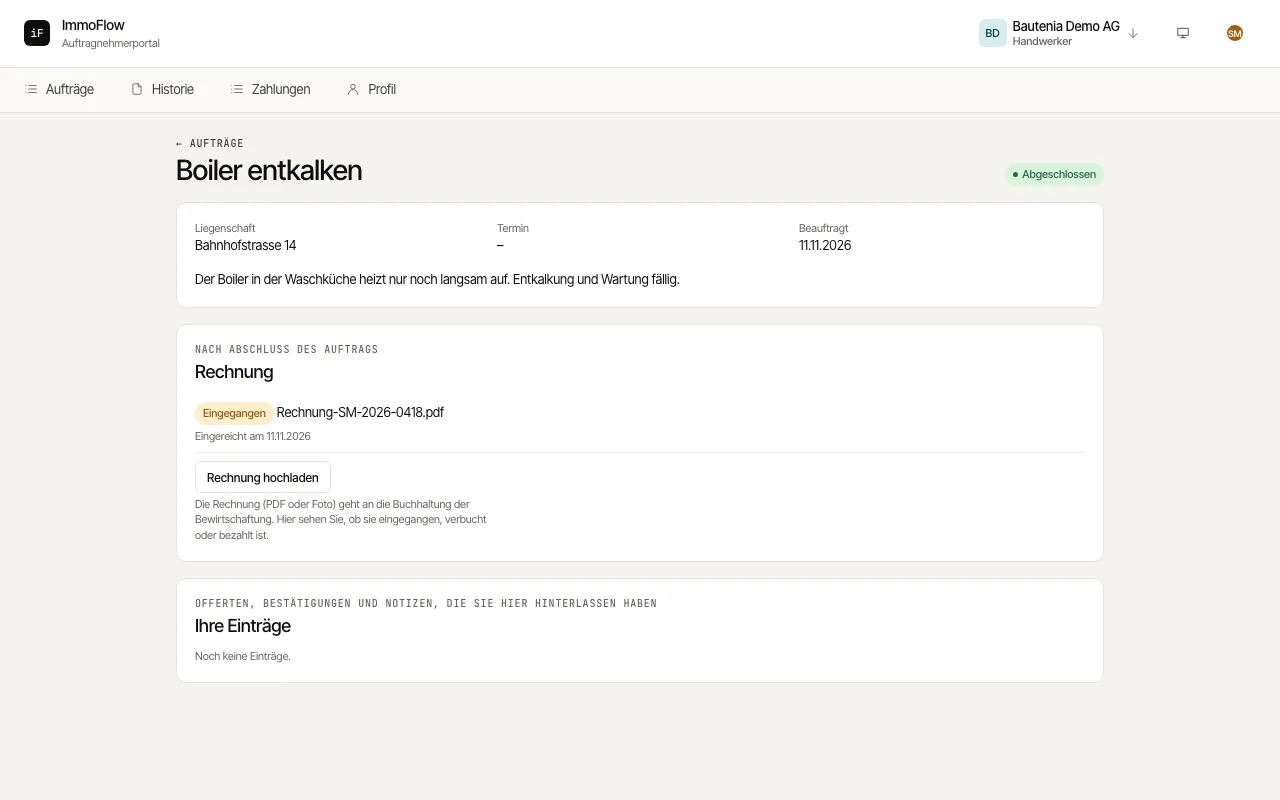 5.8Submitting an invoice for a completed orderAfter completing an order you upload your invoice directly on the order. It goes to the property manager's accounting, and you follow whether it was received, booked or paid.Read the guide →
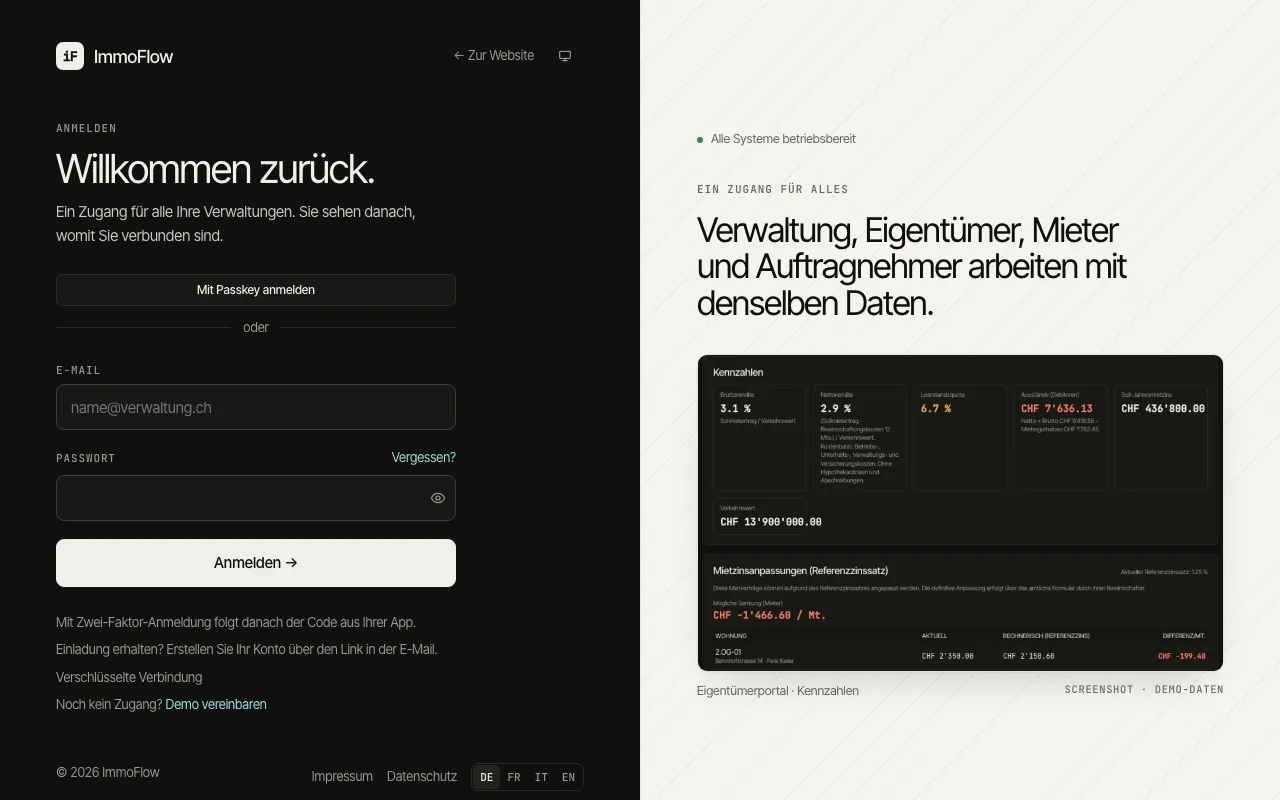 5.9Signing in with one loginEveryone signs in on the same page: staff, tenants, owners and contractors. ImmoFlow tells from your roles where you belong, and with one account you reach every management company that invited you.Read the guide →
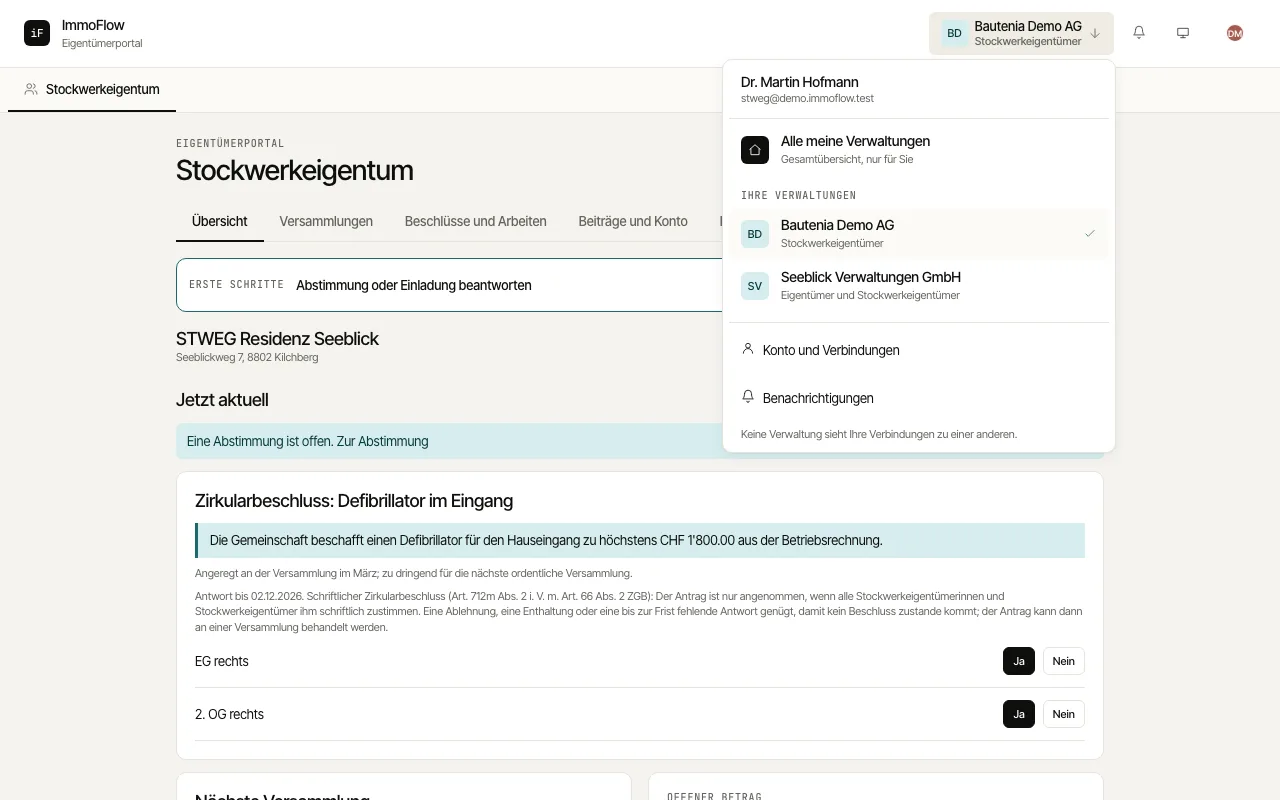 5.10Switching between management companies and rolesThe top bar shows which management company and which role you are working in. This menu takes you to another management company, to the combined overview or to another role.Read the guide →
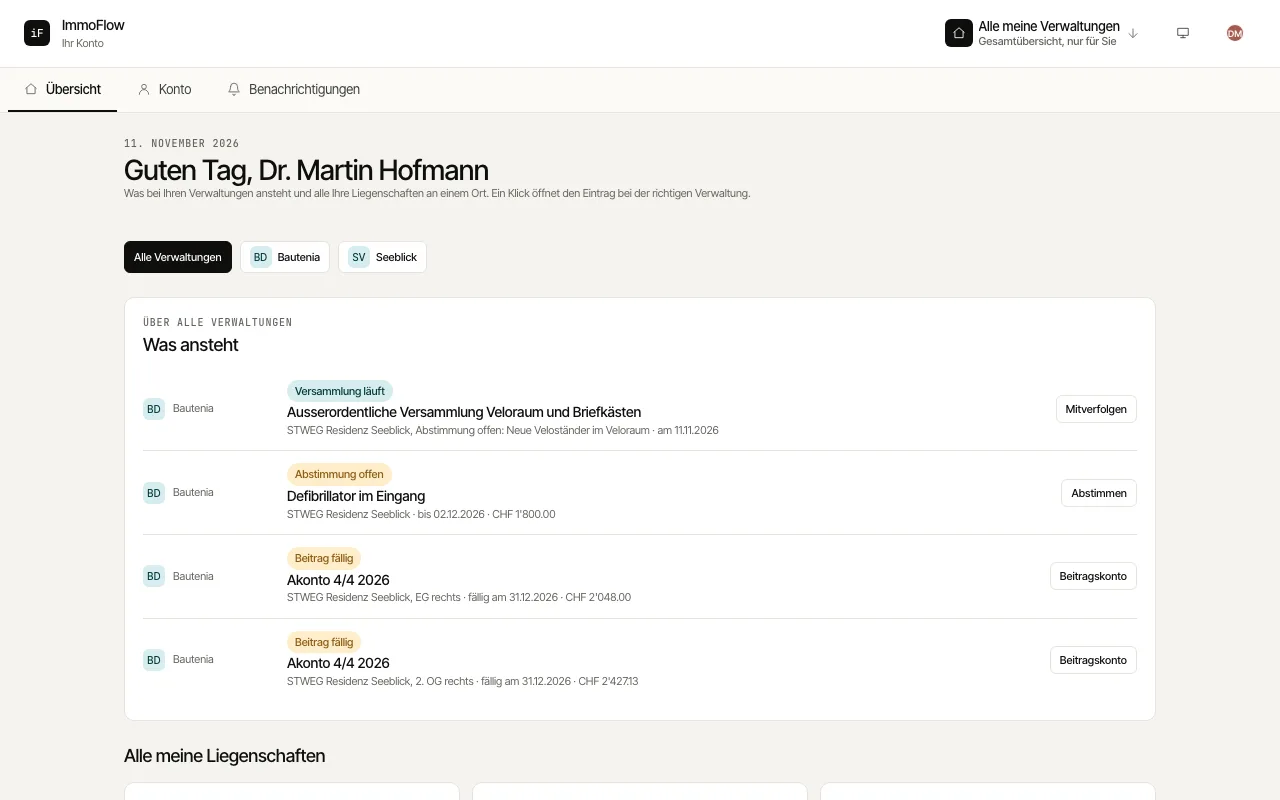 5.11All management companies at a glanceThe combined overview shows what is coming up at all your management companies and all your properties and condominium units, each labelled with its company. Contractors see all open orders here.Read the guide →
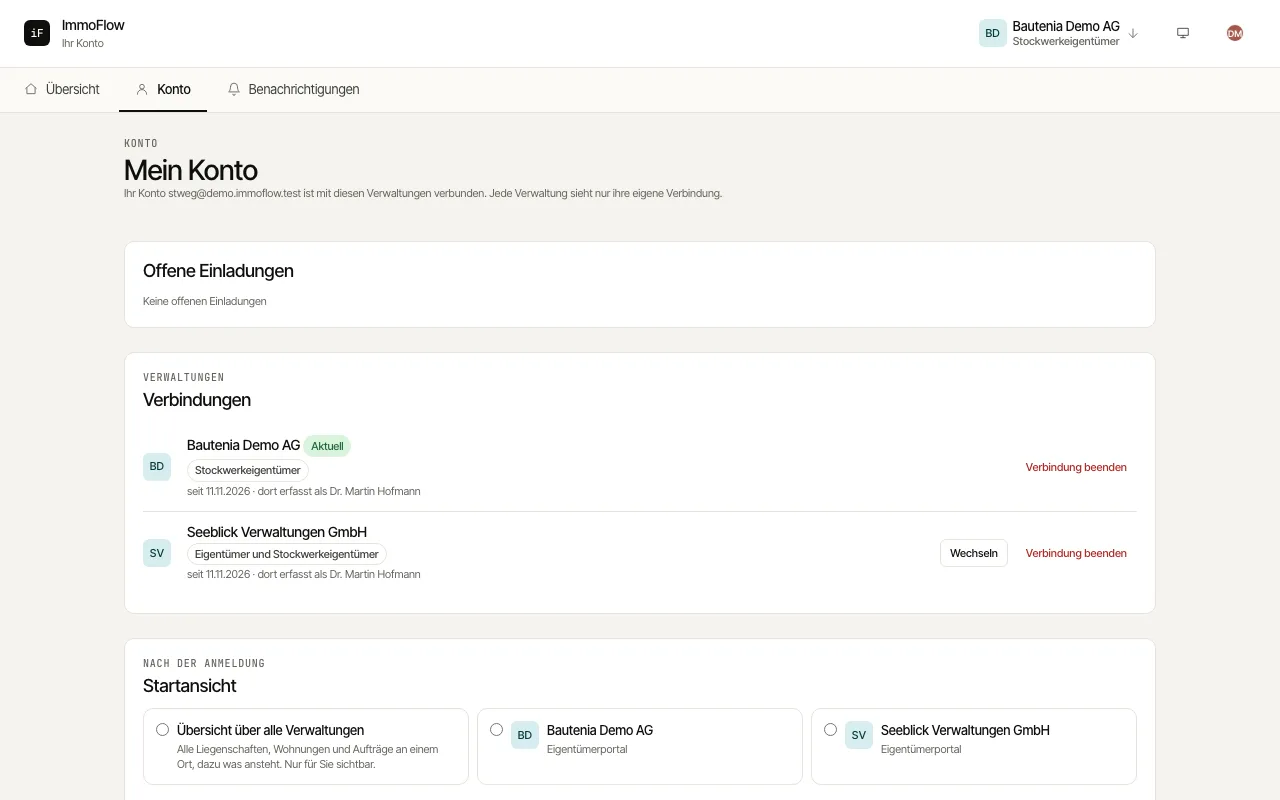 5.12Managing connections, invitations and the start viewUnder "My account" you see which management companies your account is connected with, accept or decline open invitations, end a connection and choose where you start after signing in.Read the guide →
Reports and owner documents
Read statements and reports and find the right documents for owners and their fiduciary.
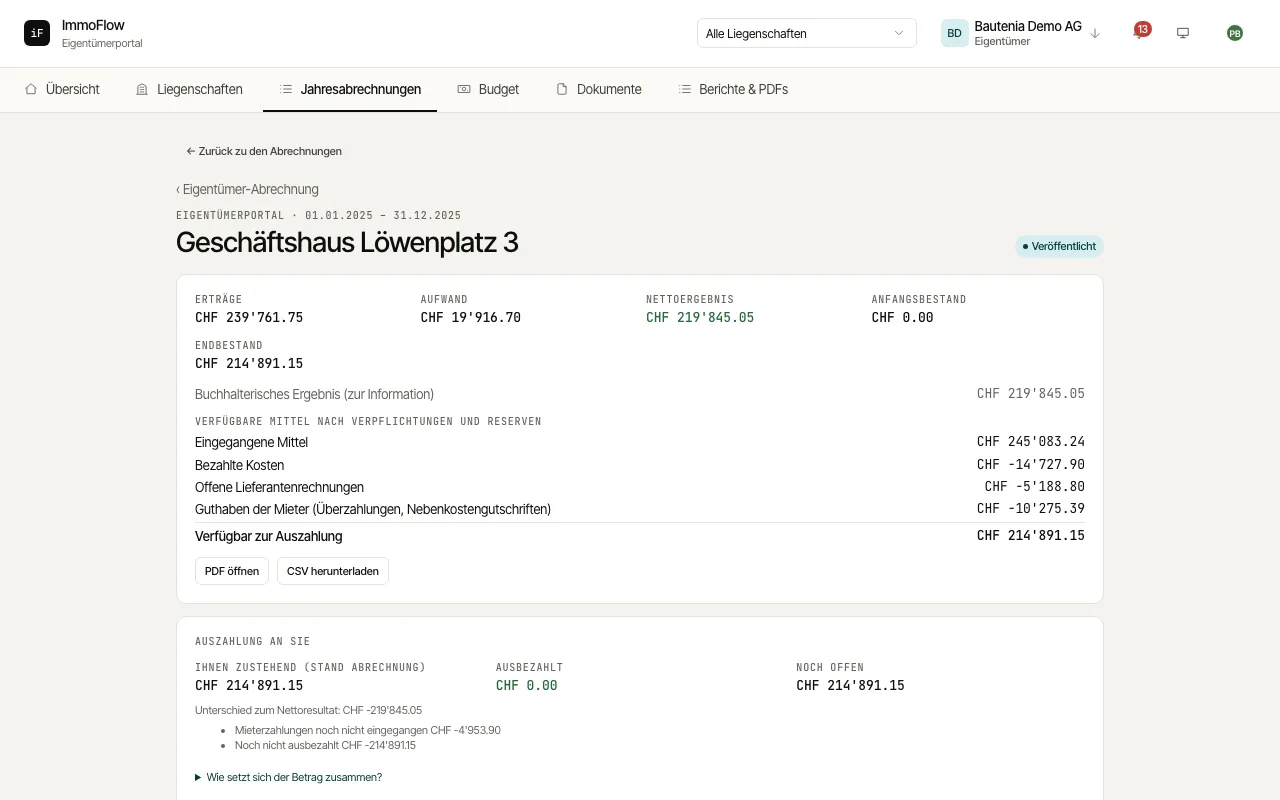 6.1Reading owner statementsAn owner statement sets income, expenses and the balance of a period side by side. The payout is followed separately. This keeps statement figures and money movements distinguishable.Read the guide →
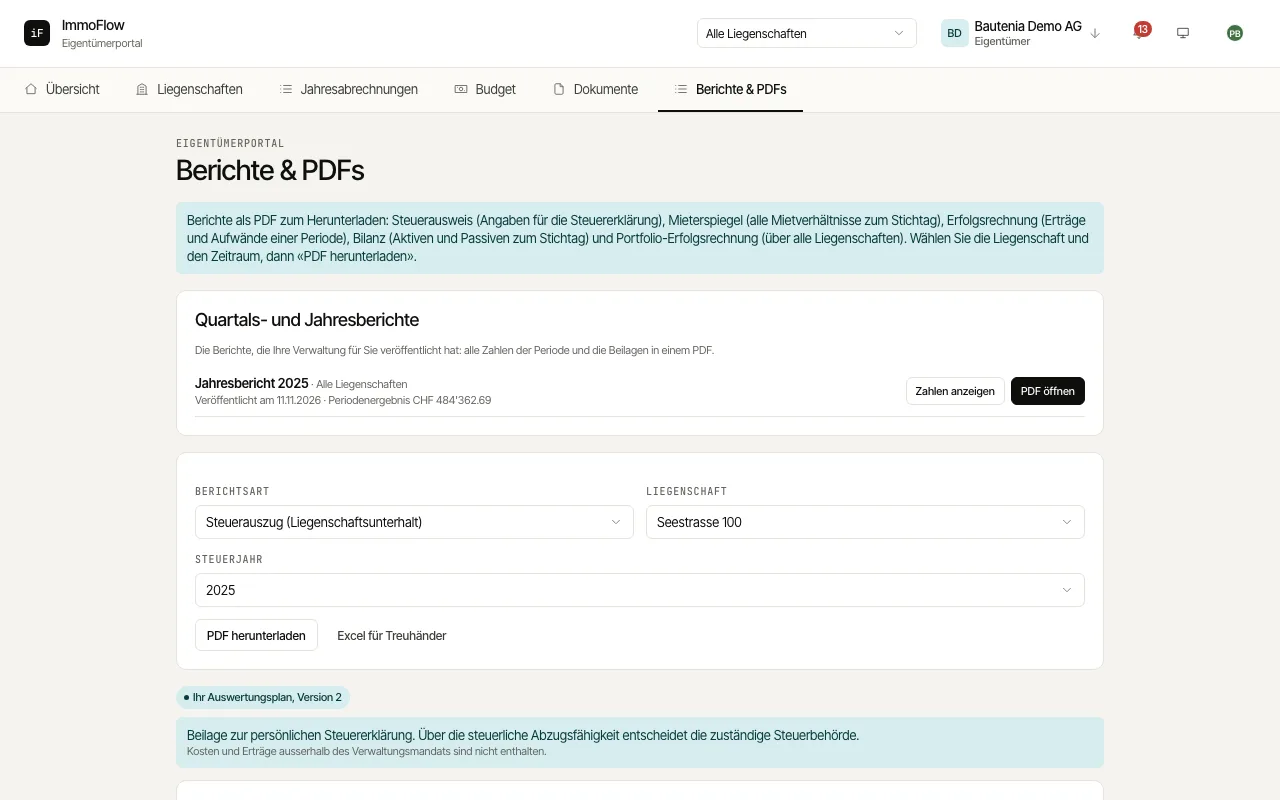 6.2Using reports effectivelyReports answer different questions: who rents which unit? How is the result developing? Which maintenance costs need checking for the tax documents? In addition there are the quarterly and annual reports your property manager publishes for you.Read the guide →
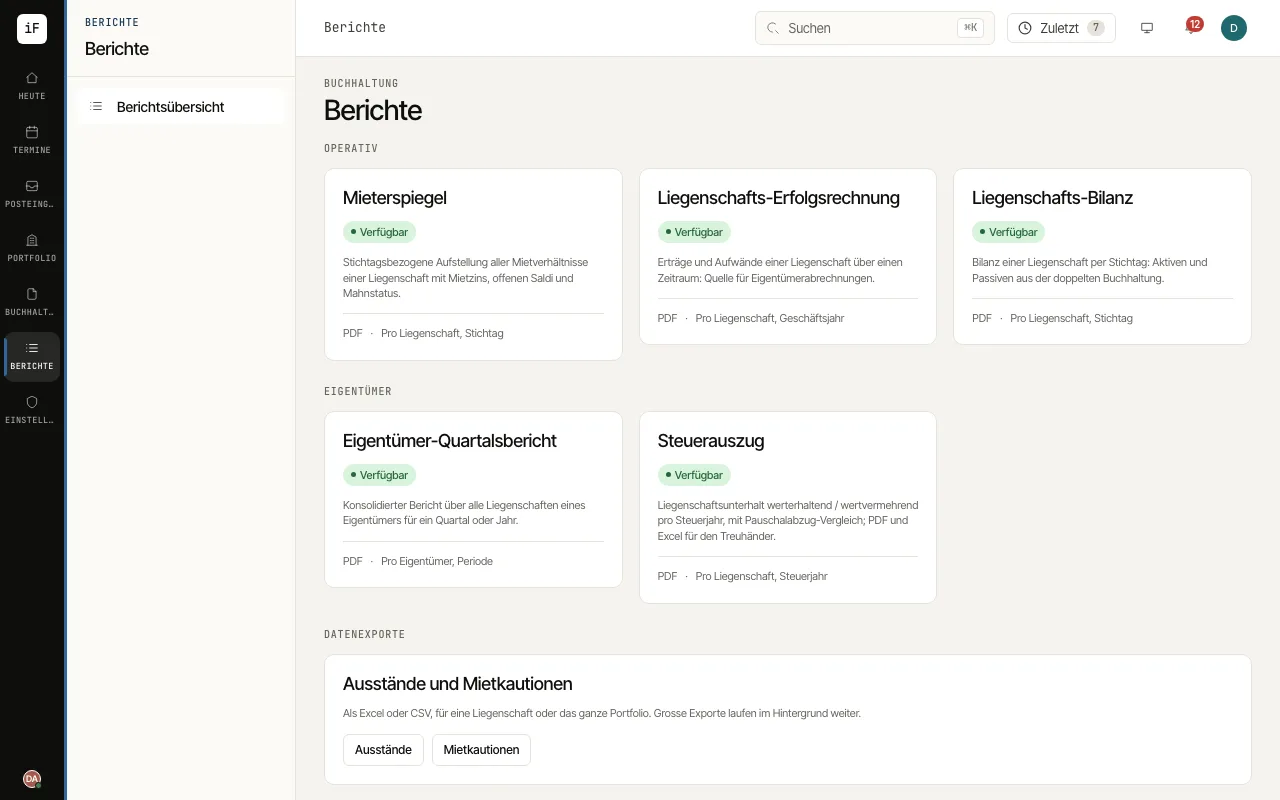 6.3Creating property reportsUnder "Reports" you create the analyses of your properties: rent roll on a reporting date, income statement for a period, balance sheet on a reporting date and the consolidated owner report. Every report can be output as a PDF.Read the guide →
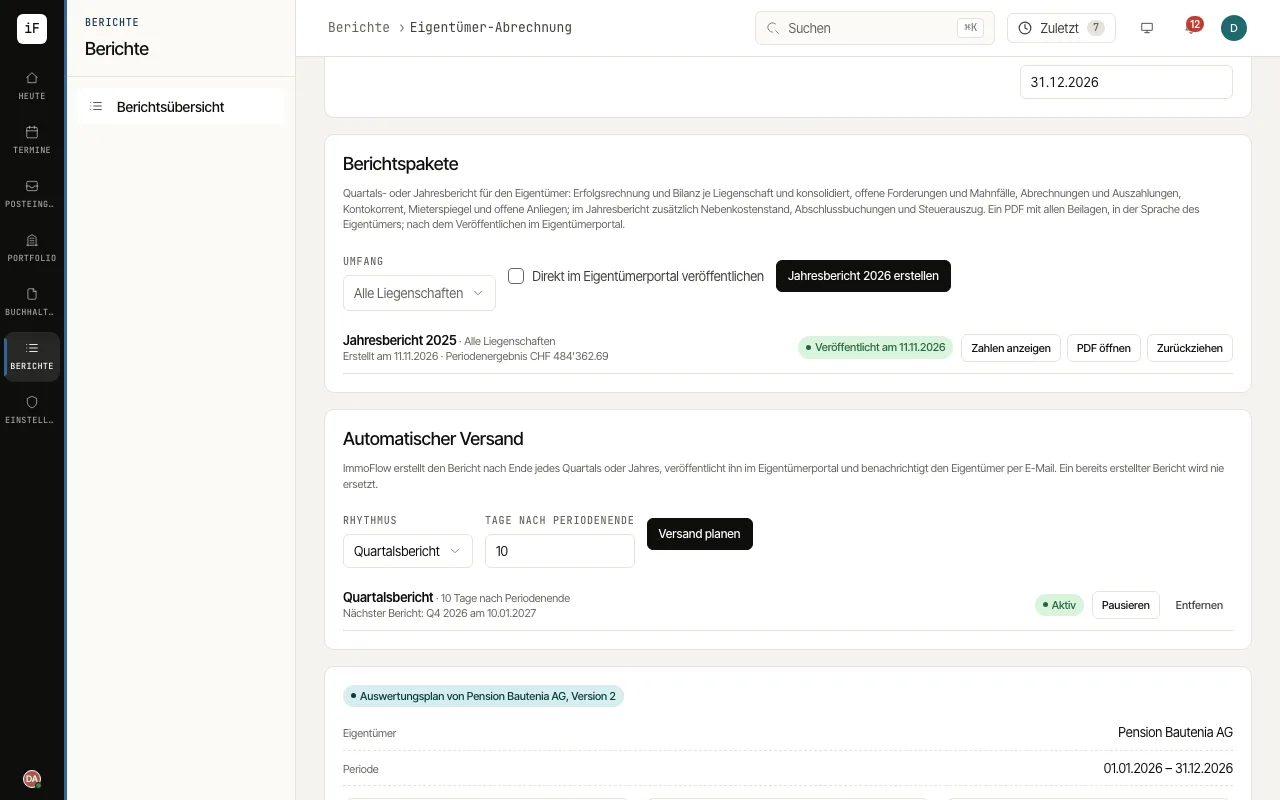 6.4Creating, commenting on and scheduling owner reportsThe owner quarterly report combines all properties of an owner for a quarter or a year. As a report package you publish it in the owner portal, with a summary if you wish, or have it generated and delivered automatically after the end of every period.Read the guide →
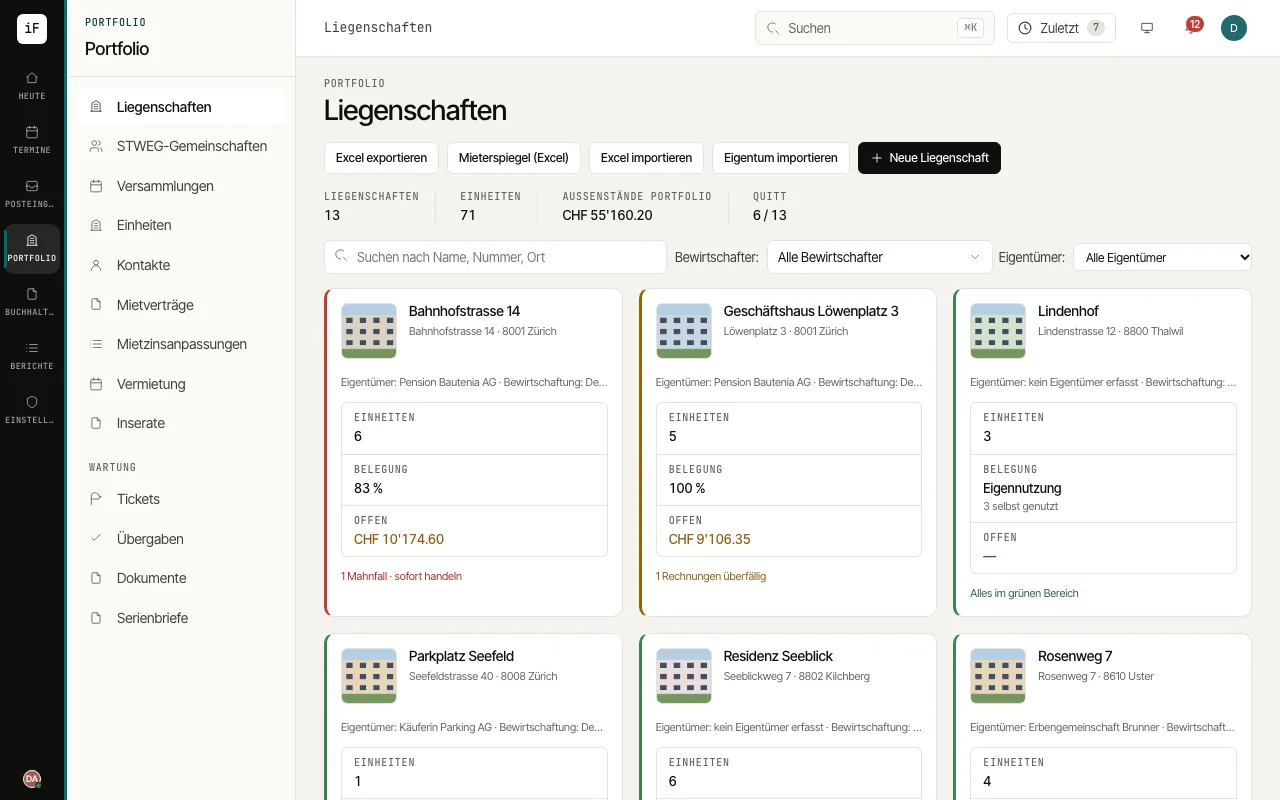 6.5Exporting data to ExcelYou download lists and analyses as Excel files in Swiss formats, for example for the owner, the fiduciary or your own analyses. A list export always contains every row that matches your current filter.Read the guide →
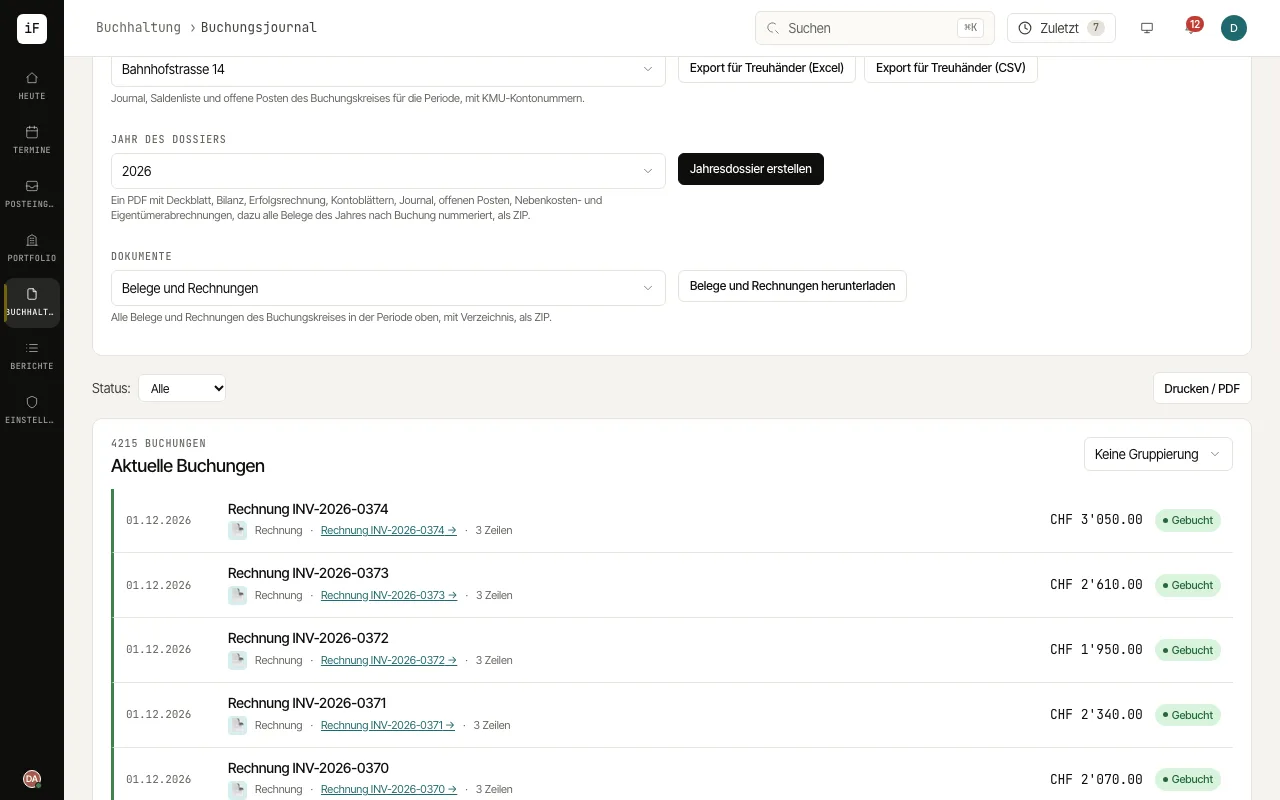 6.6Year-end dossier and export for the fiduciaryFor the year-end closing ImmoFlow puts together a year-end dossier with every analysis and receipt for each accounting book. The fiduciary also receives the journal, trial balance and open items as an Excel or CSV export.Read the guide →
Organisation, security and setup
How to set up a management firm, take over data, run the team with roles and assignments, secure the sign-in and manage templates, legal texts, e-mail intake and data protection.
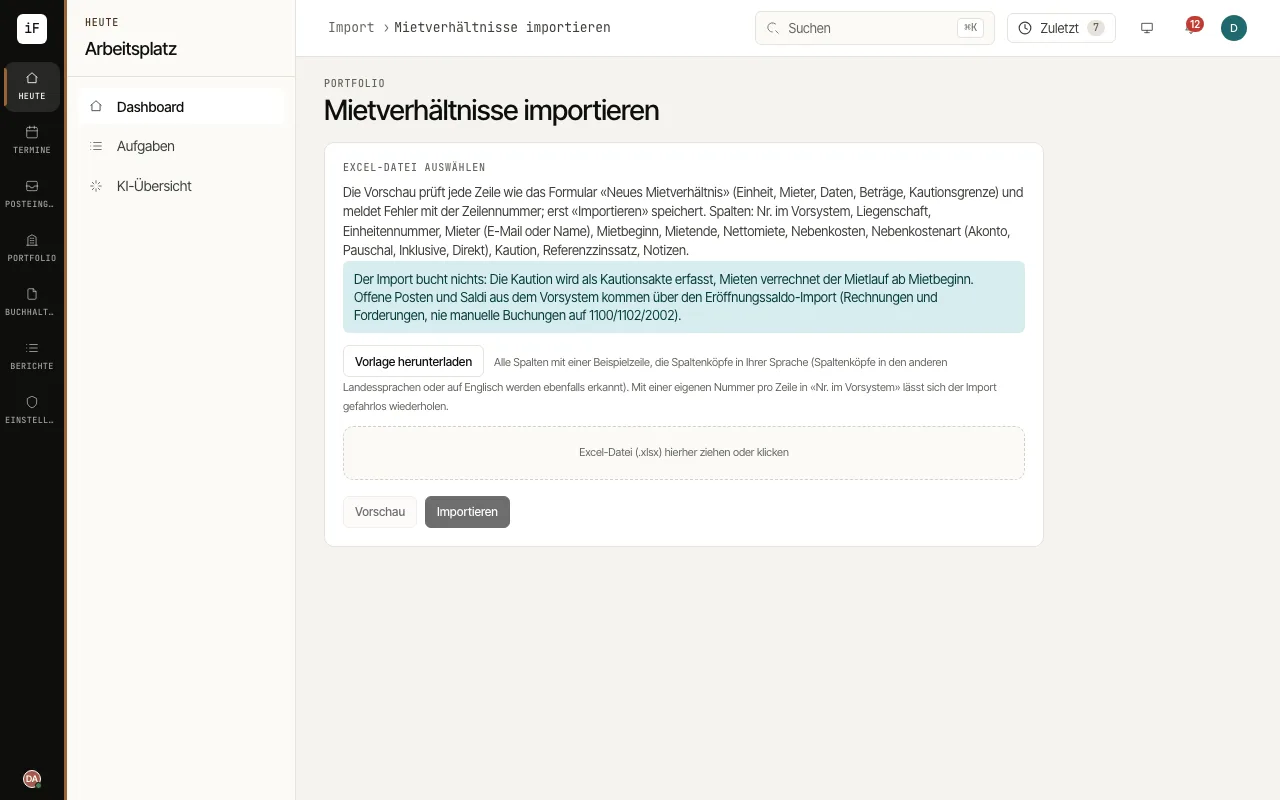 7.1Set up a mandate and take over dataWhen you switch, the fastest way to record properties, units, contacts, leases and ownership is the Excel import. The card «Ready for a trial run?» on the dashboard shows per mandate what is in place and what is still missing.Read the guide →
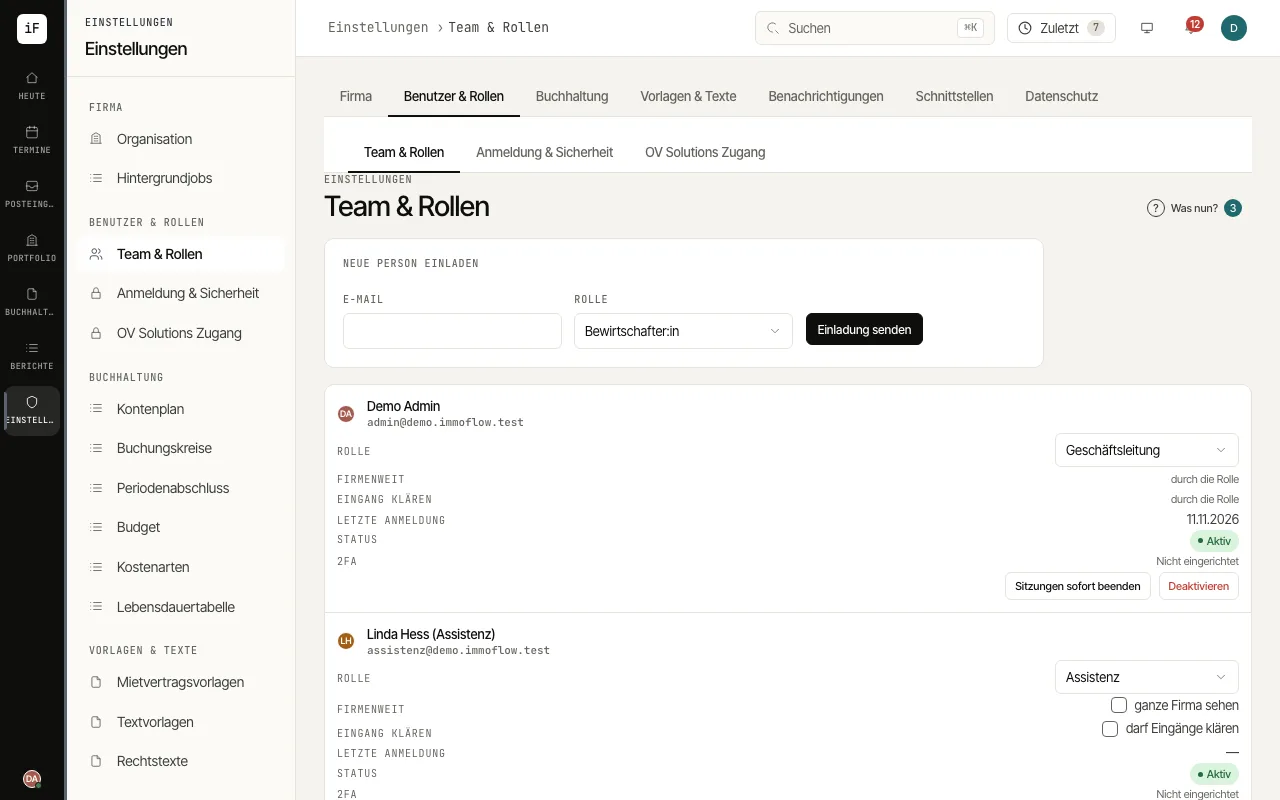 7.2Team, roles and property assignmentsUnder «Team & roles» you invite staff, assign roles and arrange deputies. With property assignments, managers, assistants and read-only users see only the properties they are responsible for.Read the guide →
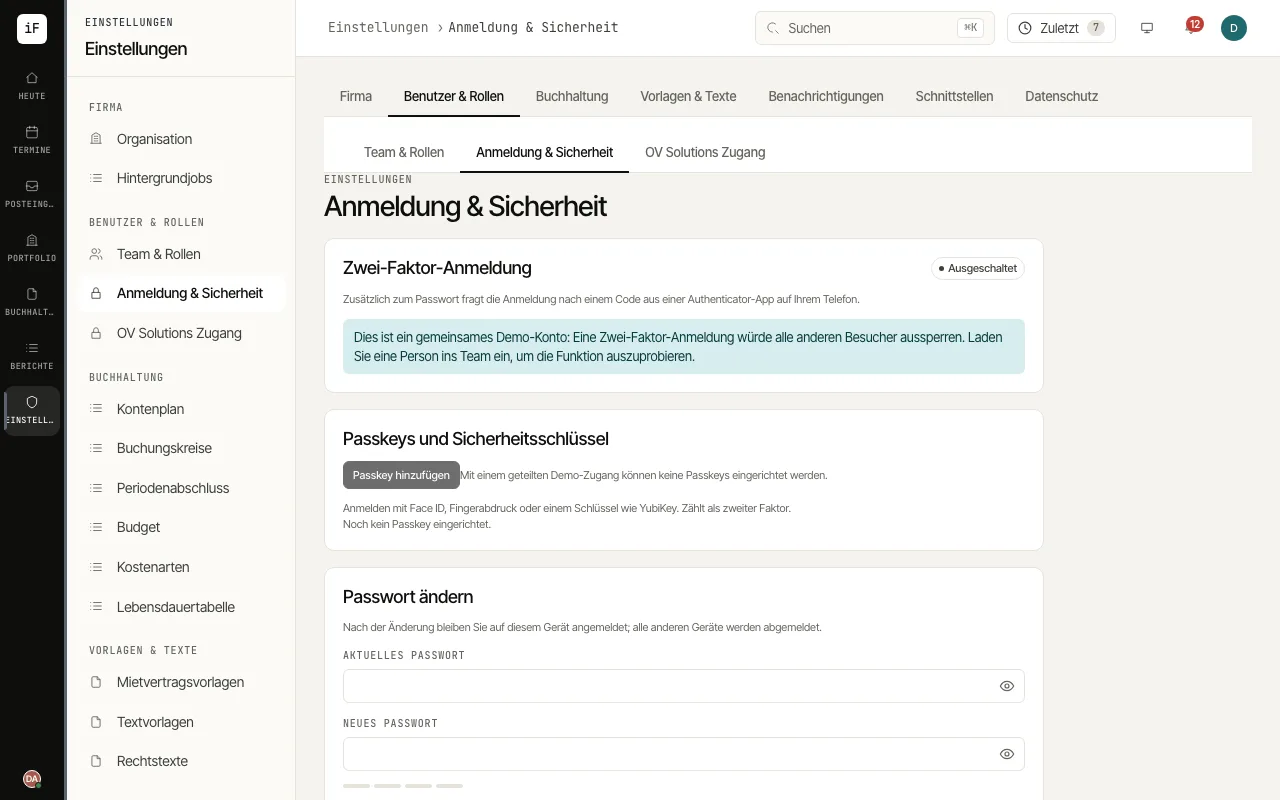 7.3Set up two-factor sign-inTwo-factor sign-in protects your account, in addition to the password, with a code from an authenticator app. The firm can require it for all staff; tenants, owners and contractors use it voluntarily.Read the guide →
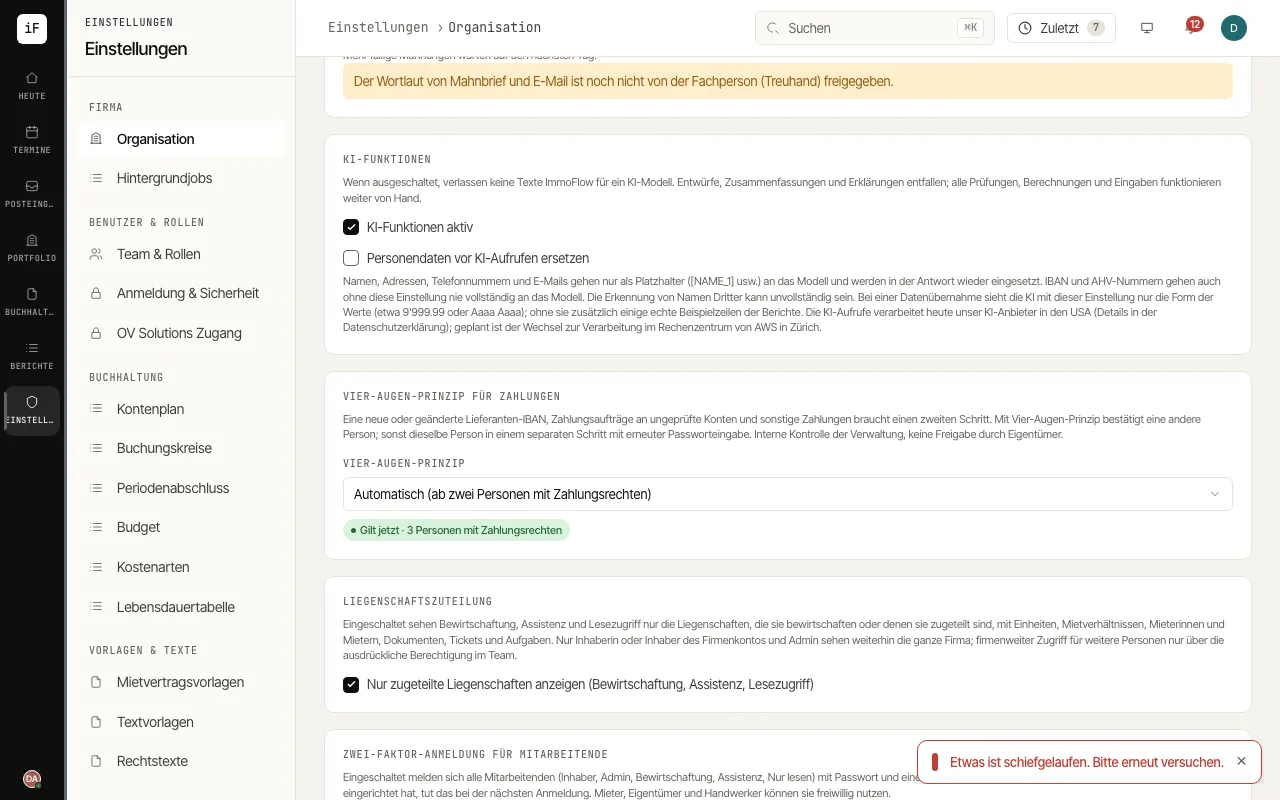 7.4Set the firm's details and rulesUnder «Organization» you find the details printed on documents and the rules that apply to the whole firm: logo, payee, reminder fees, AI features, uploads, four-eyes principle and data protection.Read the guide →
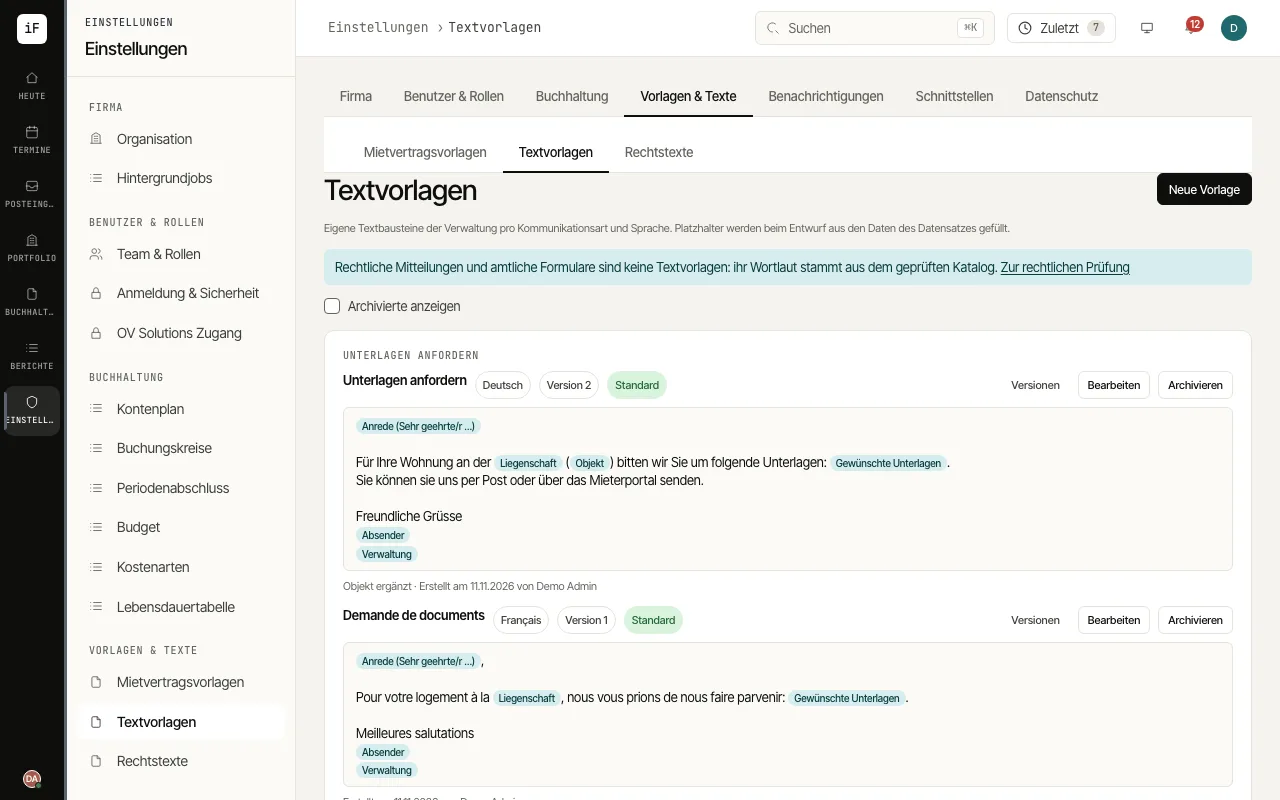 7.5Maintain text templates for messages and lettersText templates are your firm's own wording per kind of communication and language, for example requesting documents, appointment confirmation, payment reminder, letter or serial letter. ImmoFlow fills placeholders from the record when drafting.Read the guide →
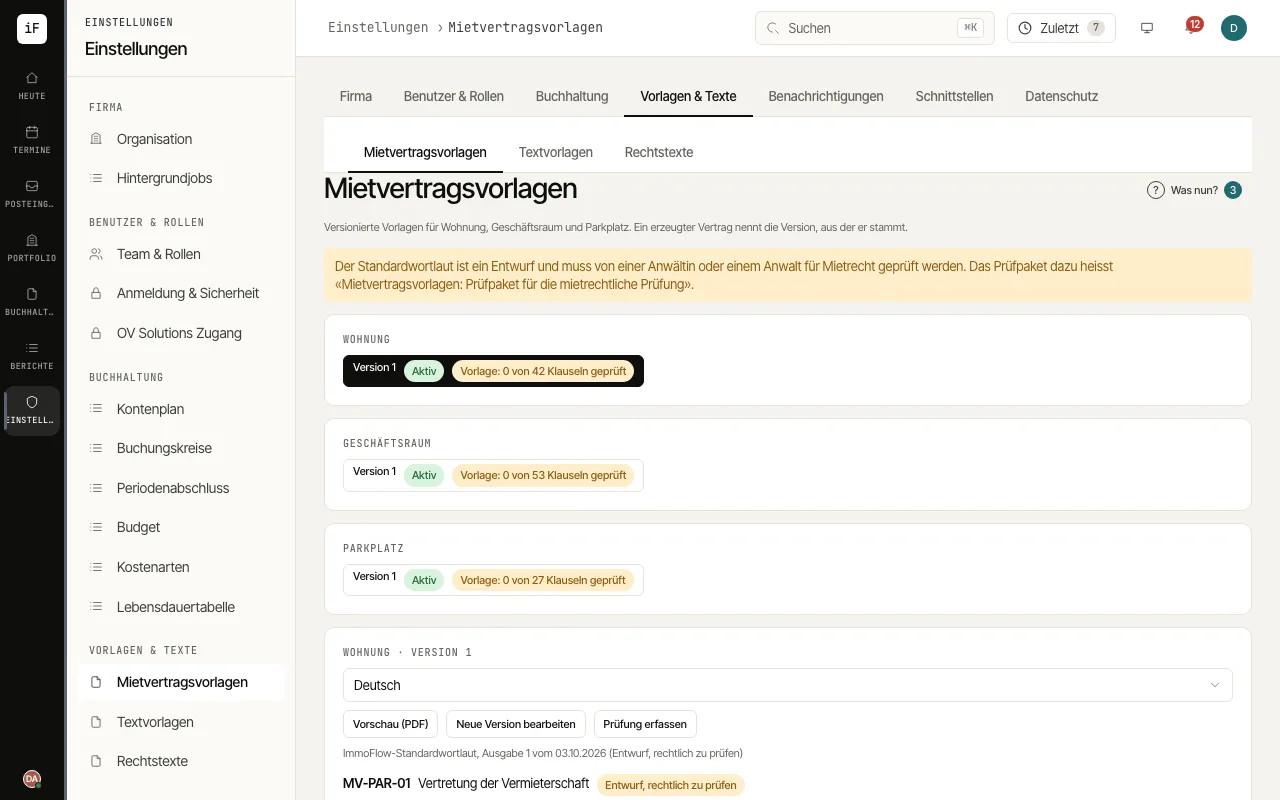 7.6Review lease contract templates and generate contractsLease contracts are generated from versioned templates for flats, commercial premises and parking spaces. Every clause carries its review status; a generated contract names the version it comes from.Read the guide →
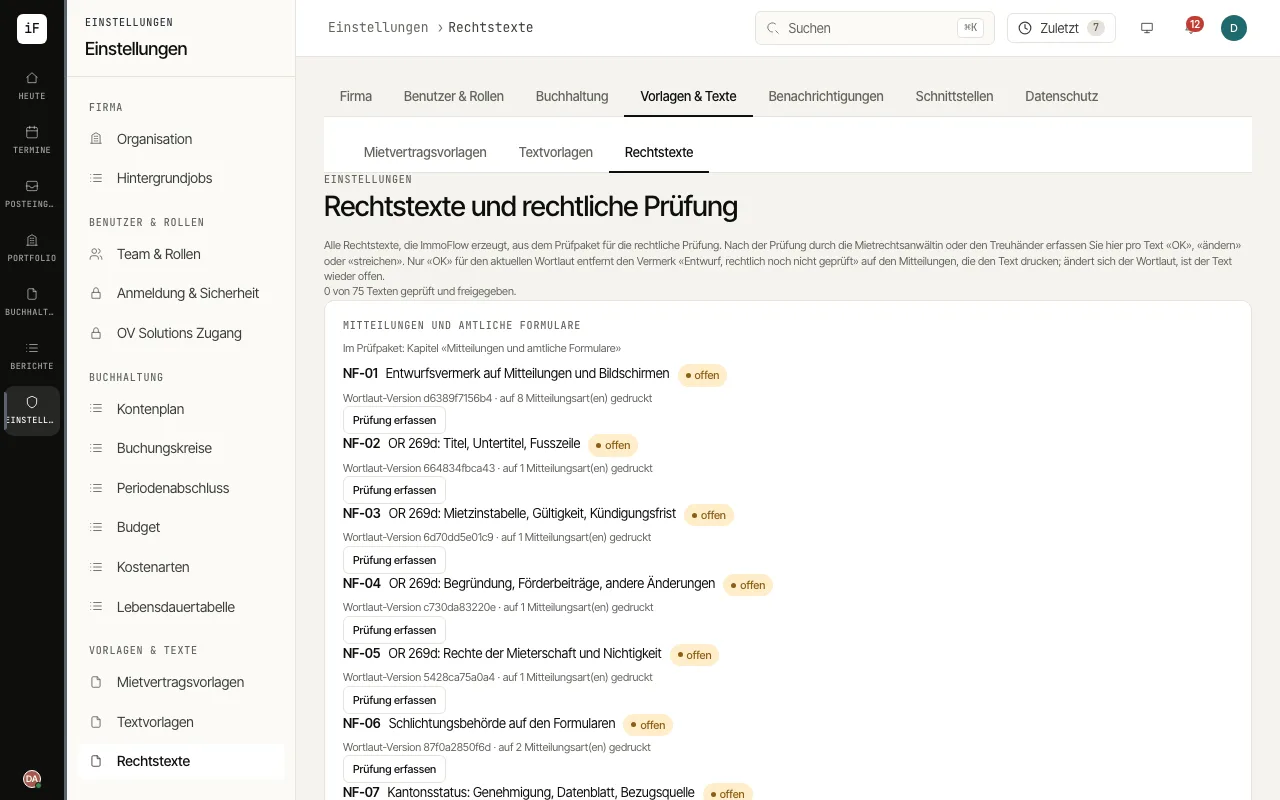 7.7Legal texts, official forms and conciliation authoritiesImmoFlow issues rent changes, landlord terminations and the initial-rent form on an official form: on its own template once the canton has approved it, otherwise on the canton's form, filled in without changes. The competent conciliation authority comes from the directory of the cantonal lists; under «Legal texts» you record which texts have been legally reviewed.Read the guide →
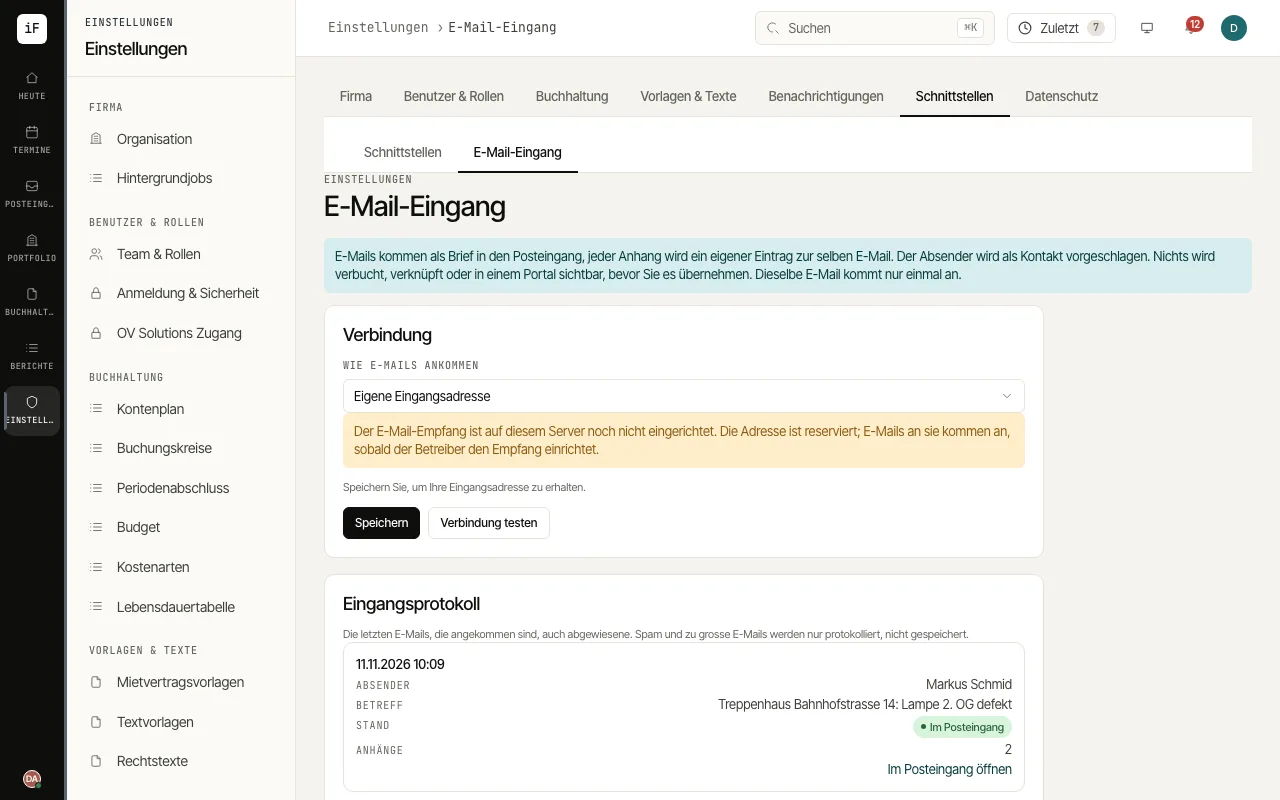 7.8Bring e-mails into the inboxE-mail intake brings invoices and letters sent by e-mail into the inbox. Every attachment becomes its own entry for the same e-mail, and the sender is suggested as a contact.Read the guide →
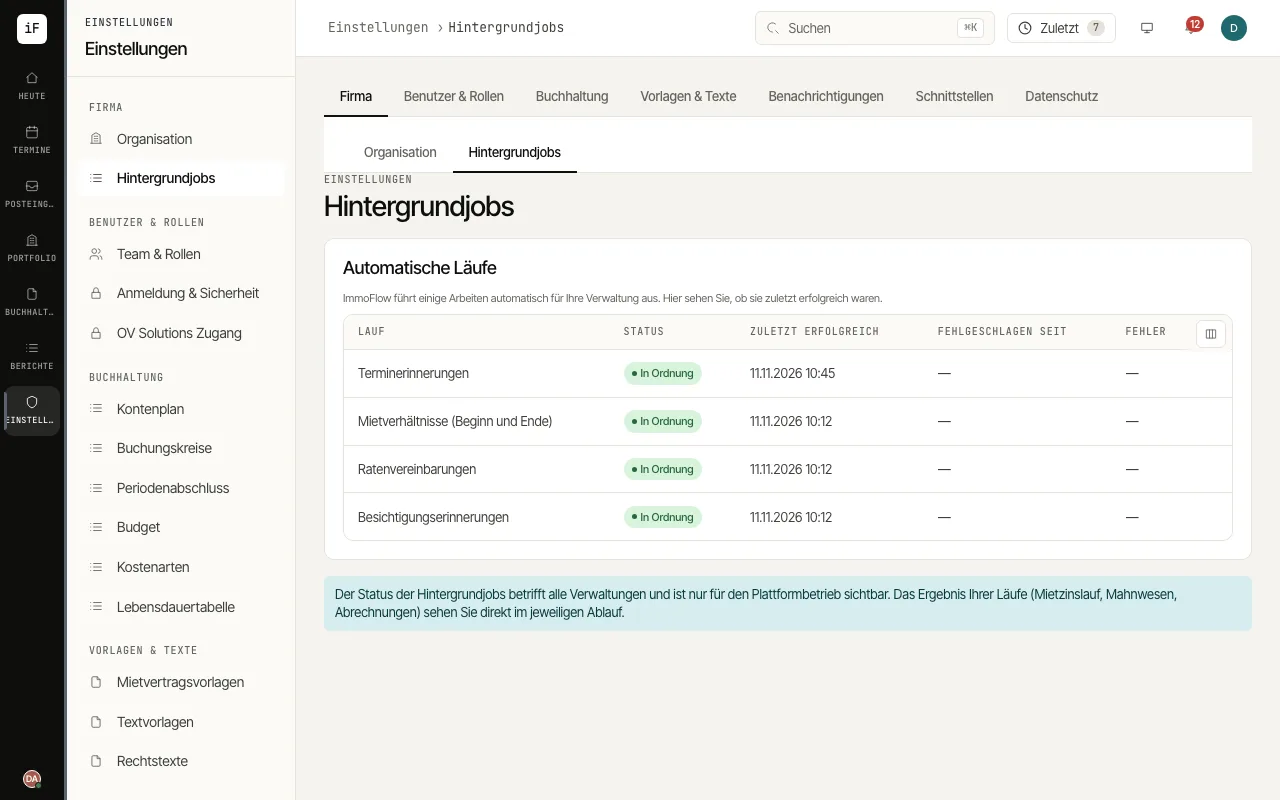 7.9Follow long operations in the backgroundImports, AI reading of documents, service charge PDF bundles, the year-end dossier, Excel exports, serial letters and e-mail sending run as background operations. That keeps ImmoFlow usable while an operation takes longer.Read the guide →
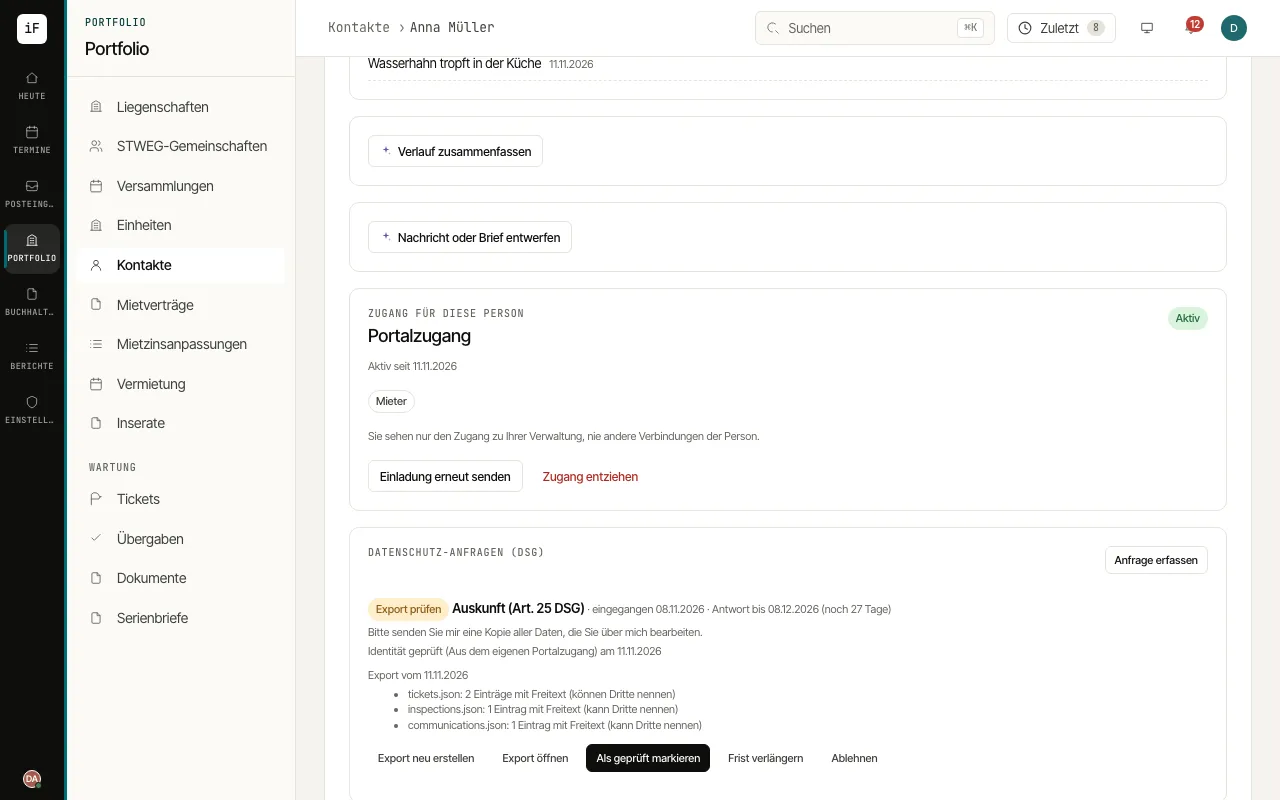 7.10Answer data protection requestsWhen a person asks for access to their data, a correction or an erasure, you register the request on their contact. ImmoFlow guides you through identity check, export, review for third-party data, delivery and closing, and watches the 30-day deadline.Read the guide →
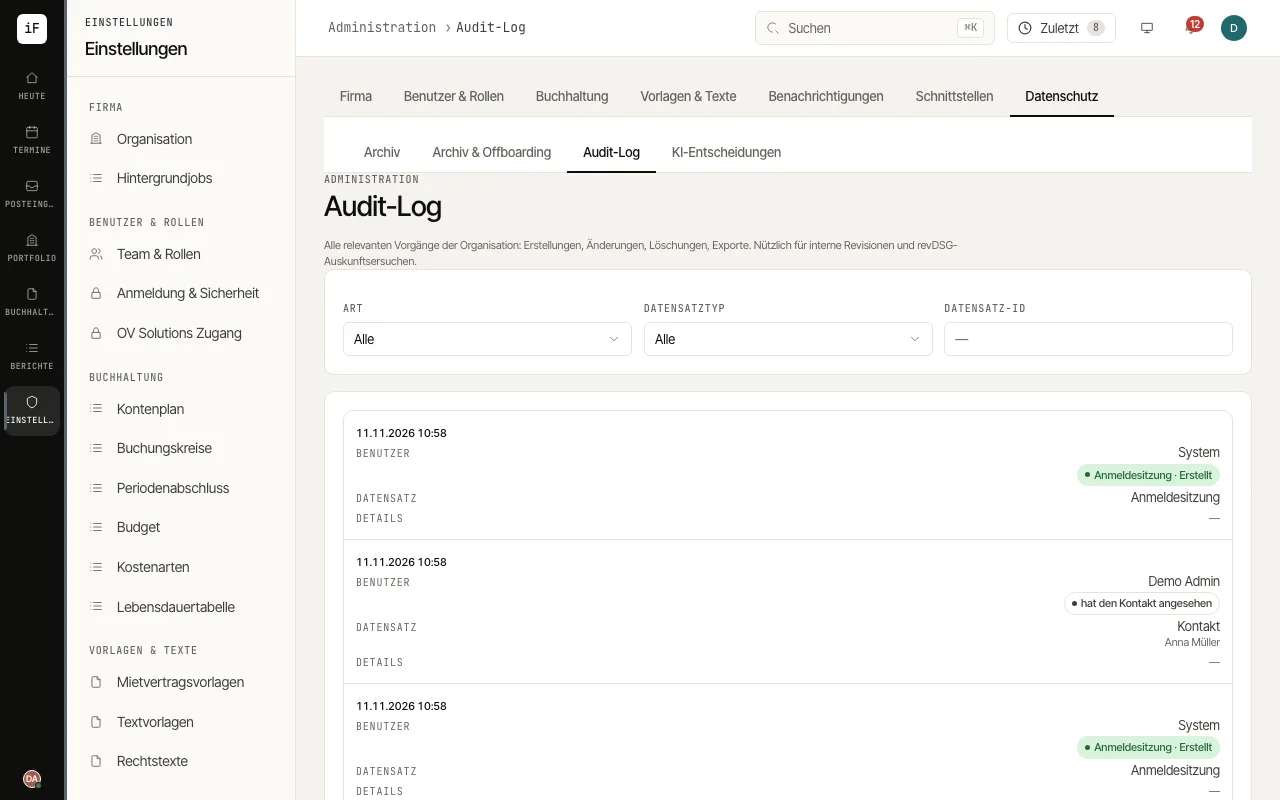 7.11Use the audit log, the archive and offboardingThe audit log records who created, changed, exported or viewed what and when, including document downloads and access to personal data. In the archive you find archived contacts, properties and units and restore them. Under «Archive & offboarding» you download the accounting at any time as a readable archive and, if your property management company leaves ImmoFlow, run the offboarding through to deletion.Read the guide →
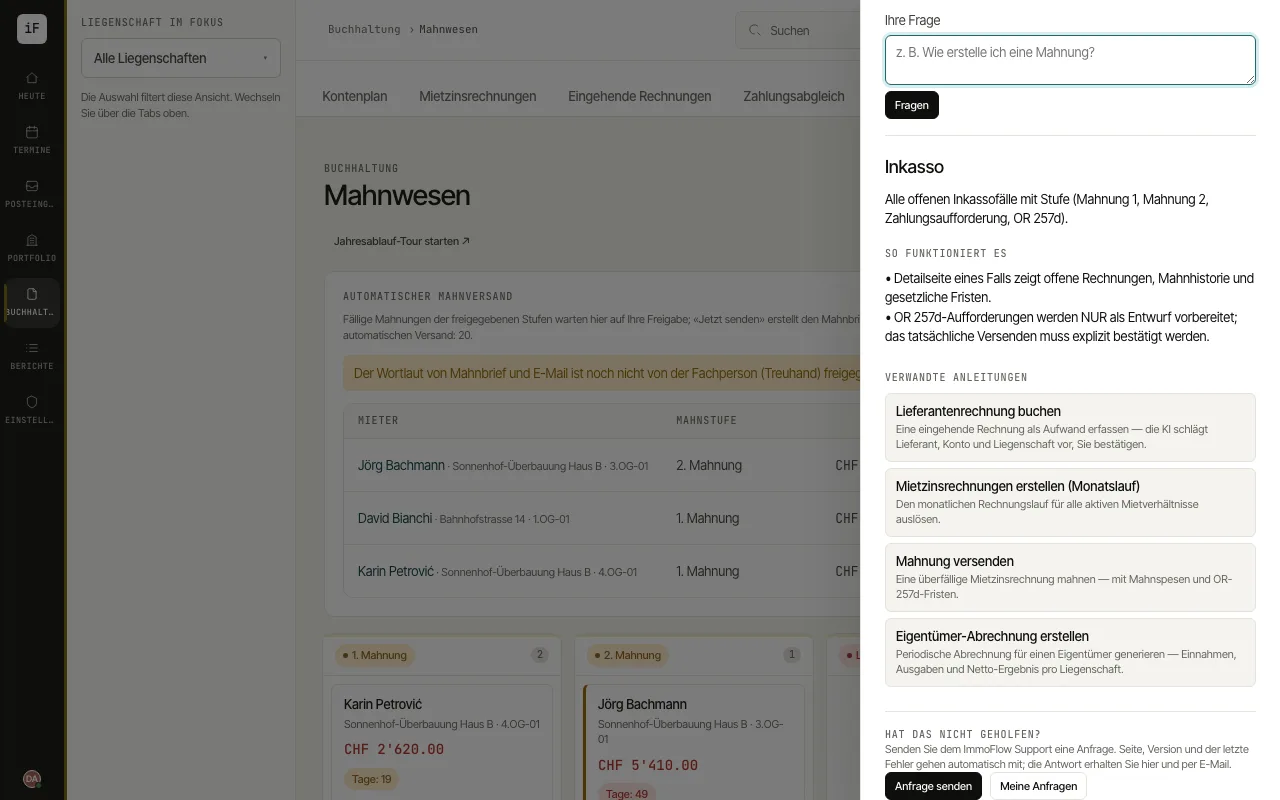 7.12Contacting supportWhen the help does not answer a question or something does not work as expected, send ImmoFlow support a request straight from the app. The page you are on, the ImmoFlow version and the id of the last error are sent along automatically.Read the guide →
See ImmoFlow with your own properties.
In 30 minutes we show you the workflows that matter for your management company.